CustomFit.ai β€” Website personalization, A/B testing and CRO for Shopify and D2C
Product
Features
✱
Website Personalization
Adapt to each visitor's behavior & intent
β§–
A/B & Multivariate Testing
Rigorous experimentation
✨
AI CopilotNEW
Personalize with a prompt
πŸ€–
AI WingmanNEW
Auto-optimize toward winners
🎯
AI Conversion OptimizerNEW
GPT-grade test ideas
✎
No-Code Visual Editor
Drag-and-drop edit any element
β–¦
Product Recommendations
Personalized recs that lift AOV
βš‘
Feature Flags
Ship safely with kill-switches
β—§
Chrome Extension
Edit your store in the browser
⧉
Shopify, WooCommerce & more
All platform integrations
View all features β†’
Use Cases
$
Price A/B Testing
Test price points to maximize revenue
β–¦
Theme A/B Testing
Compare whole layouts & designs
πŸ—‚
Template A/B Testing
Test whole PDP/PLP templates
🏷
Discount A/B Testing
Find the offer that converts
🚚
Shipping A/B Testing
Thresholds, speed & copy
✍
Content A/B Testing
Copy, images & reviews
πŸ’³
Checkout Gateway A/B
Payments & one-click
βŒ–
Geo-Based Personalization
Per-location content & offers
⚑
Buyer-Intent Nudges
Exit-intent & retargeting
↔
Split-URL / Redirection
Full-page redirect tests
View all use cases β†’
Solutions & Guides
β€’
Conversion Rate Optimization
The complete CRO guide
β§–
A/B Testing Software
Buyer's guide for D2C
πŸ›’
Cart Abandonment Recovery
Win back lost carts
πŸ“°
Landing Page Optimization
Convert more paid traffic
S
Shopify A/B Testing
Test your store, no code
S
Shopify Personalization
Tailor the store per shopper
β—”
First-Time Visitor Offers
Convert new shoppers with trust & offers
β˜…
Repeat-Customer Experiences
Reward and re-engage loyal buyers
β—Ž
Campaign-Matched Pages
Match the landing page to the ad
βŒ–
Location-Based Experiences
Currency, language & regional offers
Explore CRO β†’
Customer stories
GIVA
+32%
conversion via personalized recs
GIVA
Mamaearth
+18%
revenue lift from PDP A/B tests
ME
The Sleep Company
+24%
AOV from product recommendations
TSC
Read customer stories β†’
Integrations
SWsfGA+15
✦
Not sure where to start?
Let AI Copilot pick your first tests

β€œWe wake up to evidence-backed tests ready to deploy β€” not a backlog of maybe ideas.”

AN
Anirudh S.
Growth Β· Chargebee
β˜…β˜…β˜…β˜…β˜…4.8on G2 Β· 2,400+ brands
Talk to our team β†’
Widgets
Integrations
Ecommerce & Checkout
Shopify
Shopline
Shoplazza
GoKwik
ShopFlo
Razorpay Magic Checkout
Breeze
Shiprocket
View all integrations β†’
Analytics & Behavior
Google Analytics 4
Microsoft Clarity
Hotjar
Mixpanel
Amplitude
Heap
Adobe Analytics
Segment (CDP)
View all integrations β†’
Engagement, CRM & More
Klaviyo
MoEngage
CleverTap
WebEngage
HubSpot
Salesforce
Slack
Meta Ads
View all integrations β†’
CustomersPricing
Resources
CRO
β–€
Playbooks
Proven strategies to boost conversions
πŸŽ™
Interviews
D2C leaders & marketing experts
β–Ά
Webinars
Live deep dives & product sessions
Learn
✎
Blog
Tips, experiments & best practices
πŸ“•
Free E-Books
Mastering personalization
πŸ“–
Conversion Glossary
Every CRO term, defined
✦AI CopilotNEWLog inBook a demo
Start free trial
Select your platform β€” Install in 2 minsWe'll tailor the setup
⚑ Risk-free 14-day trial · No credit card · Cancel anytime
S
Shopify
Install from Shopify App Store
β€Ί
W
WooCommerce
Install the WooCommerce plugin
β€Ί
B
BigCommerce
Install from BigCommerce App Marketplace
β€Ί
SL
Shopline
Install from Shopline App Store
β€Ί
M
Salesforce / Magento
Install from the marketplace
β€Ί
SZ
Shoplazza
Install from Shoplazza App Store
β€Ί
WP
WordPress / Webflow
Install plugin or paste the script
β€Ί
β—§
Others
Custom-built on React, Next.js, etc.
β€Ί
Tip: pick your platform β€” we handle the restBook a demo β†’
Product
Website PersonalizationA/B & Multivariate TestingAI CopilotAI WingmanAI Conversion OptimizerNo-Code Visual EditorProduct RecommendationsFeature FlagsView all features β†’
Use Cases
Price A/B TestingTheme A/B TestingTemplate A/B TestingDiscount A/B TestingShipping A/B TestingContent A/B TestingCheckout Gateway A/BGeo-Based PersonalizationBuyer-Intent NudgesSplit-URL / Redirection
Solutions & Guides
Conversion Rate OptimizationA/B Testing SoftwareCart Abandonment RecoveryLanding Page OptimizationShopify A/B TestingShopify Personalization
Explore
WidgetsIntegrationsCustomersPricing
Resources
BlogPlaybooksWebinarsInterviewsE-BooksConversion Glossary
Platforms
ShopifyShoplineShoplazzaChrome ExtensionAll integrations
Start free trialBook a demo
Homeβ€ΊBlogβ€ΊStep-by-Step Guide to A/B Testing on Shopify

Step-by-Step Guide to A/B Testing on Shopify

Learn how to run A/B tests on your Shopify store to optimize conversions, improve user experience, and drive sales. Step-by-step guide with practical tips and tools.

SJSapna JoharMarch 21, 202611 min read
On this page
  1. What is A/B Testing?
  2. Why A/B Testing Matters for Shopify Stores
  3. A B Testing on Shopify: What Has Changed in 2026
  4. Step-by-Step Guide to Running A/B Tests on Shopify
  5. Key Areas for A/B Testing on Shopify
  6. Best Practices for A/B Testing on Shopify
  7. FAQs: A/B Testing on Shopify
0%
Step-by-Step Guide to A/B Testing on Shopify

From the conversion glossary

Concepts referenced in this article, defined.

Definition
What Is Variant? Definition, Formula & Guide
Definition
What Is Control? Definition, Formula & Guide
Definition
What Is Experiment? Definition, Formula & Guide
Definition
What Is Bundle? Definition & Guide
Definition
What Is Sample Size? Definition & Guide
Try CustomFit.ai

Run A/B tests and personalize your store without code. 14-day free trial, no credit card.

Start free trial β†’
Share
XLinkedInEmail

Start lifting conversions today.

Run rigorous A/B tests and personalize every visit on Shopify or any storefront β€” no engineers required.

Start free trialBook a demo

Built for every D2C category

🧴
Skincare
πŸ’„
Beauty
🌿
Wellness
β˜•
F&B
πŸ‘Ÿ
Apparel
πŸ’
Jewelry
πŸ›‹οΈ
Home
🍼
Baby
Live Β· Right now
Mamaearth β€” free-shipping band +12.4% AOVGIVA β€” festive collection page +34% revenueBellavita β€” PDP CTA test +27.4% CVRKapiva β€” Quiz-driven recs +9.48% CTRThe Sleep Co β€” landing personalized 2Γ— capturesPlum β€” Returning shopper swap +18.2% CVRMamaearth β€” free-shipping band +12.4% AOVGIVA β€” festive collection page +34% revenueBellavita β€” PDP CTA test +27.4% CVRKapiva β€” Quiz-driven recs +9.48% CTRThe Sleep Co β€” landing personalized 2Γ— capturesPlum β€” Returning shopper swap +18.2% CVR
Get in touch

Tell us about your store.

We reply within an hour during business hours. No sales pitch, no spam β€” just answers from someone who's seen 2,400+ D2C stores.

βœ“ Reply within 1 hourβœ“ No spam, everβœ“ Free demo & setup help
βœ“ Thanks! We'll be in touch shortly.
CustomFit.ai

The all-in-one website personalization, A/B testing & CRO platform for high-growth D2C brands. Made by marketers, fueled by coffee.

inπ•β—Žβ–Άf
Product
  • Features
  • A/B Testing
  • Personalization
  • AI Copilot
  • AI Wingman
  • AI Conversion Optimizer
  • Feature Flags
  • Widgets
  • Integrations
  • ROI Calculator
Platforms
  • Shopify
  • Shopline
  • Shoplazza
  • Salesforce
  • Chrome Extension
  • All Integrations
Resources
  • Blog
  • Playbooks
  • Webinars
  • GrowthFit Interviews
  • Free E-Books
  • Conversion Glossary
  • Case Studies
Compare
  • vs VWO
  • vs Optimizely
  • vs Google Optimize
  • vs Mutiny
  • vs Intelligems
  • vs Shoplift
  • vs AB Tasty
  • vs Convert
  • vs Kameleoon
Company
  • About Us
  • Partners
  • CustomFit Awards
  • Recognition
  • Contact
  • Privacy Policy
  • Terms & Conditions
Β© 2026 CustomFit.ai Β· Valley Monks Pvt Ltd Β· Made by marketers, fueled by coffee, and obsessed with conversions.
SOC 2 Type II Β· GDPR Β· CCPA Β· ISO 27001

For Shopify store owners, optimising every aspect of their website is critical to increasing conversions and improving the overall shopping experience. A/B testing is a strategic tool that allows you to test alternative versions of your site's features, such as product descriptions, CTA buttons, and checkout layouts, to see which performs better. This tutorial walks you through the steps of setting up and performing A/B tests on Shopify, as well as practical recommendations for getting the most out of your testing efforts.

Using data from platforms such as CustomFit.ai, we will look at how you can leverage A/B testing to fine-tune your Shopify store and generate outcomes with minimal complexity.

‍

What is A/B Testing?

‍

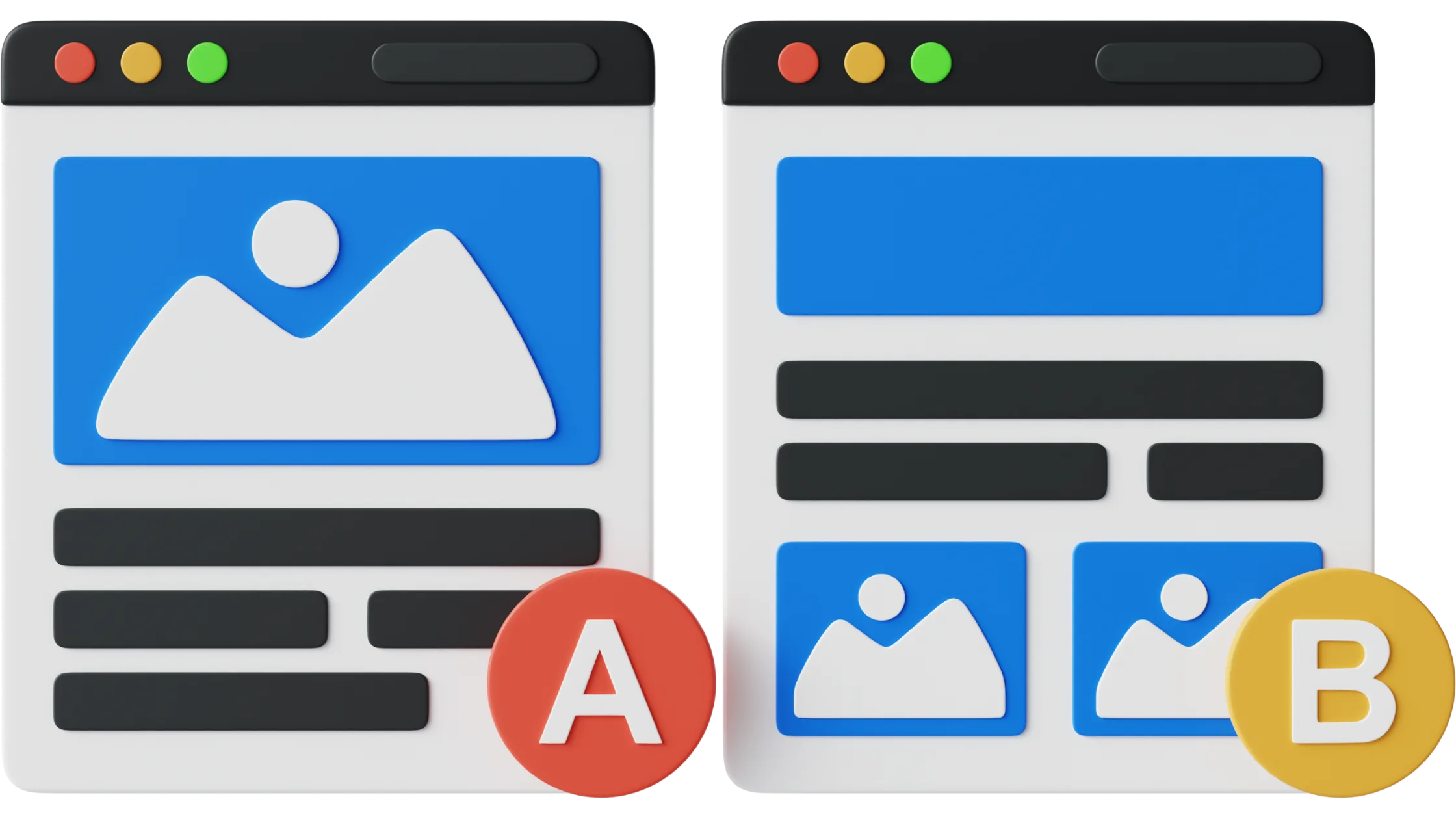
A/B testing, often known as split testing, is the process of comparing two versions of a webpage element (Version A and Version B) to determine which one performs better. For example, you may compare two distinct headlines or product photos to see which one gets more clicks or conversions. This method provides significant insights into consumer preferences, allowing you to make data-driven improvements to enhance the shopping experience.

‍

__wf_reserved_inherit

‍

Why A/B Testing Matters for Shopify Stores

‍

In today's competitive eCommerce industry, tiny modifications can have a major influence on your store's performance. A/B testing allows you to determine what connects best with your target audience, reducing guesswork and guaranteeing that every tweak is supported by solid facts. Whether you want to minimise bounce rates, increase cart completions, or raise click-through rates, A/B testing is an inexpensive way to accomplish these objectives.

‍

A B Testing on Shopify: What Has Changed in 2026

A B testing on Shopify has become more important than ever as ecommerce brands shift their focus from traffic acquisition to conversion optimisation. With rising ad costs and increasing competition, simply driving visitors to a Shopify store is no longer enough. What truly matters is how effectively that traffic converts, and this is where structured A/B testing plays a critical role.

In 2026, A B testing on Shopify is no longer limited to testing button colours or headline variations. Brands are now experimenting with deeper elements such as product page layouts, pricing strategies, bundle offers, checkout flows, and even collection merchandising. For example, many stores are testing different product recommendation logic on collection pages to see which set of products leads to higher add-to-cart rates. Similarly, testing shipping thresholds, urgency messaging, and discount placements has become a common practice among high-performing stores.

One of the biggest shifts in Shopify A/B testing is the move toward faster and more flexible experimentation. Earlier, running tests often required developer support and theme-level changes, which slowed down iteration cycles. Today, modern tools allow marketers to launch experiments directly using visual editors, making it possible to test ideas quickly without disrupting the store’s performance.

Another important trend is the combination of A/B testing with personalization. Instead of running the same test for all users, brands are segmenting visitors and testing different experiences for different audiences. For instance, a first-time visitor may respond better to trust-building content, while a returning visitor might convert faster when shown personalised product recommendations or limited-time offers. Combining personalization with A B testing on Shopify allows brands to uncover more nuanced insights and improve overall conversion rates.

Platforms like CustomFit.ai are designed specifically for ecommerce use cases, enabling Shopify stores to run experiments across product pages, landing pages, and checkout journeys without heavy engineering effort. This allows teams to continuously optimise their store based on real user behaviour rather than assumptions.

As Shopify continues to dominate the ecommerce ecosystem, A/B testing is becoming a core growth lever rather than an optional strategy. Stores that consistently test and iterate are able to identify what truly drives conversions and build experiences that align closely with customer intent.

‍

Step-by-Step Guide to Running A/B Tests on Shopify

‍

‍

Step 1: Define Your Objective

‍

Before delving into testing, it is critical to have a clear goal. Ask yourself what you aim to accomplish with your A/B test. Do you want to enhance the conversion rate on your product pages? Increase the click-through rate on your homepage banners. Knowing your goal will allow you to choose the best pieces to test and measure progress properly.

‍

Example Objectives:

  • Increase conversion rates for specific product pages.
  • Improve the checkout process to reduce cart abandonment.
  • Increase interaction with promotional banners.

‍

Step 2: Choose the Element to Test

‍

After setting your goal, choose the precise element you wish to test. Keep in mind that you will want to test each piece separately to isolate its influence. Testing numerous items simultaneously can produce mixed results, making it difficult to determine which adjustment is responsible for any observed benefits.

‍

Elements Worth Testing:

Product Titles and Descriptions: Compare alternative approaches, such as extensive descriptions against brief, benefit-focused ones.

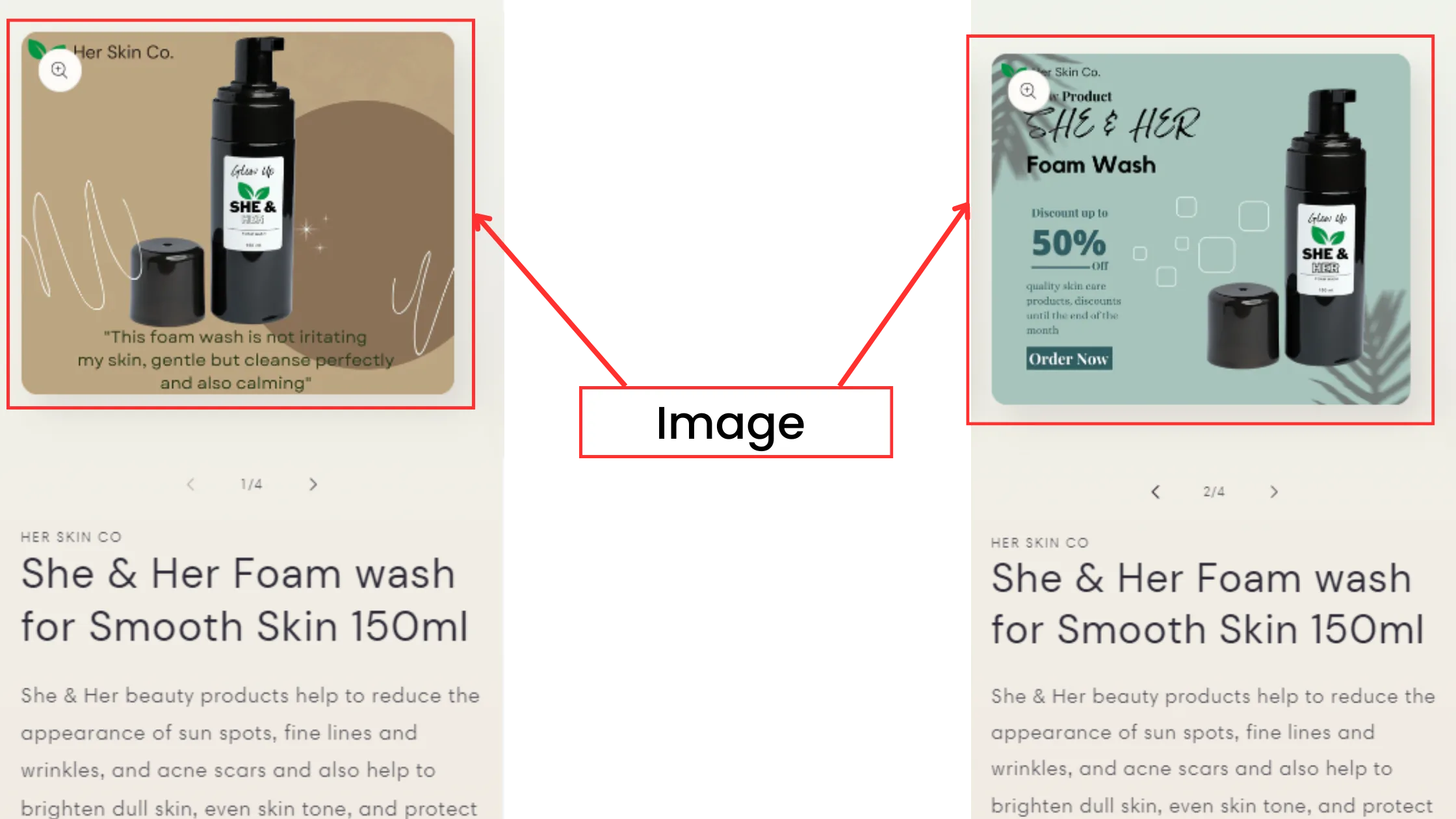
Images: Compare product photographs to lifestyle shots or videos to discover which generates more clicks.

‍

__wf_reserved_inherit

‍

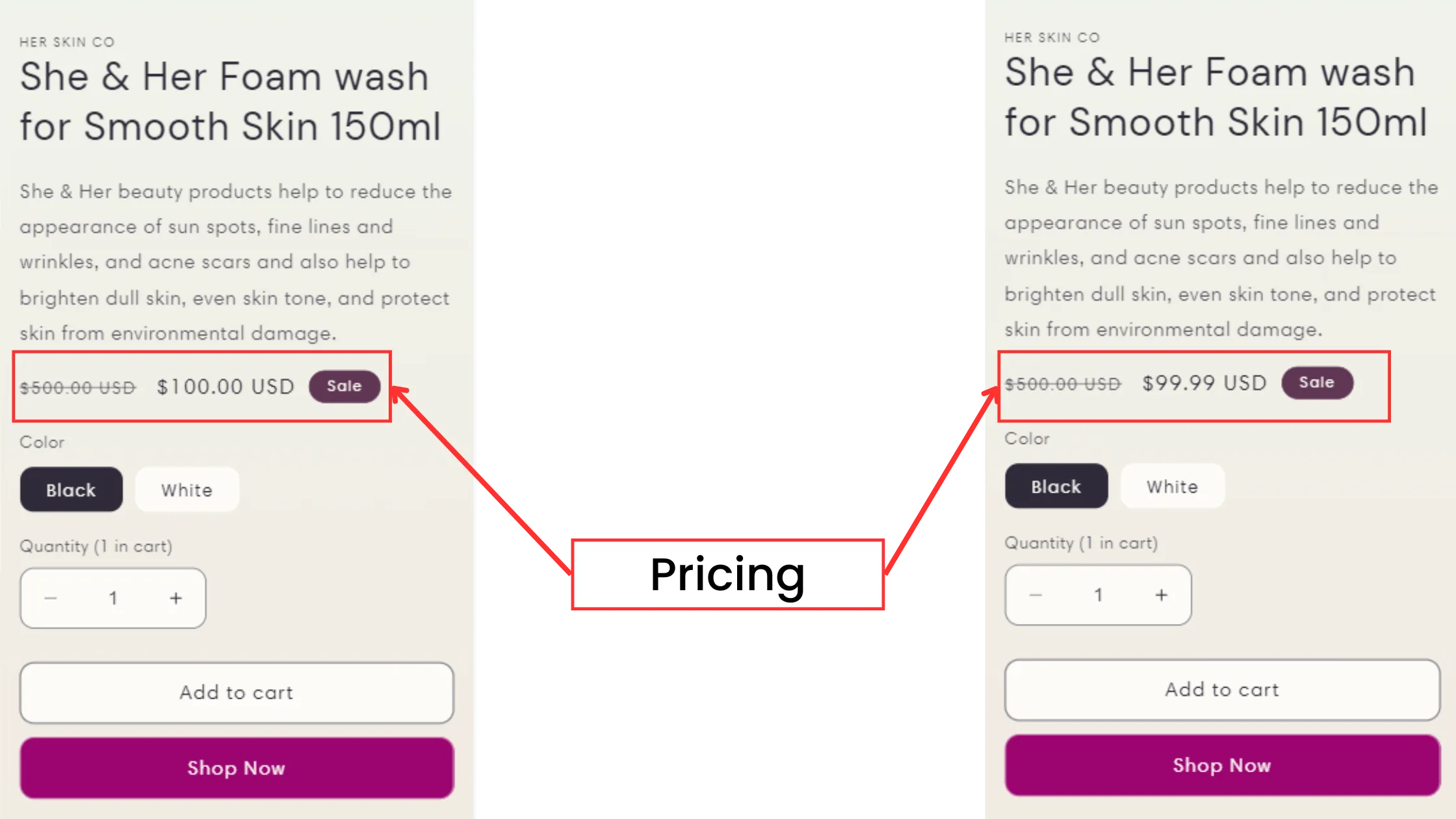
Pricing Display: Experiment with displaying discounts directly on the price tag rather than a separate discount banner.

‍

__wf_reserved_inherit

‍

Step 3: Create Variations

‍

After you have chosen the element, you can generate two versions: the control (Version A) and the variant (Version B). The control represents your original version, whereas the variant contains a specific change that you want to test. If you are working with product photographs, for example, your control may be a high-quality product image, and the variant could be a lifestyle image of the object in use.

CustomFit.ai can be a useful tool here, allowing you to rapidly set up and maintain A/B tests on Shopify without requiring extensive technical knowledge. It simplifies the testing process, allowing even inexperienced users to build variants and perform tests.

If you don’t want to spend hours coding changes or setting up variants manually, the CustomFit app can be installed directly on your Shopify store. It lets you create and manage A/B test variations with a visual editorβ€”no technical skills needed.

‍

Step 4: Run the Test

‍

With your variations in place, it is time to run the test. When using Shopify-compatible A/B testing solutions, you can send 50% of your traffic to Version A and 50% to Version B. This approach enables you to compare user activity between versions and collect valuable data.

Testing Tip: Run your test long enough to generate a statistically meaningful sample size. Avoid completing the test too early, as this can result in incorrect results. Allow the test to run for at least 1-2 weeks, depending on your site's traffic flow.

‍

Step 5: Analyze the Results

‍

After the test, analyse the results to see which version did better. Consider the main metrics that are related to your goal, such as conversion rate, click-through rate, and average session time. If the variant outperformed the control, you can confidently make the change to your website.

CustomFit.ai provides thorough insights into user interactions, allowing you to determine which version connects best with your audience. By analysing how visitors interact with each variant, you can make more educated judgements about which features to optimise throughout your store.

To make this easier, CustomFit.ai gives you in-depth reports right inside Shopify. You can see how each variation performs and track metrics like conversion rate uplift, bounce rate reduction, and moreβ€”all without leaving your dashboard.

Download CustomFit AI A/B Testing & CRO Shopify App

Step 6: Implement Changes Gradually

‍

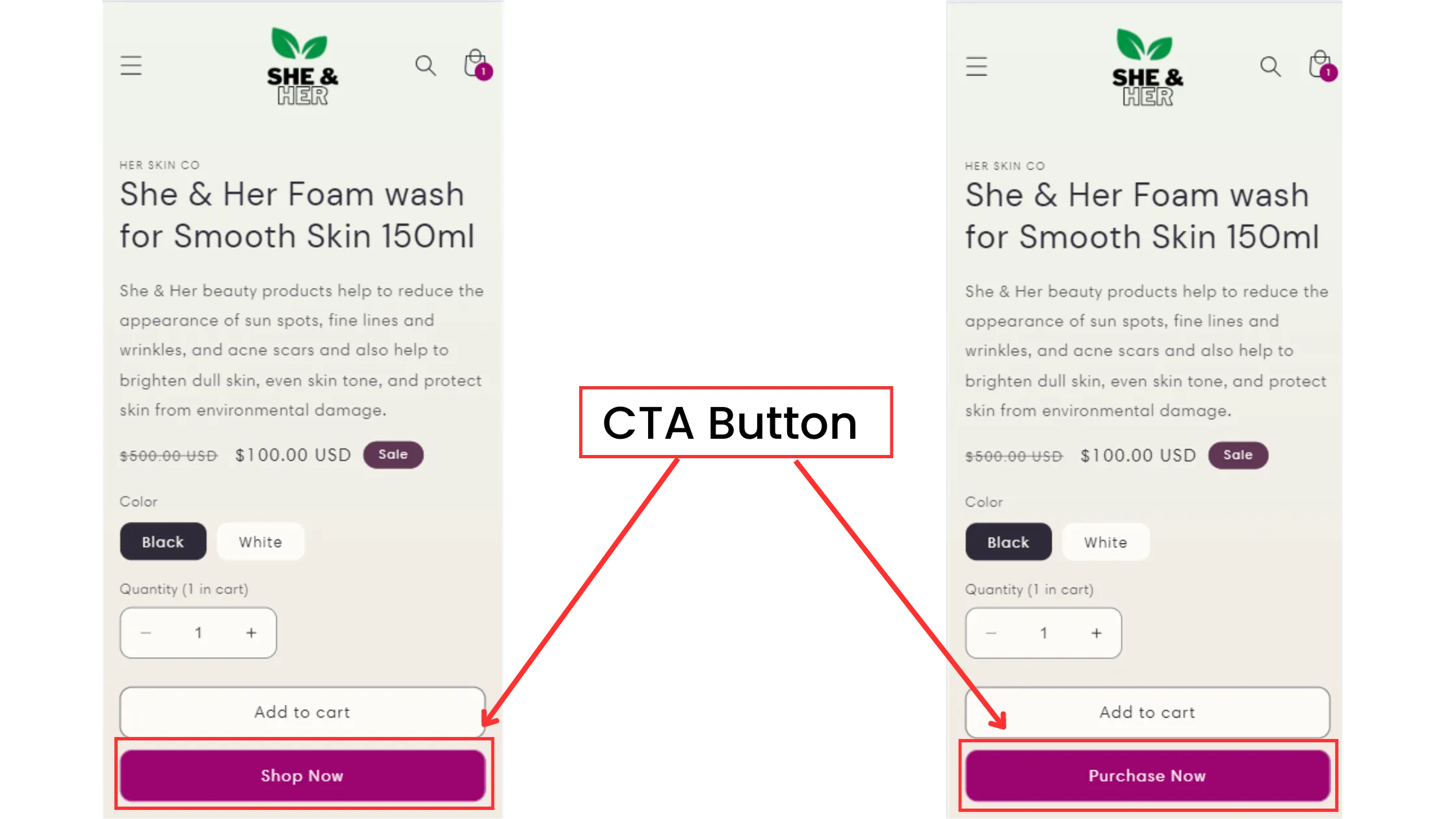
Once you have determined the winning version, progressively make the changes to avoid disrupting the general user experience. For example, if a new CTA button design increases conversions, roll it out gradually across various pages rather than all at once. This strategy allows you to closely monitor the impact and avoid unforeseen repercussions.

‍

Step 7: Keep Testing

‍

A/B testing is not a one-time activity; it is a continuous optimisation technique. User tastes and industry trends change, thus it is critical to constantly test new aspects and update your site. By doing regular A/B tests, you can keep your Shopify store in sync with client needs and ahead of the competition.

‍

Key Areas for A/B Testing on Shopify

‍

While you can test practically any aspect of your website, focusing on high-impact areas will produce the best results. Here are some useful places to prioritise:

‍

Product Pages:

  • Test various product descriptions, image styles, and pricing displays to optimise engagement and conversions.
    ‍

Checkout Process:

  • Experiment with different checkout layouts, CTA button designs, and form fields. For example, compare a one-page checkout to a multi-step checkout to discover which generates fewer cart abandonments.
    ‍

__wf_reserved_inherit

‍

Homepage Banners:

  • Try different titles, graphics, and CTAs for your homepage banners. Test to determine which combinations pique visitors' interest and encourage further investigation of your store.
    ‍

Landing Pages:

  • To optimise landing pages for conversions, test different headlines and CTA positions, and offer presentations.

‍

Best Practices for A/B Testing on Shopify

‍

1. Set Clear Goals:

Define clear objectives for A/B testing to avoid ambiguous findings. Set explicit, measurable goals to determine the effectiveness of your test.

‍

2. Test One Variable at a Time:

Test One Variable at a Time: Each test should focus on a single factor. Testing numerous elements at once might muddle the findings and make it difficult to identify the source of any change.

‍

3. Ensure Adequate Traffic:

Β Ensure your website receives enough visitors to produce statistically meaningful results. Running tests on low-traffic pages may produce unreliable results.

‍

4. Regularly Review Analytics:

Use CustomFit.ai analytics to track results in real-time. Consistent data tracking enables you to fine-tune and enhance your tests based on user activity.

If you’re using CustomFit on Shopify, this becomes simpler since the app tracks engagement and conversions automatically, saving you from manual number crunching.”

Download CustomFit AI A/B Testing & CRO Shopify App

‍

5. Roll Out Changes Incrementally:

Gradual adoption helps to avoid disruptions to the user experience, allowing you to monitor the impact over time and make changes as needed.

‍

FAQs: A/B Testing on Shopify

‍

1. What is A/B testing?

A/B testing, also known as split testing, compares two versions of a webpage element to determine which performs better depending on specified metrics such as click-through rate or conversion rate.

‍

2. Why Should I Use A/B Testing on My Shopify Store?

A/B testing gives data-driven insights that can help you optimise your website for increased user engagement, conversions, and overall performance. It eliminates guesswork and demonstrates what works for real clients.

‍

3. What elements can I use for the A/B test on Shopify?

You can test various items, such as product descriptions, photos, CTA buttons, checkout layouts, site banners, and landing page headlines.

‍

4. How Does CustomFit.ai Support A/B Testing on Shopify?

CustomFit.ai is an easy-to-use platform for A/B testing in Shopify. It lets you easily set up tests, analyse outcomes, and track critical indicators. CustomFit.ai's personalised suggestions function allows you to build more targeted customer experiences.

‍

5. How Long Should I Run an A/B Test on Shopify?

The duration of your test is determined by the traffic on your site, but testing should normally last at least 1-2 weeks to collect enough data for reliable results.

‍

6. What Metrics Should I Track During A/B Testing?

Key metrics to track include:

  1. Conversion Rate: Percentage of visitors who do the intended action, such as purchasing a product.
  2. Click-Through Rate (CTR): The frequency with which people click on a certain link or button.
  3. Bounce Rate: Percentage of visitors who leave after viewing only one page.
  4. Average Order Value (AOV): Average spend per transaction.

‍

7. Can A/B Testing Negatively Impact My Store?

A/B testing should not harm your store if done correctly. Small sample sizes should not be used to draw conclusions, nevertheless, as this could result in poor choices.

‍

8. How Often Should I Run A/B Tests?

A/B testing ought to be a continuous procedure. Regular testing can help you maintain your Shopify store's performance and alignment with customer expectations.