From the conversion glossary
Concepts referenced in this article, defined.
Concepts referenced in this article, defined.
Run rigorous A/B tests and personalize every visit on Shopify or any storefront — no engineers required.
Microsoft Clarity is free, capable, and requires zero commitment — making it the default recommendation for any D2C brand that wants heatmaps and session recordings without paying. Lucky Orange costs money but adds live visitor monitoring, chat integration, conversion funnels, and form analytics that Clarity doesn't have. For brands just starting with behavioral analytics, start with Clarity. For stores that want those extra features and are willing to pay a modest monthly fee, Lucky Orange is worth it. The gap in core functionality (heatmaps + recordings) is small; the gap in price is large.
Lucky Orange is a conversion rate optimization and behavioral analytics tool offering heatmaps, session recordings, live visitor monitoring, on-site surveys, chat, and conversion funnel analysis. It has a native Shopify app and is positioned specifically for ecommerce stores. Lucky Orange's live visitor monitoring feature lets you watch sessions in real time — useful for observing exactly how customers navigate your store during peak periods.
Microsoft Clarity is a free behavioral analytics tool from Microsoft offering heatmaps, session recordings, and basic analytics. It has no traffic cap — you can record every session on a high-traffic store and it remains free. Clarity integrates natively with Google Analytics (and Microsoft Advertising), and it includes built-in filters for dead clicks, rage clicks, and excessive scrolling. The data is stored in Microsoft's cloud and the tool is GDPR-compliant.
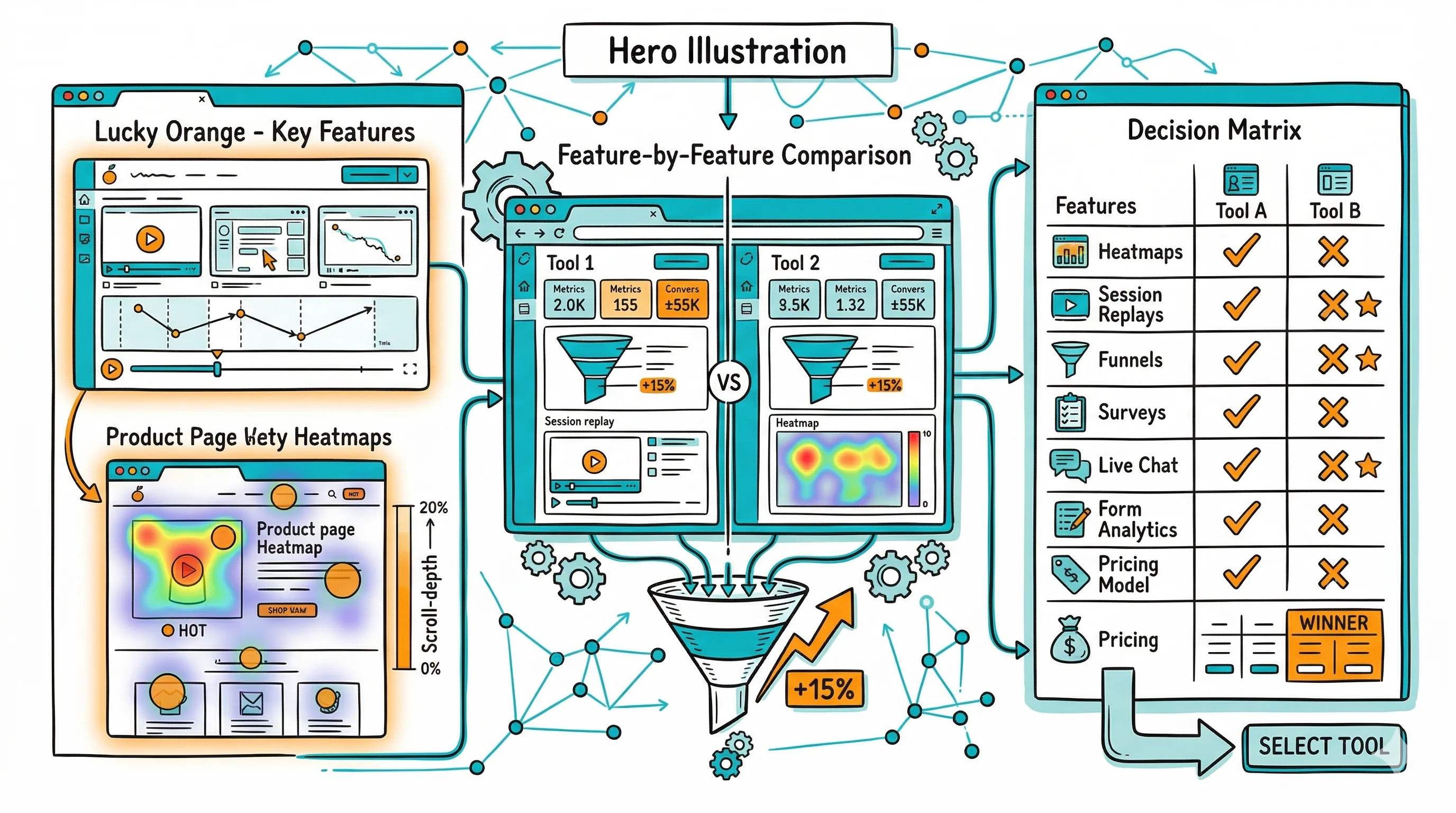
| Feature | Lucky Orange | Microsoft Clarity |
|---|---|---|
| Heatmaps | Yes | Yes |
| Session recordings | Yes | Yes |
| No session cap | No (plan-limited) | Yes (unlimited) |
| Live visitor monitoring | Yes | No |
| On-site surveys | Yes | No |
| Chat integration | Yes | No |
| Conversion funnels | Yes | Basic |
| Form analytics | Yes | No |
| Shopify app | Yes | Yes |
| Integration with GA4 | Yes | Yes (native) |
| Pricing | From $32/month | Free |
| Free plan | 7-day trial | Permanent free |
Both tools produce clear, usable heatmaps. Clarity's recordings are smooth and the dead click / rage click / excessive scroll annotations are automatically generated — you can filter your session recordings to show only "frustrated" sessions and immediately see where your store is causing friction.
Lucky Orange's recordings include a slightly richer event timeline showing form interactions, page transitions, and user attributes alongside the recording. The difference in recording quality is minor; both give you what you need to understand user behavior.
Where Clarity has a meaningful advantage: unlimited sessions. Lucky Orange's plans cap how many sessions you can record per month. For a Shopify store with 50,000+ monthly visitors, you'll need a higher-tier Lucky Orange plan (at corresponding cost) to capture a meaningful sample. With Clarity, you capture everything at no cost.
Lucky Orange's standout differentiator is live visitor monitoring — you can watch a visitor navigate your store in real time. For customer support scenarios (a shopper who calls in confused about the checkout process), or for observing behavior during a new product launch, this is genuinely useful. Clarity doesn't offer this.
That said, most behavioral analytics work is done on recorded sessions, not live monitoring. The value of live monitoring depends on how frequently your team will actually use it. For a lean D2C team, the answer is often "not often enough to justify the cost."
Lucky Orange includes on-site survey functionality — you can pop a short question to visitors on specific pages (e.g., "What stopped you from buying today?"). This qualitative data layer is valuable for understanding visitor objections. Clarity offers no survey feature.
Lucky Orange's form analytics show field-by-field completion data for forms on your site — which fields cause users to abandon, which get re-entered multiple times, average time per field. For optimizing your email signup form or checkout form fields, this is actionable data. Clarity doesn't have form analytics.
Microsoft Clarity: free, unlimited sessions, unlimited users.
Lucky Orange: starts at $32/month (10,000 sessions/month), scaling to higher tiers for more sessions and features. The business plan at ~$100/month supports 50,000 sessions/month.
For the core use case (heatmaps + session recordings), Clarity is the obvious choice on budget grounds alone. Lucky Orange's cost is justified only if you actively use the additional features it provides.
The value of session recordings comes from filtering, not from watching every session. Both Lucky Orange and Clarity support filtering by:
Clarity's automatic detection of "frustration signals" — rage clicks, dead clicks, excessive scrolling — is a particularly useful filter. You can pull up all sessions with rage clicks on a specific page in seconds, which often surfaces a specific broken element or confusing UI pattern. This signal-first approach reduces the time you spend watching sessions before finding something actionable.
Lucky Orange's filtering includes all of the above plus the ability to filter by visitor attributes (new vs. returning, geographic region) and by specific form interactions. The additional granularity is useful when you want to understand behavior differences between customer segments.
For D2C Shopify stores, mobile traffic typically accounts for 60–70% of sessions. Both tools offer mobile-specific heatmaps, and the insights from mobile heatmaps often differ substantially from desktop heatmaps.
Common mobile-specific findings that behavioral analytics surfaces:
These mobile-specific insights directly translate into A/B test hypotheses. Clarity and Lucky Orange surface the data; CustomFit.ai tests whether the fix works.
Lucky Orange and Microsoft Clarity are both diagnostic tools — they show you where visitors are struggling, what they're ignoring, and where they leave. They help you form hypotheses. They don't test whether your proposed solutions work.
The distinction matters: finding that visitors frequently click a non-clickable element on your product page (a dead click, surfaced by either tool) is valuable. But to confirm that making that element clickable — or removing it — actually improves conversion rate, you need a controlled A/B test.
CustomFit.ai is designed exactly for this next step. After Clarity or Lucky Orange surfaces a problem area, CustomFit.ai lets you build and run a test on the fix — without writing code. The behavioral analytics tool identifies friction; CustomFit.ai measures whether you've resolved it.
This two-tool workflow (Clarity for diagnostics → CustomFit.ai for experiments) is practical and cost-effective for most D2C Shopify brands, especially when Clarity is free.
New users of session recording tools often make the mistake of watching recordings randomly, hoping something will jump out. A more structured approach saves time and yields more actionable insights:
Start with checkout exits. Filter for sessions that reached checkout but didn't complete purchase. Watch 10–15 of these. You'll often find patterns: hesitation at a specific field, unexpected shipping costs appearing late in the flow, or a confusing coupon code input. These are high-priority fixes.
Look for mobile rage clicks. Filter for mobile sessions with rage clicks (multiple rapid clicks on the same element). This usually indicates a tappable element that isn't responding — a broken link, a button that doesn't seem to register on touch, or an element that looks interactive but isn't. Fix these first; they're causing direct frustration.
Compare high-time vs. low-time visitors on product pages. Sessions with 3+ minutes on a product page but no add-to-cart are showing interest but not converting. Watch these specifically to understand what's holding them back — are they reading the description carefully? Looking at multiple images? Scrolling to reviews repeatedly?
Both Clarity and Lucky Orange support all these filters. The specific insights you extract depend more on which questions you ask the data than which tool you use to surface it.
Is Microsoft Clarity really free with no limits? Yes. Clarity has no session recording cap and is free permanently. Microsoft's business model is that Clarity improves Bing/Microsoft Advertising's ecosystem understanding. There are no paid tiers — if you need enterprise support or data export API access, you'd need to look at other tools.
Does Lucky Orange slow down my Shopify store? Lucky Orange loads asynchronously and is designed to minimize page impact. Like any third-party script, it adds some load to your page — typically a few hundred milliseconds. Test your Core Web Vitals scores before and after installation to quantify the impact.
Can Clarity record Shopify checkout pages? Clarity records what Shopify allows — product pages, collection pages, the cart page, and the early stages of checkout. Native Shopify checkout (checkout.shopify.com) has recording restrictions. Shopify Plus merchants using checkout customization may have more flexibility.
Does Lucky Orange have a Shopify app? Yes. Lucky Orange has a native Shopify app available in the Shopify App Store, making installation straightforward without manually editing theme code.
How long does Clarity store session recordings? Microsoft Clarity stores session recordings for 90 days. If you need longer retention for longitudinal analysis, you'd need to export data or use a different tool.