CustomFit Chrome Extension — visual editor & A/B test QA for your store.
Pin the CustomFit extension and any tab becomes your control room — edit your live store visually, preview exactly what each segment sees, and QA a running experiment before it ships. Your team installs it; your shoppers never have to. With AI Copilot built in, you can generate changes from a prompt.
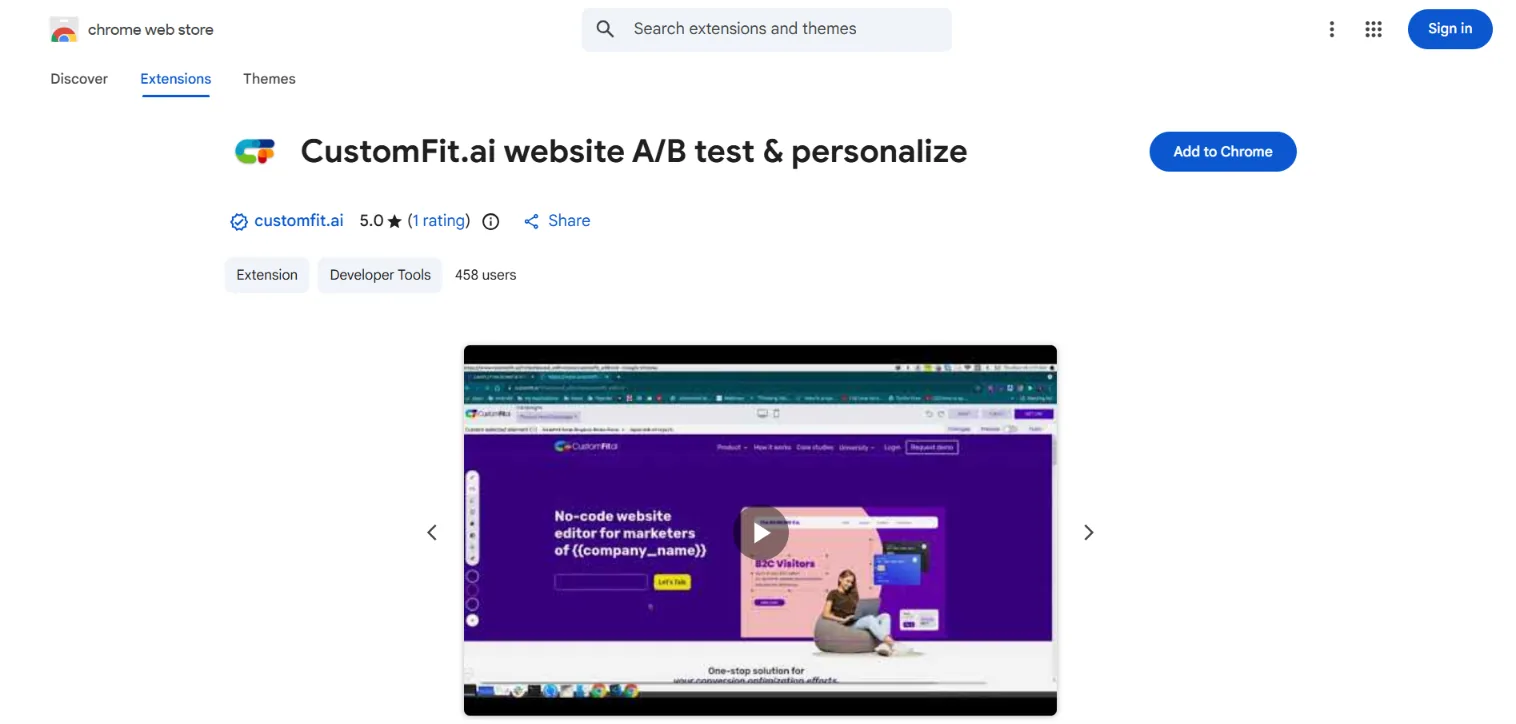
Edit on the live page
Open the editor over your real store and change copy, images, layout, or visibility — then save it as a targeted variant.
Preview as any segment
Impersonate a cohort and see your site exactly as they would — catch a broken personalization before a single shopper does.
QA live experiments
See which experiments are running on the current page, which variant you're in, and why — right in the popover.
See your store through every visitor's eyes.
Personalization is only as good as your ability to check it. Switch the extension to any audience and your live site re-renders as that visitor sees it — the right currency, hero, banner, and nudge — so QA takes seconds, not a VPN and three test devices.
- ✓Impersonate geo, device, source & history
- ✓ Live re-render of the real page
- ✓ Spot conflicts between overlapping experiences
From install to first edit in under a minute.
No staging environment, no dev handoff, no config files. Add the extension, sign in, open your store — and you're editing and QA-ing live. It sits alongside DevTools, so engineers keep their workflow too.
- ✓ Works on any site your SDK or app is installed on
- ✓ Role-based access — drafts need approval to publish
- ✓ Switch workspaces without signing out
Preview-as alone paid for the tool. We caught a personalization that showed dollar pricing to Indian mobile users before it ever went live.
Edit, preview & QA your live store — right in the browser
Open the CustomFit extension on any page of your live store and the editor loads over the real thing. Change copy, swap images, restyle sections, or prompt AI Copilot — then preview exactly what each audience segment sees and QA the experiment before it ships. No staging site, no developer, no deploy.
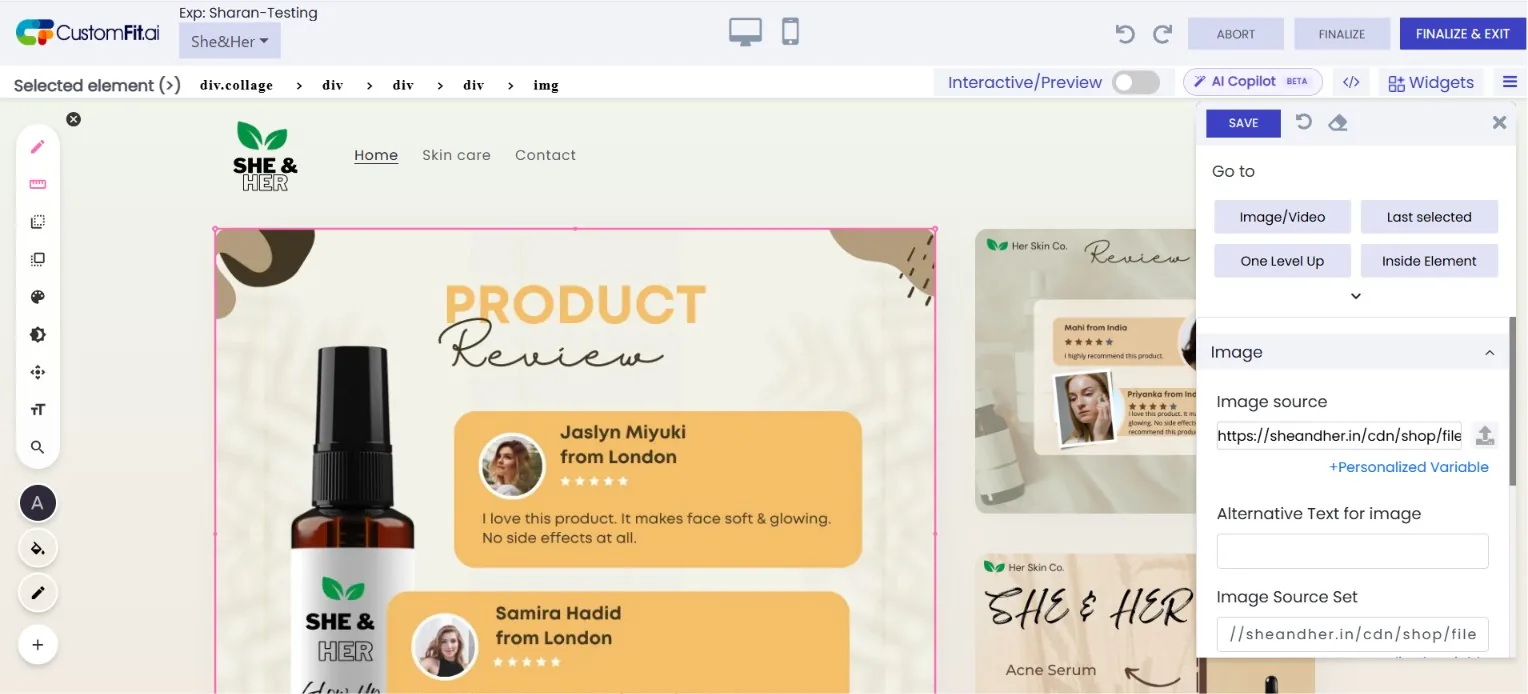
Edit the live page
Click any element to change text, images, colours, spacing or visibility — saved as a targeted variant.
Preview as any segment
Switch audiences — first-time mobile, returning desktop — and watch the page re-render as they'd see it.
Prompt AI Copilot
Describe the change in plain English and Copilot drafts the variant on the page for you to approve.
QA before it ships
Inspect a running experiment in context and catch issues live — no staging environment required.
Works on every Chromium browser
Shoppers never install anything — the extension is only for your team to author and QA. It sits alongside DevTools and never touches your shoppers' experience.
Built for every role on the team
What is the CustomFit Chrome extension?
The CustomFit Chrome extension turns any browser tab into your editing and QA cockpit: edit your live store visually, preview exactly what each audience segment sees, and QA running experiments — all without a staging site. Your team installs it; your shoppers never have to.
Quick facts
Why CustomFit Chrome extension matters for D2C
Edit in context
Change the real page in front of you, not an abstract dashboard.
QA personalization
Impersonate any segment to catch a broken experience before shoppers do.
No staging tax
Author and QA on the live site — no environment to spin up.
Built for your whole growth team
Marketers
Make edits without leaving the page.
CRO teams
Preview-as-segment and QA live tests in seconds.
Developers
Inspect experiment context and drop into code.
Understanding the CustomFit Chrome extension
The CustomFit Chrome extension turns any browser tab into your editing and QA cockpit: edit your live store visually, preview exactly what each audience segment sees, and QA running experiments — all without a staging site. Your team installs it; your shoppers never have to.
Preview-as is the standout: switch to any audience — first-time mobile in India, returning desktop in the US — and your live site re-renders as that visitor would experience it, so you catch a broken personalization before a single shopper does.
Installation takes about 30 seconds: add the extension, sign in with your workspace, pin it, and you’re editing and QA-ing live. It runs on any Chromium browser, sits alongside DevTools for engineers, and respects role-based permissions before anything publishes.
Do my customers need the Chrome extension?
No. The extension is purely an authoring and QA tool for your team; experiences reach shoppers via the CustomFit SDK or app, so visitors install nothing.
Which browsers are supported?
Any Chromium browser — Chrome, Edge, Brave, Arc, and Opera — with a Firefox build in beta.
Can I preview how a specific segment sees the site?
Yes. Impersonate any audience and the extension re-renders your live site exactly as that visitor would see it, so you can QA personalization before it ships.
Does it work for developers too?
Yes. It sits alongside DevTools, exposes the active experiment context, and lets engineers drop into a code panel for JS/CSS variants.
Do I need a developer to use CustomFit.ai?
No. Marketers build experiments and personalized experiences in a no-code visual editor; developers can use the API and SDKs when they want deeper control.
Add the cockpit to your browser.
Install free, sign in, and edit your store in under a minute.