CustomFit.ai โ€” Website personalization, A/B testing and CRO for Shopify and D2C
Product
Features
โœฑ
Website Personalization
Adapt to each visitor's behavior & intent
โง–
A/B & Multivariate Testing
Rigorous experimentation
โœจ
AI CopilotNEW
Personalize with a prompt
๐Ÿค–
AI WingmanNEW
Auto-optimize toward winners
๐ŸŽฏ
AI Conversion OptimizerNEW
GPT-grade test ideas
โœŽ
No-Code Visual Editor
Drag-and-drop edit any element
โ–ฆ
Product Recommendations
Personalized recs that lift AOV
โš‘
Feature Flags
Ship safely with kill-switches
โ—ง
Chrome Extension
Edit your store in the browser
โง‰
Shopify, WooCommerce & more
All platform integrations
View all features โ†’
Use Cases
$
Price A/B Testing
Test price points to maximize revenue
โ–ฆ
Theme A/B Testing
Compare whole layouts & designs
๐Ÿ—‚
Template A/B Testing
Test whole PDP/PLP templates
๐Ÿท
Discount A/B Testing
Find the offer that converts
๐Ÿšš
Shipping A/B Testing
Thresholds, speed & copy
โœ
Content A/B Testing
Copy, images & reviews
๐Ÿ’ณ
Checkout Gateway A/B
Payments & one-click
โŒ–
Geo-Based Personalization
Per-location content & offers
โšก
Buyer-Intent Nudges
Exit-intent & retargeting
โ†”
Split-URL / Redirection
Full-page redirect tests
View all use cases โ†’
Solutions & Guides
โคข
Conversion Rate Optimization
The complete CRO guide
โง–
A/B Testing Software
Buyer's guide for D2C
๐Ÿ›’
Cart Abandonment Recovery
Win back lost carts
๐Ÿ“ฐ
Landing Page Optimization
Convert more paid traffic
S
Shopify A/B Testing
Test your store, no code
S
Shopify Personalization
Tailor the store per shopper
โ—”
First-Time Visitor Offers
Convert new shoppers with trust & offers
โ˜…
Repeat-Customer Experiences
Reward and re-engage loyal buyers
โ—Ž
Campaign-Matched Pages
Match the landing page to the ad
โŒ–
Location-Based Experiences
Currency, language & regional offers
Explore CRO โ†’
Customer stories
GIVA
+32%
conversion via personalized recs
GIVA
Mamaearth
+18%
revenue lift from PDP A/B tests
ME
The Sleep Company
+24%
AOV from product recommendations
TSC
Read customer stories โ†’
Integrations
SWsfGA+15
โœฆ
Not sure where to start?
Let AI Copilot pick your first tests

โ€œWe wake up to evidence-backed tests ready to deploy โ€” not a backlog of maybe ideas.โ€

AN
Anirudh S.
Growth ยท Chargebee
โ˜…โ˜…โ˜…โ˜…โ˜…4.8on G2 ยท 2,400+ brands
Talk to our team โ†’
Widgets
Integrations
Ecommerce & Checkout
Shopify
Shopline
Shoplazza
GoKwik
ShopFlo
Razorpay Magic Checkout
Breeze
Shiprocket
View all integrations โ†’
Analytics & Behavior
Google Analytics 4
Microsoft Clarity
Hotjar
Mixpanel
Amplitude
Heap
Adobe Analytics
Segment (CDP)
View all integrations โ†’
Engagement, CRM & More
Klaviyo
MoEngage
CleverTap
WebEngage
HubSpot
Salesforce
Slack
Meta Ads
View all integrations โ†’
CustomersPricing
Resources
CRO
โ–ค
Playbooks
Proven strategies to boost conversions
๐ŸŽ™
Interviews
D2C leaders & marketing experts
โ–ถ
Webinars
Live deep dives & product sessions
Learn
โœŽ
Blog
Tips, experiments & best practices
๐Ÿ“•
Free E-Books
Mastering personalization
๐Ÿ“–
Conversion Glossary
Every CRO term, defined
โœฆAI CopilotNEWLog inBook a demo
Start free trial
Select your platform โ€” Install in 2 minsWe'll tailor the setup
โšก Risk-free 14-day trial ยท No credit card ยท Cancel anytime
S
Shopify
Install from Shopify App Store
โ€บ
W
WooCommerce
Install the WooCommerce plugin
โ€บ
B
BigCommerce
Install from BigCommerce App Marketplace
โ€บ
SL
Shopline
Install from Shopline App Store
โ€บ
M
Salesforce / Magento
Install from the marketplace
โ€บ
SZ
Shoplazza
Install from Shoplazza App Store
โ€บ
WP
WordPress / Webflow
Install plugin or paste the script
โ€บ
โ—ง
Others
Custom-built on React, Next.js, etc.
โ€บ
Tip: pick your platform โ€” we handle the restBook a demo โ†’
Product
Website PersonalizationA/B & Multivariate TestingAI CopilotAI WingmanAI Conversion OptimizerNo-Code Visual EditorProduct RecommendationsFeature FlagsView all features โ†’
Use Cases
Price A/B TestingTheme A/B TestingTemplate A/B TestingDiscount A/B TestingShipping A/B TestingContent A/B TestingCheckout Gateway A/BGeo-Based PersonalizationBuyer-Intent NudgesSplit-URL / Redirection
Solutions & Guides
Conversion Rate OptimizationA/B Testing SoftwareCart Abandonment RecoveryLanding Page OptimizationShopify A/B TestingShopify Personalization
Explore
WidgetsIntegrationsCustomersPricing
Resources
BlogPlaybooksWebinarsInterviewsE-BooksConversion Glossary
Platforms
ShopifyShoplineShoplazzaChrome ExtensionAll integrations
Start free trialBook a demo
Homeโ€บBlogโ€บcroโ€บTree Testing for Navigation Optimization

Tree Testing for Navigation Optimization

SJSapna JoharHead of Growth & CRO, CustomFit.aiJanuary 15, 20257 min read
On this page
  1. Why Navigation is a Hidden CRO Problem
  2. When to Run a Tree Test
  3. How to Run a Tree Test: Step by Step
  4. Step 1: Build Your Navigation Tree
  5. Step 2: Write Your Test Tasks
  6. Step 3: Set Up the Test
  7. Step 4: Recruit Participants
  8. Step 5: Analyze Results
  9. Common Navigation Problems Tree Testing Reveals
  10. Tree Testing in the CRO Workflow
  11. Tips and Best Practices
  12. Key Takeaways
0%
Tree Testing for Navigation Optimization

From the conversion glossary

Concepts referenced in this article, defined.

Definition
What Is Information Architecture? Definition & Guide
Definition
What Is Click Map? Definition & Guide
Definition
What Is Friction? Definition & Guide
โ† Back to Cro guide
Try CustomFit.ai

Run A/B tests and personalize your store without code. 14-day free trial, no credit card.

Start free trial โ†’
Share
XLinkedInEmail

Related articles

cro

CRO for D2C Brands: How to Increase Conversion Rate Without More Ad Spend

A practical guide to conversion rate optimization for direct-to-consumer brands โ€” covering product pages, checkout, homepage, and the full D2C funnel with real tactics that work.

Sapna Joharยท 5 min read
cro

Cart Abandonment Reduction: 12 Tactics That Actually Work

The average cart abandonment rate is 70%. Here are 12 proven tactics to recover more abandoned carts โ€” on-site interventions, email flows, and personalization strategies with real results.

Sapna Joharยท 6 min read
cro

When NOT to A/B Test: Decision Framework

Sapna Joharยท 7 min read

Start lifting conversions today.

Run rigorous A/B tests and personalize every visit on Shopify or any storefront โ€” no engineers required.

Start free trialBook a demo

Built for every D2C category

๐Ÿงด
Skincare
๐Ÿ’„
Beauty
๐ŸŒฟ
Wellness
โ˜•
F&B
๐Ÿ‘Ÿ
Apparel
๐Ÿ’
Jewelry
๐Ÿ›‹๏ธ
Home
๐Ÿผ
Baby
Live ยท Right now
Mamaearth โ€” free-shipping band +12.4% AOVGIVA โ€” festive collection page +34% revenueBellavita โ€” PDP CTA test +27.4% CVRKapiva โ€” Quiz-driven recs +9.48% CTRThe Sleep Co โ€” landing personalized 2ร— capturesPlum โ€” Returning shopper swap +18.2% CVRMamaearth โ€” free-shipping band +12.4% AOVGIVA โ€” festive collection page +34% revenueBellavita โ€” PDP CTA test +27.4% CVRKapiva โ€” Quiz-driven recs +9.48% CTRThe Sleep Co โ€” landing personalized 2ร— capturesPlum โ€” Returning shopper swap +18.2% CVR
Get in touch

Tell us about your store.

We reply within an hour during business hours. No sales pitch, no spam โ€” just answers from someone who's seen 2,400+ D2C stores.

โœ“ Reply within 1 hourโœ“ No spam, everโœ“ Free demo & setup help
โœ“ Thanks! We'll be in touch shortly.
CustomFit.ai

The all-in-one website personalization, A/B testing & CRO platform for high-growth D2C brands. Made by marketers, fueled by coffee.

in๐•โ—Žโ–ถf
Product
  • Features
  • A/B Testing
  • Personalization
  • AI Copilot
  • AI Wingman
  • AI Conversion Optimizer
  • Feature Flags
  • Widgets
  • Integrations
  • ROI Calculator
Platforms
  • Shopify
  • Shopline
  • Shoplazza
  • Salesforce
  • Chrome Extension
  • All Integrations
Resources
  • Blog
  • Playbooks
  • Webinars
  • GrowthFit Interviews
  • Free E-Books
  • Conversion Glossary
  • Case Studies
Compare
  • vs VWO
  • vs Optimizely
  • vs Google Optimize
  • vs Mutiny
  • vs Intelligems
  • vs Shoplift
  • vs AB Tasty
  • vs Convert
  • vs Kameleoon
Company
  • About Us
  • Partners
  • CustomFit Awards
  • Recognition
  • Contact
  • Privacy Policy
  • Terms & Conditions
ยฉ 2026 CustomFit.ai ยท Valley Monks Pvt Ltd ยท Made by marketers, fueled by coffee, and obsessed with conversions.
SOC 2 Type II ยท GDPR ยท CCPA ยท ISO 27001

Tree testing shows you whether your store's navigation structure makes sense to your customers โ€” without the distraction of visual design. Participants are given your menu hierarchy as plain text and asked to find specific products. Where they go wrong reveals exactly which category labels are confusing and which levels of navigation are too deep. Fix these, and you remove one of the most invisible conversion killers in ecommerce.

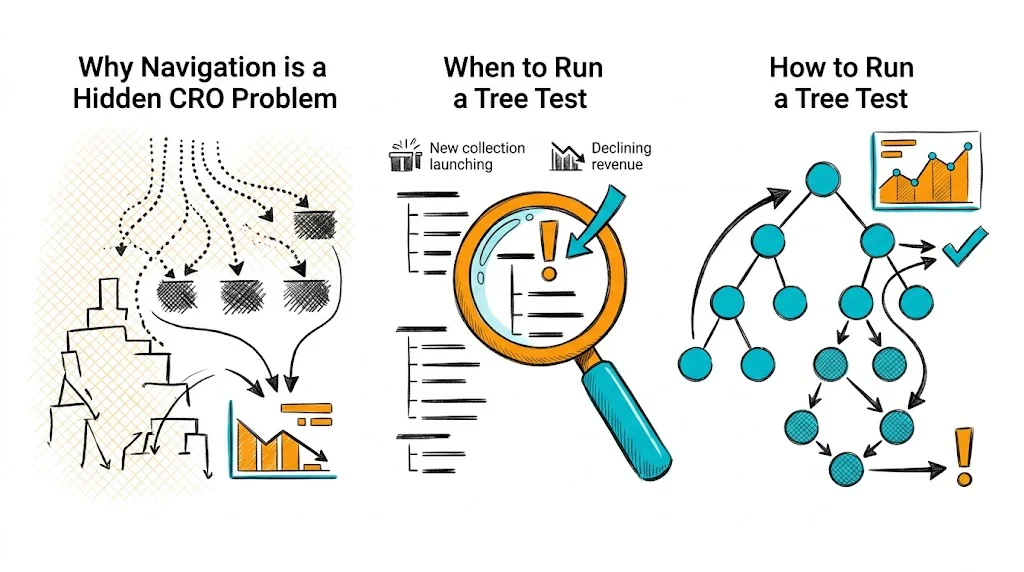
Why Navigation is a Hidden CRO Problem

Most CRO work focuses on product pages and checkout. But a visitor who can't find the right product never reaches those stages. Navigation friction is invisible in conversion data because it shows up as high bounce rates and low pages-per-session โ€” metrics that get attributed to traffic quality rather than site structure.

For D2C brands with growing product catalogs, navigation complexity grows silently. What started as five categories becomes fifteen, with subcategories that made sense to the founding team but confuse a first-time visitor. Tree testing puts a number on that confusion.

Key metrics from tree testing:

  • Task success rate: What percentage of participants found the target item?
  • Directness: What percentage went straight to the right category without backtracking?
  • Time on task: How long did it take? (faster = clearer)
  • First-click accuracy: Where did users go first? (reveals mental model mismatches)

A task success rate below 70% on a critical product category means your navigation is likely costing you sales every day.

See also: User Experience glossary | Conversion Path glossary | Bounce Rate glossary

When to Run a Tree Test

Run tree testing when:

  • You're redesigning or expanding your navigation
  • You're adding new product categories and aren't sure where they belong
  • Analytics show high bounce rates on category pages but not product pages
  • Users frequently use site search instead of navigation (a sign navigation isn't working)
  • Session recordings show repeated navigation backtracking
  • You're merging product lines or rebranding category names

Don't run tree testing in isolation. Pair it with card sorting (to build structure) and first-click testing (to validate visual navigation, not just the information architecture).

How to Run a Tree Test: Step by Step

Step 1: Build Your Navigation Tree

Translate your site navigation into a hierarchical text list. Include every level โ€” main categories, subcategories, and any tertiary levels. Don't include visual elements, images, or filters. The whole point is to test the labels and hierarchy without design cues.

Example tree for a wellness D2C brand:

Shop
  Supplements
    Immunity
    Gut Health
    Sleep & Stress
    Women's Health
    Men's Health
  Hair Care
    Shampoos
    Oils
    Masks & Treatments
  Skin Care
    Moisturizers
    Serums
    Sunscreens
    Cleansers
Bundles
  Health Bundles
  Gifting
New Arrivals
Sale

Step 2: Write Your Test Tasks

Tasks should be realistic user goals, written as scenarios โ€” not instructions. Each task has one correct answer.

Good tasks:

  • "You've been feeling stressed and not sleeping well. Find a product that could help."
  • "You want to buy a vitamin C serum. Find it."
  • "Your friend suggested you try a biotin supplement for hair growth. Find it."
  • "You want to gift a wellness set to someone. Find where to look."
  • "You're looking for a hair oil specifically for hair fall. Find it."

Bad tasks:

  • "Click on the Sleep & Stress category." (This is an instruction, not a task.)
  • "Find any supplement." (Too vague โ€” no correct answer.)

Aim for 5-10 tasks. Include tasks for your most important product categories and any categories where you suspect navigation issues.

Step 3: Set Up the Test

Free and low-cost tools:

  • Optimal Workshop (Treejack): The most widely used tree testing tool. Free plan available with limited responses.
  • Maze: Supports tree testing as part of broader UX research.
  • UXtweak: Budget-friendly with tree testing built in.

Upload your tree structure, add your tasks, and set the correct answers. The tool will calculate success rates and first-click data automatically.

Step 4: Recruit Participants

15-30 participants gives statistically useful data. For ecommerce navigation:

  • Recruit people who shop online at least twice a month
  • Exclude anyone on your team or familiar with your site structure
  • Match demographics to your actual customer profile

For Indian D2C brands: test separately with metro and Tier-2 city users if you have significant traffic from both. Navigation mental models can differ.

Step 5: Analyze Results

After running the test, focus on:

Low success rate tasks (<70%): These reveal navigation failures. Look at where participants went instead of the correct path โ€” this is your clue to what they expected.

High directness + high success: Users went straight to the right answer. This category structure works.

Low directness + high success: Users eventually found the right answer but backtracked. The path is confusing even if they get there. Fix the label or move the subcategory.

First click analysis: Where did users click first for each task? If most users click the wrong top-level category, the category label is the problem. If they click the right top-level but fail within it, the subcategory structure is the problem.

See also: Click Map glossary | Heatmap glossary | Conversion Rate Optimization glossary

Common Navigation Problems Tree Testing Reveals

Label ambiguity: "Wellness" vs. "Supplements" โ€” users don't know which category their product lives in. Fix: Use product-first labels ("Vitamins & Supplements") over brand-speak ("Wellness Solutions").

Too many top-level categories: Users have to process 10+ options before deciding where to click. Fix: Flatten to 5-7 primary categories. Use mega-menus or filters for depth.

Wrong taxonomy: Placing "Protein Bars" under "Fitness" when users look for them under "Nutrition" or "Food." Fix: Use card sorting to identify user mental models, then adjust tree accordingly.

Missing cross-links: A product that belongs in two categories (e.g., a collagen supplement that serves both "Skin Care" and "Supplements") is only findable from one path. Fix: Create category cross-listings or filtered views.

Indian context-specific issues: Seasonal products (festive gifting, monsoon skincare) and regional categories (Ayurveda, Unani) need dedicated navigation paths, not buried subcategories.

Tree Testing in the CRO Workflow

Tree testing sits at the discovery stage of CRO โ€” it's a qualitative research method, not a split test. The workflow:

  1. Tree test to find navigation structure problems
  2. Card sort to understand user mental models (if structure needs rebuilding)
  3. Redesign navigation based on findings
  4. First-click test to validate the new visual navigation before going live
  5. A/B test the new navigation vs. old to quantify conversion impact
  6. Monitor with heatmaps and session recordings post-launch

Tools like CustomFit.ai allow you to A/B test navigation structures on Shopify without developer involvement โ€” so you can validate tree test fixes before fully committing.

Tips and Best Practices

  • Include "wrong path" tasks deliberately. Write one or two tasks where the correct answer is in an unexpected location โ€” this reveals the gap between your taxonomy and user expectations.
  • Don't show your actual website. Even logos or color can bias responses. Pure text tree tests give cleaner data.
  • Run tree tests before redesigns, not after. Validating navigation before you build saves significant development cost.
  • Compare your tree to a competitor's. If competitor navigation consistently outperforms yours on similar tasks, you have a benchmark for improvement.
  • Re-run after significant catalog expansion. Navigation that worked at 50 SKUs may fail at 200.
  • Combine with search data. High search volume for terms not reflected in your navigation labels = immediate label improvement opportunity.

Key Takeaways

  • Tree testing reveals navigation structure problems that analytics alone cannot explain
  • Task success rate below 70% on any critical category is a conversion problem to fix immediately
  • Text-only navigation structure removes design bias and tests pure information architecture
  • 15-30 participants is enough for actionable insights
  • Use tree testing at the start of navigation redesigns, then validate changes with first-click tests and A/B tests
  • Label clarity and taxonomy matching user mental models are the most common fixes