CustomFit.ai โ€” Website personalization, A/B testing and CRO for Shopify and D2C
Product
Features
โœฑ
Website Personalization
Adapt to each visitor's behavior & intent
โง–
A/B & Multivariate Testing
Rigorous experimentation
โœจ
AI CopilotNEW
Personalize with a prompt
๐Ÿค–
AI WingmanNEW
Auto-optimize toward winners
๐ŸŽฏ
AI Conversion OptimizerNEW
GPT-grade test ideas
โœŽ
No-Code Visual Editor
Drag-and-drop edit any element
โ–ฆ
Product Recommendations
Personalized recs that lift AOV
โš‘
Feature Flags
Ship safely with kill-switches
โ—ง
Chrome Extension
Edit your store in the browser
โง‰
Shopify, WooCommerce & more
All platform integrations
View all features โ†’
Use Cases
$
Price A/B Testing
Test price points to maximize revenue
โ–ฆ
Theme A/B Testing
Compare whole layouts & designs
๐Ÿ—‚
Template A/B Testing
Test whole PDP/PLP templates
๐Ÿท
Discount A/B Testing
Find the offer that converts
๐Ÿšš
Shipping A/B Testing
Thresholds, speed & copy
โœ
Content A/B Testing
Copy, images & reviews
๐Ÿ’ณ
Checkout Gateway A/B
Payments & one-click
โŒ–
Geo-Based Personalization
Per-location content & offers
โšก
Buyer-Intent Nudges
Exit-intent & retargeting
โ†”
Split-URL / Redirection
Full-page redirect tests
View all use cases โ†’
Solutions & Guides
โคข
Conversion Rate Optimization
The complete CRO guide
โง–
A/B Testing Software
Buyer's guide for D2C
๐Ÿ›’
Cart Abandonment Recovery
Win back lost carts
๐Ÿ“ฐ
Landing Page Optimization
Convert more paid traffic
S
Shopify A/B Testing
Test your store, no code
S
Shopify Personalization
Tailor the store per shopper
โ—”
First-Time Visitor Offers
Convert new shoppers with trust & offers
โ˜…
Repeat-Customer Experiences
Reward and re-engage loyal buyers
โ—Ž
Campaign-Matched Pages
Match the landing page to the ad
โŒ–
Location-Based Experiences
Currency, language & regional offers
Explore CRO โ†’
Customer stories
GIVA
+32%
conversion via personalized recs
GIVA
Mamaearth
+18%
revenue lift from PDP A/B tests
ME
The Sleep Company
+24%
AOV from product recommendations
TSC
Read customer stories โ†’
Integrations
SWsfGA+15
โœฆ
Not sure where to start?
Let AI Copilot pick your first tests

โ€œWe wake up to evidence-backed tests ready to deploy โ€” not a backlog of maybe ideas.โ€

AN
Anirudh S.
Growth ยท Chargebee
โ˜…โ˜…โ˜…โ˜…โ˜…4.8on G2 ยท 2,400+ brands
Talk to our team โ†’
Widgets
Integrations
Ecommerce & Checkout
Shopify
Shopline
Shoplazza
GoKwik
ShopFlo
Razorpay Magic Checkout
Breeze
Shiprocket
View all integrations โ†’
Analytics & Behavior
Google Analytics 4
Microsoft Clarity
Hotjar
Mixpanel
Amplitude
Heap
Adobe Analytics
Segment (CDP)
View all integrations โ†’
Engagement, CRM & More
Klaviyo
MoEngage
CleverTap
WebEngage
HubSpot
Salesforce
Slack
Meta Ads
View all integrations โ†’
CustomersPricing
Resources
CRO
โ–ค
Playbooks
Proven strategies to boost conversions
๐ŸŽ™
Interviews
D2C leaders & marketing experts
โ–ถ
Webinars
Live deep dives & product sessions
Learn
โœŽ
Blog
Tips, experiments & best practices
๐Ÿ“•
Free E-Books
Mastering personalization
๐Ÿ“–
Conversion Glossary
Every CRO term, defined
โœฆAI CopilotNEWLog inBook a demo
Start free trial
Select your platform โ€” Install in 2 minsWe'll tailor the setup
โšก Risk-free 14-day trial ยท No credit card ยท Cancel anytime
S
Shopify
Install from Shopify App Store
โ€บ
W
WooCommerce
Install the WooCommerce plugin
โ€บ
B
BigCommerce
Install from BigCommerce App Marketplace
โ€บ
SL
Shopline
Install from Shopline App Store
โ€บ
M
Salesforce / Magento
Install from the marketplace
โ€บ
SZ
Shoplazza
Install from Shoplazza App Store
โ€บ
WP
WordPress / Webflow
Install plugin or paste the script
โ€บ
โ—ง
Others
Custom-built on React, Next.js, etc.
โ€บ
Tip: pick your platform โ€” we handle the restBook a demo โ†’
Product
Website PersonalizationA/B & Multivariate TestingAI CopilotAI WingmanAI Conversion OptimizerNo-Code Visual EditorProduct RecommendationsFeature FlagsView all features โ†’
Use Cases
Price A/B TestingTheme A/B TestingTemplate A/B TestingDiscount A/B TestingShipping A/B TestingContent A/B TestingCheckout Gateway A/BGeo-Based PersonalizationBuyer-Intent NudgesSplit-URL / Redirection
Solutions & Guides
Conversion Rate OptimizationA/B Testing SoftwareCart Abandonment RecoveryLanding Page OptimizationShopify A/B TestingShopify Personalization
Explore
WidgetsIntegrationsCustomersPricing
Resources
BlogPlaybooksWebinarsInterviewsE-BooksConversion Glossary
Platforms
ShopifyShoplineShoplazzaChrome ExtensionAll integrations
Start free trialBook a demo
Homeโ€บBlogโ€บcroโ€บUsability Testing for Ecommerce: Step-by-Step

Usability Testing for Ecommerce: Step-by-Step

SJSapna JoharHead of Growth & CRO, CustomFit.aiJanuary 15, 20257 min read
On this page
  1. Why Ecommerce Stores Need Usability Testing
  2. Types of Usability Testing for Ecommerce
  3. Step-by-Step Usability Testing Process
  4. Step 1: Define Your Goals
  5. Step 2: Write Your Tasks
  6. Step 3: Recruit Participants
  7. Step 4: Run the Session
  8. Step 5: Analyze and Prioritize Findings
  9. Step 6: Convert Findings into A/B Tests
  10. Common Ecommerce Usability Issues (and How to Fix Them)
  11. Tips and Best Practices
  12. Key Takeaways
0%
Usability Testing for Ecommerce: Step-by-Step

From the conversion glossary

Concepts referenced in this article, defined.

Definition
What Is Friction? Definition & Guide
Definition
What Is Variant? Definition, Formula & Guide
Definition
What Is Discount Code? Definition & Guide
Definition
What Is Click Map? Definition & Guide
Definition
What Is Session Recording? Definition & Guide
โ† Back to Cro guide
Try CustomFit.ai

Run A/B tests and personalize your store without code. 14-day free trial, no credit card.

Start free trial โ†’
Share
XLinkedInEmail

Related articles

cro

CRO for D2C Brands: How to Increase Conversion Rate Without More Ad Spend

A practical guide to conversion rate optimization for direct-to-consumer brands โ€” covering product pages, checkout, homepage, and the full D2C funnel with real tactics that work.

Sapna Joharยท 5 min read
cro

Cart Abandonment Reduction: 12 Tactics That Actually Work

The average cart abandonment rate is 70%. Here are 12 proven tactics to recover more abandoned carts โ€” on-site interventions, email flows, and personalization strategies with real results.

Sapna Joharยท 6 min read
cro

When NOT to A/B Test: Decision Framework

Sapna Joharยท 7 min read

Start lifting conversions today.

Run rigorous A/B tests and personalize every visit on Shopify or any storefront โ€” no engineers required.

Start free trialBook a demo

Built for every D2C category

๐Ÿงด
Skincare
๐Ÿ’„
Beauty
๐ŸŒฟ
Wellness
โ˜•
F&B
๐Ÿ‘Ÿ
Apparel
๐Ÿ’
Jewelry
๐Ÿ›‹๏ธ
Home
๐Ÿผ
Baby
Live ยท Right now
Mamaearth โ€” free-shipping band +12.4% AOVGIVA โ€” festive collection page +34% revenueBellavita โ€” PDP CTA test +27.4% CVRKapiva โ€” Quiz-driven recs +9.48% CTRThe Sleep Co โ€” landing personalized 2ร— capturesPlum โ€” Returning shopper swap +18.2% CVRMamaearth โ€” free-shipping band +12.4% AOVGIVA โ€” festive collection page +34% revenueBellavita โ€” PDP CTA test +27.4% CVRKapiva โ€” Quiz-driven recs +9.48% CTRThe Sleep Co โ€” landing personalized 2ร— capturesPlum โ€” Returning shopper swap +18.2% CVR
Get in touch

Tell us about your store.

We reply within an hour during business hours. No sales pitch, no spam โ€” just answers from someone who's seen 2,400+ D2C stores.

โœ“ Reply within 1 hourโœ“ No spam, everโœ“ Free demo & setup help
โœ“ Thanks! We'll be in touch shortly.
CustomFit.ai

The all-in-one website personalization, A/B testing & CRO platform for high-growth D2C brands. Made by marketers, fueled by coffee.

in๐•โ—Žโ–ถf
Product
  • Features
  • A/B Testing
  • Personalization
  • AI Copilot
  • AI Wingman
  • AI Conversion Optimizer
  • Feature Flags
  • Widgets
  • Integrations
  • ROI Calculator
Platforms
  • Shopify
  • Shopline
  • Shoplazza
  • Salesforce
  • Chrome Extension
  • All Integrations
Resources
  • Blog
  • Playbooks
  • Webinars
  • GrowthFit Interviews
  • Free E-Books
  • Conversion Glossary
  • Case Studies
Compare
  • vs VWO
  • vs Optimizely
  • vs Google Optimize
  • vs Mutiny
  • vs Intelligems
  • vs Shoplift
  • vs AB Tasty
  • vs Convert
  • vs Kameleoon
Company
  • About Us
  • Partners
  • CustomFit Awards
  • Recognition
  • Contact
  • Privacy Policy
  • Terms & Conditions
ยฉ 2026 CustomFit.ai ยท Valley Monks Pvt Ltd ยท Made by marketers, fueled by coffee, and obsessed with conversions.
SOC 2 Type II ยท GDPR ยท CCPA ยท ISO 27001

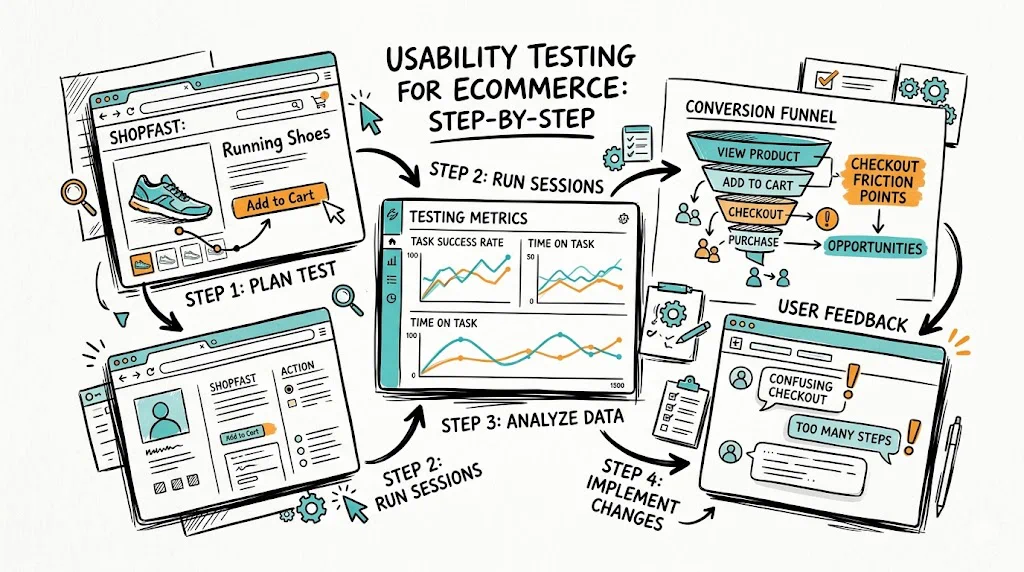
Usability testing for ecommerce means watching real people try to use your store โ€” finding products, reading descriptions, completing checkout โ€” and identifying where they get confused, frustrated, or give up. Five hours of usability testing will reveal more conversion blockers than months of staring at analytics reports.

Why Ecommerce Stores Need Usability Testing

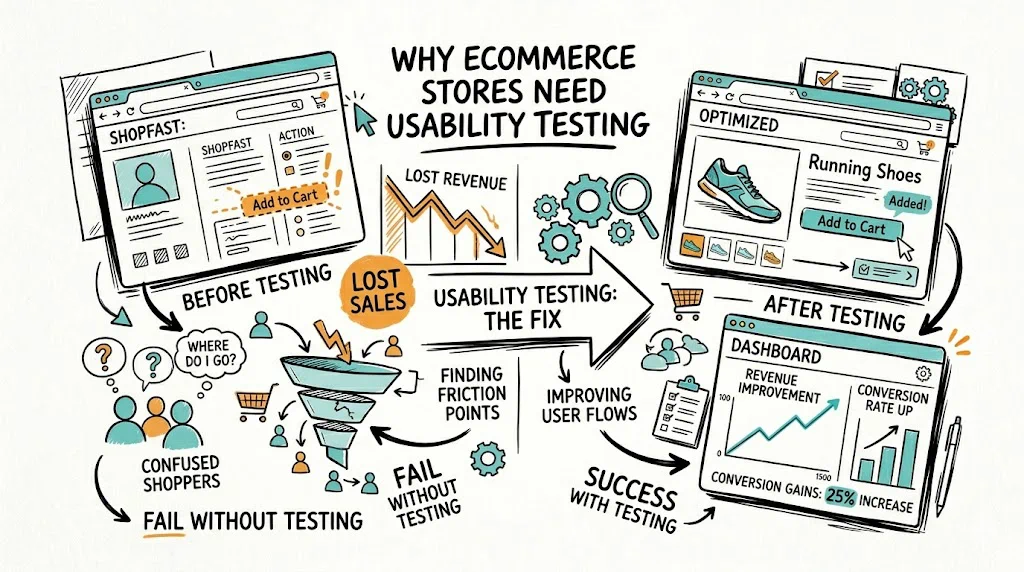
Analytics tell you where visitors leave. Usability testing tells you why. When 65% of your visitors abandon the product page, your funnel data shows a number. A usability session shows you that users can't find the size guide, don't understand which variant to pick, or assume the product is out of stock because the "Notify Me" button looks like the primary CTA.

For Indian D2C brands, usability testing often reveals friction specific to the local context: users expecting a COD option that's hard to find, confusion about whether a product ships to their pincode before they commit to checkout, or mobile keyboards covering the CTA button during form fill.

Brands in categories like Ayurveda, supplements, and ethnic fashion โ€” where products need explanation โ€” consistently find that users skip product descriptions entirely and look for video content or customer photos instead.

Types of Usability Testing for Ecommerce

Moderated Remote Testing You observe via video call while a participant shares their screen. You can ask follow-up questions in real time. Best for understanding complex checkout flows or category navigation.

Unmoderated Remote Testing Participants record themselves completing tasks using tools like Maze or Lookback. Scales easily โ€” you can run 20 sessions simultaneously. Best for validating specific flows.

In-Person/Guerrilla Testing You sit next to someone with a laptop and watch them use your store. Zero cost, fast setup. Ideal for early-stage brands that need quick insights.

First-Click Testing You show users a screenshot of a page and ask them to click where they'd go to complete a task. Reveals navigation and visual hierarchy issues quickly.

Comparative Testing Users interact with your current site and a competitor's site side-by-side. Highlights gaps in expected patterns.

See also: Conversion Rate Optimization glossary | User Experience glossary | Bounce Rate glossary

Step-by-Step Usability Testing Process

Step 1: Define Your Goals

Section 1

Be specific about what you want to learn. "Improve the user experience" is not a usability testing goal. "Find out why users abandon checkout on mobile" is.

Good ecommerce usability testing goals:
  • Find where users get stuck when searching for a specific product type
  • Understand what information users look for on product pages before deciding
  • Identify friction in the checkout flow on mobile
  • Test whether users can find and apply a discount code

Step 2: Write Your Tasks

Section 2

Tasks should be realistic scenarios, not instructions. Bad task: "Click on the skincare category." Good task: "You want to buy a gift for your mother's birthday โ€” she has dry skin. Find something suitable under โ‚น1,500."

Write 3-5 tasks per session. More than 5 creates fatigue.

Step 3: Recruit Participants

Recruit people who match your actual customers. For a D2C wellness brand targeting urban women 25-40, don't test with a 22-year-old male engineering student. Source participants through:

  • Your existing customer list (offer a โ‚น500 discount code as incentive)
  • Instagram DMs to engaged followers
  • Relatives and colleagues who fit the profile (though these have some bias)
  • Formal panels via User Interviews or similar platforms

Aim for 5 participants for a moderated test. Five is enough to identify 85% of critical issues.

Step 4: Run the Session

For remote sessions: Use Google Meet, Zoom, or any screen-sharing tool. Record with permission. Ask participants to think out loud โ€” narrate what they're doing and what they're looking for.

Moderator's role: Don't lead participants. When they're stuck, ask "What would you do next?" not "Would you look at the navigation?" Your goal is to observe authentic confusion, not guide them to success.

What to watch for:

  • Moments of hesitation โ€” user pauses, reads repeatedly, or scrolls up and down without acting
  • Verbal expressions of confusion: "I'm not sure where...", "I expected to find...", "This is weird..."
  • Workarounds โ€” user takes a non-obvious path to complete a task
  • Task failures โ€” user cannot complete the task at all
  • Surprise โ€” positive or negative โ€” at any element

Step 5: Analyze and Prioritize Findings

After testing, categorize issues by:

  • Severity: Does it prevent task completion (critical), slow users down (major), or create mild confusion (minor)?
  • Frequency: Did 1 of 5 users hit this or 5 of 5?

A critical issue encountered by 4 of 5 users is your top priority. A minor confusion experienced by 1 user goes to the backlog.

Create a simple table: Issue | Severity | Frequency | Recommended Fix | Test Required?

Step 6: Convert Findings into A/B Tests

Not every usability finding needs an A/B test. If 5 of 5 users missed your return policy link because it's in grey text at the bottom of the page โ€” just fix it. But when the fix has business risk (e.g., changing your entire checkout flow), run an A/B test first.

Use a no-code tool like CustomFit.ai to run tests on Shopify without developer involvement.

See also: Session Recording glossary | Click Map glossary | Heatmap glossary

Common Ecommerce Usability Issues (and How to Fix Them)

Navigation too deep: Users can't find products in more than 2 clicks. Fix: Flatten category structure. Add predictive search with visual results.

Variant selection confusion: Users select the wrong size or color because swatches aren't labeled clearly. Fix: Show selected variant name alongside the swatch. Add size guide link prominently.

No trust signals at purchase decision point: Users see trust signals in the header but not near the Add to Cart button. Fix: Add trust badges (return policy, COD availability, secure payment) directly below the CTA.

Mobile keyboard covering CTA: On checkout, the keyboard pushes the "Place Order" button off-screen. Fix: Test on actual Android and iOS devices. Add scroll behavior so CTA stays visible.

COD not visible early enough: Indian users check payment options before committing to a product. Fix: Show available payment methods (COD, UPI, EMI) on the product page, not just at checkout.

Pincode check friction: Users want to know delivery timelines before adding to cart. Fix: Add a pincode checker to the product page. Show estimated delivery date, not just "ships in 3-5 days."

Tips and Best Practices

  • Record every session. You'll miss things in the moment. Recordings let you catch what participants said under their breath.
  • Test on the actual device your audience uses. If 70% of your traffic is mobile, test on mobile โ€” not on a desktop browser with a resized window.
  • Test competitors too. Have participants shop for a similar product on one competitor site. You'll see exactly where your store falls short.
  • Don't defend your design during sessions. Watching users struggle is uncomfortable. Take notes, don't explain.
  • Combine with heatmaps and session recordings. Usability tests are small-sample qualitative. Heatmaps validate findings at scale.
  • Test after major changes. Any time you update navigation, product page layout, or checkout โ€” run a quick 5-person test before rolling out.

Key Takeaways

  • 5 users uncover 85% of critical usability issues โ€” you don't need a large study to start
  • Write tasks as realistic scenarios, not instructions
  • Watch for hesitation, verbal confusion, and workarounds โ€” not just task failures
  • Prioritize issues by severity and frequency before fixing anything
  • Convert high-severity, low-certainty findings into A/B tests; fix obvious problems directly
  • Test on mobile with real Indian users to catch platform and context-specific friction