From the conversion glossary
Concepts referenced in this article, defined.
Concepts referenced in this article, defined.
Run rigorous A/B tests and personalize every visit on Shopify or any storefront — no engineers required.
Microinteractions are the small, functional moments of feedback that tell users their actions worked. A button that changes colour when tapped. A cart icon that bounces when an item is added. A checkmark that confirms a coupon code applied. Done well, microinteractions build trust, reduce errors, and keep users in the purchase flow. Done poorly, they create confusion, slow the experience, and interrupt the flow to the checkout. Here is how to design add-to-cart animations and other microinteractions that convert.
Ecommerce UX is full of moments where users wonder: "Did that work?" After tapping "Add to Cart", did the item actually add? After entering a coupon code, is it applied? After selecting a size, is it confirmed?
Without feedback, users hesitate, tap again (causing duplicate adds), navigate away to verify, or abandon the interaction altogether. These moments of uncertainty are small but cumulative — they add friction to the purchase flow that compounds across every page.
Good microinteractions solve these moments. The cost is small (a well-implemented animation takes one or two days of front-end work). The benefit — reduced uncertainty, fewer errors, and more confident users progressing through checkout — is measurable in conversion rate.
The add-to-cart interaction is the pivotal moment in ecommerce UX. The user has decided to buy — or at least to seriously consider it. The "Add to Cart" feedback either reinforces that decision or creates confusion.
No feedback at all: The user taps "Add to Cart", nothing visible happens, and they tap again. Now they have two items in the cart. They discover this at checkout, remove one, and feel slightly annoyed at the friction.
Page redirect to cart: The user taps "Add to Cart" and is immediately taken to the cart page. This interrupts browsing — 40–60% of ecommerce purchases involve adding multiple items. Forcing the user back to the product list from the cart page creates unnecessary navigation steps.
Full-page overlay: A modal or drawer slides over the entire page showing "Item Added to Cart" with a large CTA to proceed to checkout. This is better than a redirect but still interrupts browsing if the user wanted to add more products.
Fly-to-cart animation: The product thumbnail briefly animates toward the cart icon, the cart icon bounces, and the cart count increments. This confirms the action, shows where the item went, and does all of this in under 1 second without interrupting the page.
Button state change: The "Add to Cart" button changes to "Added ✓" in green for 2 seconds, then reverts to "Add to Cart". Simple, clear, fast.
Mini cart slide-in: A small notification slides in from the corner (like a toast notification) showing "Chyawanprash (500g) added to cart" with a mini cart summary and a link to checkout. This gives richer confirmation without blocking the page.
For Indian D2C stores on mobile, the fly-to-cart animation performs best because:
The fly-to-cart animation requires knowing:
Libraries like GSAP simplify this to a few lines of code. For Shopify themes, several apps (like Fly Cart, Sticky Cart) implement this without custom development.
The key performance requirement: the animation must not delay the server-side cart update. The animation and the API call should run in parallel — the animation provides immediate visual feedback while the cart updates in the background.
When a user selects a size, flavour, or colour variant, the selection must be visually clear:
Poor variant selection UX (where the selected state looks nearly identical to the unselected state) causes customers to place orders for the wrong variant — leading to returns, refund requests, and negative reviews.
A heart icon that fills in red with a small bounce animation when tapped confirms the item was saved. Without this animation, users often tap twice, creating duplicate wishlist entries.
After entering a coupon code and tapping "Apply":
The specific error message is a microinteraction itself. It prevents confusion ("Did I type it wrong? Is the code wrong?") and gives the user clear direction.
The +/- quantity buttons on product and cart pages should have immediate visual feedback and a minimum touch target of 44x44 pixels on mobile. A common UX problem: tiny quantity buttons that are too small to tap reliably, causing users to accidentally increase quantity instead of proceeding to checkout.
As discussed in the ecommerce form UX guide, real-time inline validation is itself a microinteraction — the field turns green on valid input, red on invalid. This progressive feedback during checkout reduces form abandonment.
When a user types in the search bar, instant results appearing below the input (with a subtle fade-in animation) are a microinteraction. The alternative — a blank search field with no feedback until the user hits Enter — feels unresponsive.
Microinteractions can hurt performance if not implemented carefully:
Use CSS animations over JavaScript where possible. CSS transforms and opacity changes are handled by the GPU and do not affect JavaScript thread performance. JavaScript-driven animations that block the main thread will cause jank on budget Android devices.
Keep animations under 400ms. The animation should be perceptible but not slow. Under 400ms is typically imperceptible as "slow". Over 600ms starts to feel like lag.
Reduce motion for accessibility. Users with vestibular disorders can experience discomfort from animations. Support the prefers-reduced-motion CSS media query — when a user has enabled reduced motion in their device settings, your animations should be turned off or replaced with instant state changes.
Do not animate on every interaction. Animation that is present on every tap and click becomes noise and is ignored. Reserve animation for the highest-signal moments: cart add, purchase confirmation, key navigation actions.
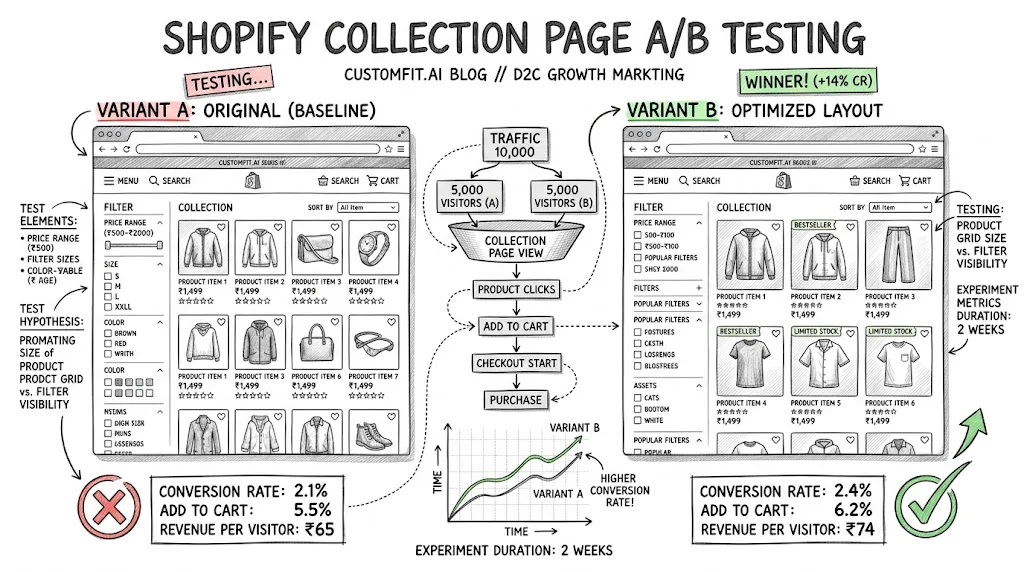
A/B testing microinteractions is straightforward:
| Test | Control | Variant |
|---|---|---|
| Add-to-cart feedback | Button state change only | Fly-to-cart animation |
| Post-add behaviour | Full-page cart redirect | Stay on page with mini cart slide-in |
| Coupon validation | Generic "Invalid code" message | Specific error message |
Primary metric: add-to-cart rate from product pages. Secondary metrics: double-add rate (measures confusion), checkout initiation rate (measures flow continuity).
For stores with lower traffic, focus on session recording analysis: watch 20 sessions of users adding to cart. Any consistent hesitation, double-tap, or confusion moment points to a microinteraction improvement opportunity.
Test on budget Android devices. Animations that run at 60fps on a flagship device run at 20fps on a Redmi Note 10. Test every animation on a mid-range Android before shipping.
Never block the CTA with an animation. If the animation creates a visual overlay that covers the "Add to Cart" button for more than 200ms, it is too intrusive.
Align animation style with brand. A minimalist brand should have subtle microinteractions (fade, slight scale). A playful brand can use more expressive animations (bounce, confetti on purchase). Mismatch between brand personality and animation style feels off.
Add a purchase confirmation microinteraction. After a successful order, a brief celebration — confetti, a checkmark animation, or a count-up of points earned — creates a positive emotional moment that reinforces the decision to buy. This matters for repeat purchase intent.
prefers-reduced-motion for accessibility.For more on ecommerce UX, see the UX pillar guide and CRO pillar guide for broader optimisation strategy.