From the conversion glossary
Concepts referenced in this article, defined.
A/B testing and split testing are the same thing — two names for the same experiment. Here's why the terms are used interchangeably and what actually matters.
Concepts referenced in this article, defined.
Run rigorous A/B tests and personalize every visit on Shopify or any storefront — no engineers required.
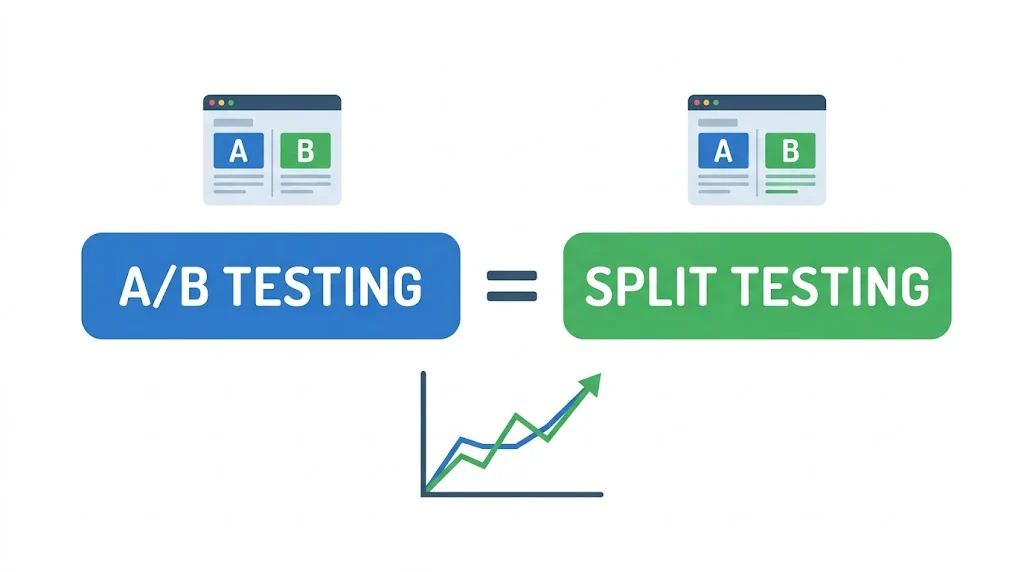
A/B testing and split testing are the same thing. There is no meaningful difference between the two terms — they both describe the same experiment: dividing your traffic between two versions of something and measuring which one performs better. If you've been treating these as distinct methods, you can stop. The name you use doesn't matter. The methodology does.
This is one of the more common points of confusion in conversion rate optimisation, and it's worth clearing up briefly before moving to what actually makes your tests succeed or fail.
Both terms describe this process:
Whether your CRO tool calls this an "A/B test" or a "split test" has no bearing on how you set it up or interpret the results. Marketers, growth teams, and CRO platforms use both terms freely. You'll see "split test your landing page" and "A/B test your landing page" used in the same article, sometimes by the same author, without contradiction.
The only exception — which we'll cover below — is split URL testing, which is a specific variant of the method.
The term split testing is older and comes from direct response marketing. Before digital advertising, direct mail marketers would physically split their mailing lists — half the list gets envelope design A, the other half gets envelope design B. Whichever generated more responses won. The practice predates the internet by decades.
A/B testing became the standard term as digital experimentation matured in the 2000s and 2010s. It reflects the more systematic, data-driven approach that became common as tools like Google Website Optimizer (later Google Optimize) and dedicated CRO platforms emerged. The "A" and "B" naming convention made it easier to discuss experiments with precision — especially once multivariate testing (A/B/C/D... or A×B×C) required clearer terminology.
Today, the industry generally uses A/B testing as the default term, particularly in technical and data-driven contexts. Split testing persists in paid advertising circles — you'll hear it often when marketers talk about Facebook or Google ad creative testing. Both are correct. Neither is more accurate.
Since the two terms mean the same thing, the real question is: what actually separates a well-run test from a poorly-run one?
A clear hypothesis. Before you touch your testing tool, you should be able to complete this sentence: "We believe that changing [X] will increase [metric] because [reason], and we will know this is true when [statistical threshold] is reached." Vague tests produce vague results. Indian D2C brands that see consistent CVR improvements from testing — like Bellavita lifting conversion by 11% — have disciplined hypothesis frameworks, not just a habit of changing things and seeing what happens.
One change at a time. The power of A/B (split) testing is that it isolates causality. If you change the headline, the image, and the CTA simultaneously and version B wins, you don't know which change drove the improvement. Change one element per test.
Sufficient sample size. This is where most tests fail quietly. A test that ends after 200 visitors has no statistical validity, regardless of how dramatic the difference looks. Use a sample size calculator before you start. For a page converting at 2%, you typically need 5,000–8,000 visitors per variant to detect a meaningful lift with 95% confidence.
Minimum test duration. Run tests for at least 7 days to capture weekly traffic patterns — weekday vs. weekend behaviour differs significantly on most ecommerce stores. Two weeks is safer. Don't end a test early because one version looks like it's winning; early leads are often noise.
Statistical significance, not just a "winning" number. A result is meaningful when the p-value falls below 0.05 (95% confidence level). At that point, you can be reasonably certain the observed difference isn't due to chance. Platforms like CustomFit.ai show significance levels in real time, so you always know exactly when a test has reached a valid conclusion.
There is one scenario where "split testing" means something slightly different from standard A/B testing: split URL testing.
In a standard A/B test, both versions live on the same URL. Your testing tool dynamically shows one version to some visitors and another version to others. The URL in the browser doesn't change.
In split URL testing, traffic is divided between two different URLs:
yourstore.com/product/face-serumyourstore.com/lp/face-serum-v2This is used when you're testing fundamentally different page designs or layouts — changes so significant that they can't be managed as on-page element swaps. A full page redesign, for example, or testing a long-form landing page against a minimal one.
Split URL testing requires careful handling. You need to ensure the non-canonical URL is noindexed (or handled correctly) so search engines don't treat the two pages as competing for the same keyword. It also introduces additional variables because the URL itself changes, which can affect direct traffic behaviour.
For most element-level tests — headlines, images, CTAs, pricing display, trust badges — standard A/B testing on a single URL is sufficient and simpler to manage.
Since these terms come up together often, here's a quick reference:
| Term | What It Means | Traffic Needed | Best For |
|---|---|---|---|
| A/B testing | Two versions of one element on same URL | Moderate | Most ecommerce tests |
| Split testing | Same as A/B testing | Moderate | Same as above |
| Split URL testing | Two different URLs tested against each other | Moderate | Full page redesigns |
| Multivariate testing | Multiple elements, all combinations tested | Very high (5–10x more) | High-traffic stores only |
The practical hierarchy for Indian D2C brands: start with A/B tests (single-element, same URL), use split URL testing when you need to compare completely different layouts, and only graduate to multivariate testing once you have consistent 10,000+ daily visitors on the specific page you're testing.
You now know that A/B testing and split testing mean the same thing. Here's how to move from knowing that to running a test that actually improves your store:
Step 1: Pick your highest-traffic page. Typically your homepage, a key product listing page, or your bestselling product page. More traffic = faster results.
Step 2: Identify one friction point. Use heatmaps, session recordings, or simply your checkout funnel data to find where visitors are dropping off or not clicking what you want them to click.
Step 3: Form a hypothesis. "We believe changing our Add-to-Cart button from grey to saffron orange will increase clicks because it creates better visual contrast with our white background."
Step 4: Create your variant. Make exactly that one change. Nothing else.
Step 5: Set your success metric. Usually add-to-cart rate, checkout initiation rate, or purchase conversion rate — not pageviews or time on page.
Step 6: Run to significance. Let the test run until you've hit your required sample size and reached 95% confidence. CustomFit.ai handles the significance calculation automatically.
Step 7: Ship the winner and document the learning. Even losing tests tell you something about your customers. Log both the result and the reasoning.
That's the complete A/B (split) testing loop. The terminology matters far less than executing each step with rigour.
Related reading:
Start A/B Testing Your Store Today
1,000+ D2C brands use CustomFit.ai to run A/B tests — without code, without developer tickets.
14-day free trial · No credit card required · Setup in under 30 minutes.