From the conversion glossary
Concepts referenced in this article, defined.
Concepts referenced in this article, defined.
Run rigorous A/B tests and personalize every visit on Shopify or any storefront — no engineers required.
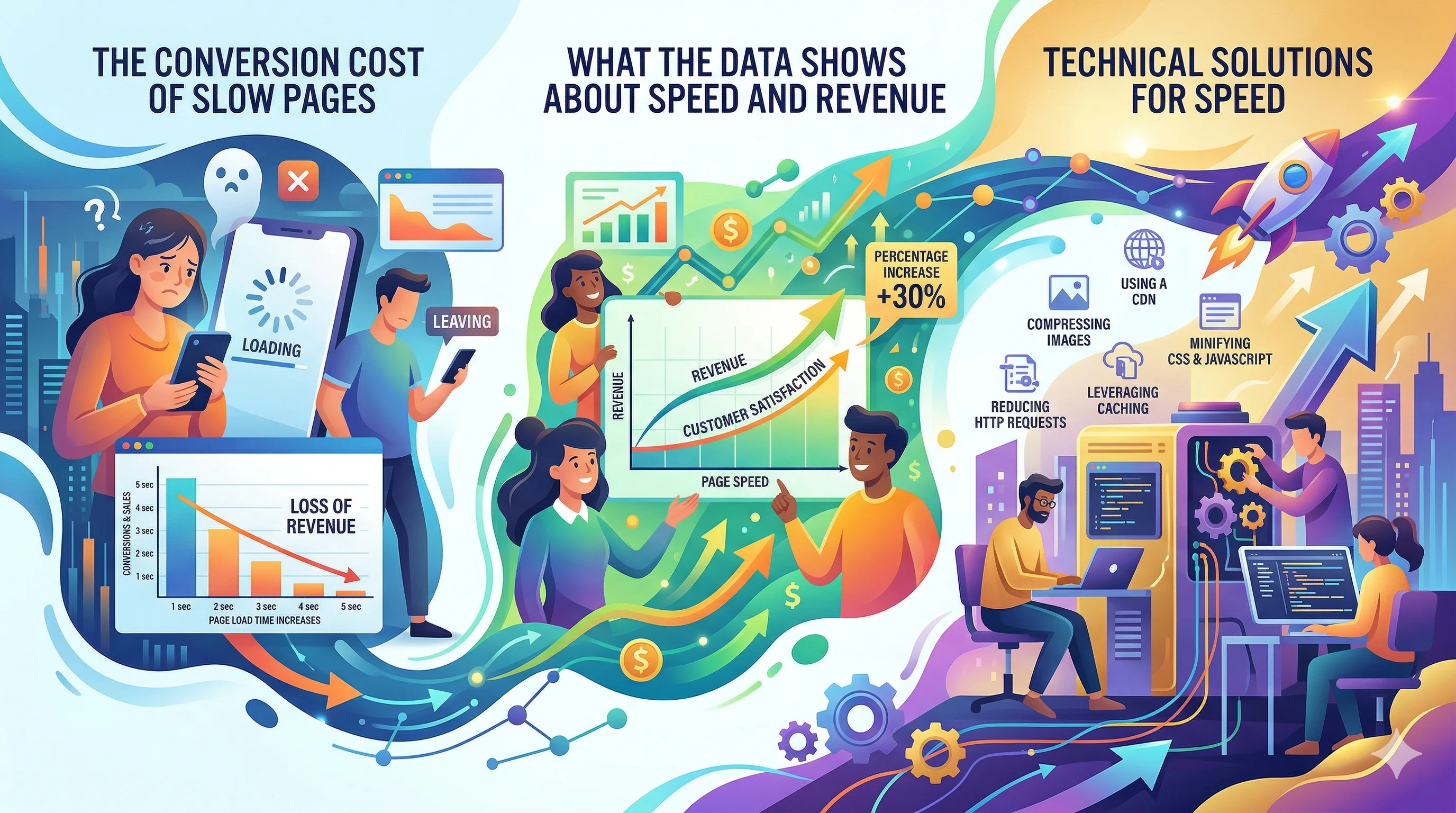
Every second of load time is costing you conversions. This isn't a hypothetical—it's one of the most consistently validated findings in ecommerce CRO. A landing page that takes 5 seconds to load converts at roughly half the rate of one that loads in 2 seconds. For D2C brands spending ₹5–50 lakh per month on paid traffic, this is a critical efficiency multiplier: the same budget generates dramatically different results based on whether your pages are fast or slow.
The relationship between load speed and conversion rate is causal, not coincidental. When a page loads slowly:
Attention disperses: Mobile users switch apps, check WhatsApp, or navigate away during the wait. The purchase intent that existed when they clicked is partially dissipated by the time the page appears.
Trust erodes: A slow page signals (whether fairly or not) that the brand is not serious about quality. Subconscious brand judgment happens before the page even fully appears.
Google penalizes you twice: Slow pages rank lower in search (Core Web Vitals are ranking factors) AND generate higher bounce rates (a negative engagement signal). The cycle is self-reinforcing.
Paid traffic burns: You pay per click, not per page-view completion. A visitor who clicks your ad and bounces during the load still costs you the CPC. Faster pages give you more conversions per rupee of ad spend.
The benchmark data:
For Indian markets, where a significant portion of traffic comes from mid-range Android devices on 4G (not the fastest), these impacts are even more pronounced than in markets with widespread high-end devices and WiFi.
Google's Core Web Vitals are the industry-standard page speed metrics and are also ranking factors.
Largest Contentful Paint (LCP): Time until the largest visible element loads (usually the hero image on a landing page).
LCP is the most important metric for landing pages because the hero image or section is typically the first thing users see. An unoptimized hero image on a landing page can alone push LCP to 5–8 seconds.
First Input Delay (FID) / Interaction to Next Paint (INP): Time until the page responds to the first user interaction (click, tap).
On Shopify stores with many apps loaded, JavaScript can block interaction responsiveness significantly.
Cumulative Layout Shift (CLS): How much page elements move around as the page loads—the jarring experience of a button shifting just as you tap it.
CLS is often a problem on Shopify when images don't have defined dimensions in the HTML, causing content to jump as images load.
Tool 1: Google PageSpeed Insights
Visit pagespeed.web.dev, enter your landing page URL. Get separate Mobile and Desktop scores with specific recommendations. The mobile score is more important—mobile drives 70%+ of D2C traffic in India.
The "Opportunities" and "Diagnostics" sections provide actionable issues ranked by impact. Work top-to-bottom.
Tool 2: Google Search Console
Core Web Vitals report shows your site's performance across all indexed URLs, with good/needs improvement/poor breakdowns. Identify which pages are failing CWV thresholds and prioritize the highest-traffic pages.
Tool 3: GTmetrix
Provides waterfall analysis showing which elements load in what order and how long each takes. Excellent for identifying specific bottlenecks (e.g., "this third-party app script is blocking page render for 1.8 seconds").
1. Unoptimized images (biggest impact)
Product and hero images uploaded at 3000–5000px width but displayed at 600px. The browser downloads the full-size file and scales it down—wasting 5–10x the necessary data.
Fix: Use Shopify's built-in image CDN (URLs can request specific sizes: image.jpg?width=800). Convert to WebP format. Compress before uploading using Squoosh or similar.
2. App JavaScript load (second biggest impact)
Every Shopify app that installs typically adds JavaScript that loads on every page. A store with 15+ apps can have 1–3MB of JavaScript loading before any content is visible.
Fix: Audit installed apps. Remove unused apps (even inactive apps may still load scripts). Check which apps are critical for the landing page experience vs. store-wide.
3. Render-blocking scripts
Some scripts (analytics, chat widgets, review widgets) load synchronously—meaning the entire page pauses while these scripts download.
Fix: Load non-critical scripts asynchronously or with defer attribute. Google Tag Manager can be used to control when scripts fire (after page load rather than during).
4. Large CSS files
Shopify themes can accumulate large CSS files, especially with multiple apps adding their own stylesheets.
Fix: Inline critical CSS (the CSS needed for above-the-fold content); defer the rest.
5. No lazy loading for below-fold images
All product images on the page load simultaneously by default. A page with 20 product images loads all 20 even if the visitor only sees the top 3.
Fix: Implement loading="lazy" attribute on below-fold images. Most modern Shopify themes support this; older themes may need update.
These changes have high impact and are accessible without developer expertise:
Convert hero images to WebP and resize to display dimensions. The single largest LCP improvement for most stores.
Enable Shopify's image CDN: Built into Shopify—images served via Shopify's CDN are auto-optimized for the requesting device.
Remove unused Shopify apps. Every removed app reduces JavaScript overhead. Even two or three removed apps can recover 500ms+.
Use Google Fonts sparingly. Each font weight loads as a separate file. Use 2 fonts maximum (heading + body); avoid loading multiple weights.
Set image dimensions in HTML. Define width and height attributes on <img> tags to eliminate CLS.
Fast landing pages require discipline about design complexity. The most conversion-rate-optimized landing pages are often simpler in design than you might expect—fewer fonts, fewer animation effects, fewer embedded third-party widgets.
The trade-offs to make consciously:
Keep: High-quality product images (essential for conversion)—but optimize them Remove: Auto-playing background videos unless they're the primary conversion element Consider: Whether the customer review widget is loading 5MB of scripts to display 3 testimonials that could be hardcoded in 5KB of HTML
The question for every design element: does the conversion benefit of this element outweigh its speed cost?
For landing pages driven by paid traffic, the answer often favors simplicity. Paid visitors arrive with specific intent—they need fast confirmation they're in the right place, not visual complexity.
Links: Landing Page Optimization | Bounce Rate | Conversion Rate | Landing Page Optimization Pillar | Landing Page Copy Headlines | Product Page Layout Best Practices