CustomFit.ai β€” Website personalization, A/B testing and CRO for Shopify and D2C
Product
Features
✱
Website Personalization
Adapt to each visitor's behavior & intent
β§–
A/B & Multivariate Testing
Rigorous experimentation
✨
AI CopilotNEW
Personalize with a prompt
πŸ€–
AI WingmanNEW
Auto-optimize toward winners
🎯
AI Conversion OptimizerNEW
GPT-grade test ideas
✎
No-Code Visual Editor
Drag-and-drop edit any element
β–¦
Product Recommendations
Personalized recs that lift AOV
βš‘
Feature Flags
Ship safely with kill-switches
β—§
Chrome Extension
Edit your store in the browser
⧉
Shopify, WooCommerce & more
All platform integrations
View all features β†’
Use Cases
$
Price A/B Testing
Test price points to maximize revenue
β–¦
Theme A/B Testing
Compare whole layouts & designs
πŸ—‚
Template A/B Testing
Test whole PDP/PLP templates
🏷
Discount A/B Testing
Find the offer that converts
🚚
Shipping A/B Testing
Thresholds, speed & copy
✍
Content A/B Testing
Copy, images & reviews
πŸ’³
Checkout Gateway A/B
Payments & one-click
βŒ–
Geo-Based Personalization
Per-location content & offers
⚑
Buyer-Intent Nudges
Exit-intent & retargeting
↔
Split-URL / Redirection
Full-page redirect tests
View all use cases β†’
Solutions & Guides
β€’
Conversion Rate Optimization
The complete CRO guide
β§–
A/B Testing Software
Buyer's guide for D2C
πŸ›’
Cart Abandonment Recovery
Win back lost carts
πŸ“°
Landing Page Optimization
Convert more paid traffic
S
Shopify A/B Testing
Test your store, no code
S
Shopify Personalization
Tailor the store per shopper
β—”
First-Time Visitor Offers
Convert new shoppers with trust & offers
β˜…
Repeat-Customer Experiences
Reward and re-engage loyal buyers
β—Ž
Campaign-Matched Pages
Match the landing page to the ad
βŒ–
Location-Based Experiences
Currency, language & regional offers
Explore CRO β†’
Customer stories
GIVA
+32%
conversion via personalized recs
GIVA
Mamaearth
+18%
revenue lift from PDP A/B tests
ME
The Sleep Company
+24%
AOV from product recommendations
TSC
Read customer stories β†’
Integrations
SWsfGA+15
✦
Not sure where to start?
Let AI Copilot pick your first tests

β€œWe wake up to evidence-backed tests ready to deploy β€” not a backlog of maybe ideas.”

AN
Anirudh S.
Growth Β· Chargebee
β˜…β˜…β˜…β˜…β˜…4.8on G2 Β· 2,400+ brands
Talk to our team β†’
Widgets
Integrations
Ecommerce & Checkout
Shopify
Shopline
Shoplazza
GoKwik
ShopFlo
Razorpay Magic Checkout
Breeze
Shiprocket
View all integrations β†’
Analytics & Behavior
Google Analytics 4
Microsoft Clarity
Hotjar
Mixpanel
Amplitude
Heap
Adobe Analytics
Segment (CDP)
View all integrations β†’
Engagement, CRM & More
Klaviyo
MoEngage
CleverTap
WebEngage
HubSpot
Salesforce
Slack
Meta Ads
View all integrations β†’
CustomersPricing
Resources
CRO
β–€
Playbooks
Proven strategies to boost conversions
πŸŽ™
Interviews
D2C leaders & marketing experts
β–Ά
Webinars
Live deep dives & product sessions
Learn
✎
Blog
Tips, experiments & best practices
πŸ“•
Free E-Books
Mastering personalization
πŸ“–
Conversion Glossary
Every CRO term, defined
✦AI CopilotNEWLog inBook a demo
Start free trial
Select your platform β€” Install in 2 minsWe'll tailor the setup
⚑ Risk-free 14-day trial · No credit card · Cancel anytime
S
Shopify
Install from Shopify App Store
β€Ί
W
WooCommerce
Install the WooCommerce plugin
β€Ί
B
BigCommerce
Install from BigCommerce App Marketplace
β€Ί
SL
Shopline
Install from Shopline App Store
β€Ί
M
Salesforce / Magento
Install from the marketplace
β€Ί
SZ
Shoplazza
Install from Shoplazza App Store
β€Ί
WP
WordPress / Webflow
Install plugin or paste the script
β€Ί
β—§
Others
Custom-built on React, Next.js, etc.
β€Ί
Tip: pick your platform β€” we handle the restBook a demo β†’
Product
Website PersonalizationA/B & Multivariate TestingAI CopilotAI WingmanAI Conversion OptimizerNo-Code Visual EditorProduct RecommendationsFeature FlagsView all features β†’
Use Cases
Price A/B TestingTheme A/B TestingTemplate A/B TestingDiscount A/B TestingShipping A/B TestingContent A/B TestingCheckout Gateway A/BGeo-Based PersonalizationBuyer-Intent NudgesSplit-URL / Redirection
Solutions & Guides
Conversion Rate OptimizationA/B Testing SoftwareCart Abandonment RecoveryLanding Page OptimizationShopify A/B TestingShopify Personalization
Explore
WidgetsIntegrationsCustomersPricing
Resources
BlogPlaybooksWebinarsInterviewsE-BooksConversion Glossary
Platforms
ShopifyShoplineShoplazzaChrome ExtensionAll integrations
Start free trialBook a demo
Homeβ€ΊBlogβ€Ίshopify croβ€ΊHow to Audit Your Shopify Store for CRO

How to Audit Your Shopify Store for CRO

SJSapna JoharHead of Growth & CRO, CustomFit.aiJanuary 15, 20258 min read
On this page
  1. Phase 1: Analytics Audit (4–6 Hours)
  2. 1.1 Funnel Analysis in GA4
  3. 1.2 Traffic Source Analysis
  4. 1.3 Device and Platform Segmentation
  5. 1.4 New vs Returning Visitor Behavior
  6. 1.5 High-Exit Pages
  7. Phase 2: Heatmap and Session Recording Audit (4–8 Hours)
  8. 2.1 Heatmap Analysis (Homepage, Product Page, Cart)
  9. 2.2 Session Recording Analysis
  10. 2.3 Funnel Click Analysis
  11. Phase 3: Technical Performance Audit (2–4 Hours)
  12. 3.1 Core Web Vitals
  13. 3.2 Mobile UX Testing
  14. 3.3 App Audit
  15. Phase 4: UX and Content Audit (4–6 Hours)
  16. 4.1 Product Page Audit Checklist
  17. 4.2 Trust Signal Audit
  18. 4.3 Mobile Navigation Audit
  19. Phase 5: Competitive Benchmarking (2–3 Hours)
  20. Creating Your CRO Audit Report
  21. Tips and Best Practices
  22. Key Takeaways
0%
How to Audit Your Shopify Store for CRO

From the conversion glossary

Concepts referenced in this article, defined.

Definition
What Is Friction? Definition & Guide
Definition
What Is Baseline? Definition, Formula & Guide
Definition
What Is Funnel Analysis? Definition & Guide
Definition
What Is Session Recording? Definition & Guide
Definition
What Is Click Map? Definition & Guide
← Back to Shopify Cro guide
Try CustomFit.ai

Run A/B tests and personalize your store without code. 14-day free trial, no credit card.

Start free trial β†’
Share
XLinkedInEmail

Related articles

shopify cro

Shopify WhatsApp Integration for Indian Stores

Sapna JoharΒ· 7 min read
shopify cro

Shopify Upsell & Cross-Sell Strategies

Sapna JoharΒ· 7 min read
shopify cro

Shopify Upsell Apps: Pre-Purchase & Post-Purchase

Sapna JoharΒ· 7 min read

Start lifting conversions today.

Run rigorous A/B tests and personalize every visit on Shopify or any storefront β€” no engineers required.

Start free trialBook a demo

Built for every D2C category

🧴
Skincare
πŸ’„
Beauty
🌿
Wellness
β˜•
F&B
πŸ‘Ÿ
Apparel
πŸ’
Jewelry
πŸ›‹οΈ
Home
🍼
Baby
Live Β· Right now
Mamaearth β€” free-shipping band +12.4% AOVGIVA β€” festive collection page +34% revenueBellavita β€” PDP CTA test +27.4% CVRKapiva β€” Quiz-driven recs +9.48% CTRThe Sleep Co β€” landing personalized 2Γ— capturesPlum β€” Returning shopper swap +18.2% CVRMamaearth β€” free-shipping band +12.4% AOVGIVA β€” festive collection page +34% revenueBellavita β€” PDP CTA test +27.4% CVRKapiva β€” Quiz-driven recs +9.48% CTRThe Sleep Co β€” landing personalized 2Γ— capturesPlum β€” Returning shopper swap +18.2% CVR
Get in touch

Tell us about your store.

We reply within an hour during business hours. No sales pitch, no spam β€” just answers from someone who's seen 2,400+ D2C stores.

βœ“ Reply within 1 hourβœ“ No spam, everβœ“ Free demo & setup help
βœ“ Thanks! We'll be in touch shortly.
CustomFit.ai

The all-in-one website personalization, A/B testing & CRO platform for high-growth D2C brands. Made by marketers, fueled by coffee.

inπ•β—Žβ–Άf
Product
  • Features
  • A/B Testing
  • Personalization
  • AI Copilot
  • AI Wingman
  • AI Conversion Optimizer
  • Feature Flags
  • Widgets
  • Integrations
  • ROI Calculator
Platforms
  • Shopify
  • Shopline
  • Shoplazza
  • Salesforce
  • Chrome Extension
  • All Integrations
Resources
  • Blog
  • Playbooks
  • Webinars
  • GrowthFit Interviews
  • Free E-Books
  • Conversion Glossary
  • Case Studies
Compare
  • vs VWO
  • vs Optimizely
  • vs Google Optimize
  • vs Mutiny
  • vs Intelligems
  • vs Shoplift
  • vs AB Tasty
  • vs Convert
  • vs Kameleoon
Company
  • About Us
  • Partners
  • CustomFit Awards
  • Recognition
  • Contact
  • Privacy Policy
  • Terms & Conditions
Β© 2026 CustomFit.ai Β· Valley Monks Pvt Ltd Β· Made by marketers, fueled by coffee, and obsessed with conversions.
SOC 2 Type II Β· GDPR Β· CCPA Β· ISO 27001

A Shopify CRO audit systematically identifies the highest-priority conversion improvement opportunities across your store β€” from technical issues to UX friction to content gaps. For Indian D2C brands, a structured audit typically reveals 8–15 actionable improvements that, when implemented in priority order, lift overall conversion rate by 15–30%. The process combines quantitative analysis (GA4 funnel data, heatmaps) with qualitative research (session recordings, customer interviews) to find the specific points where potential customers are abandoning and why.

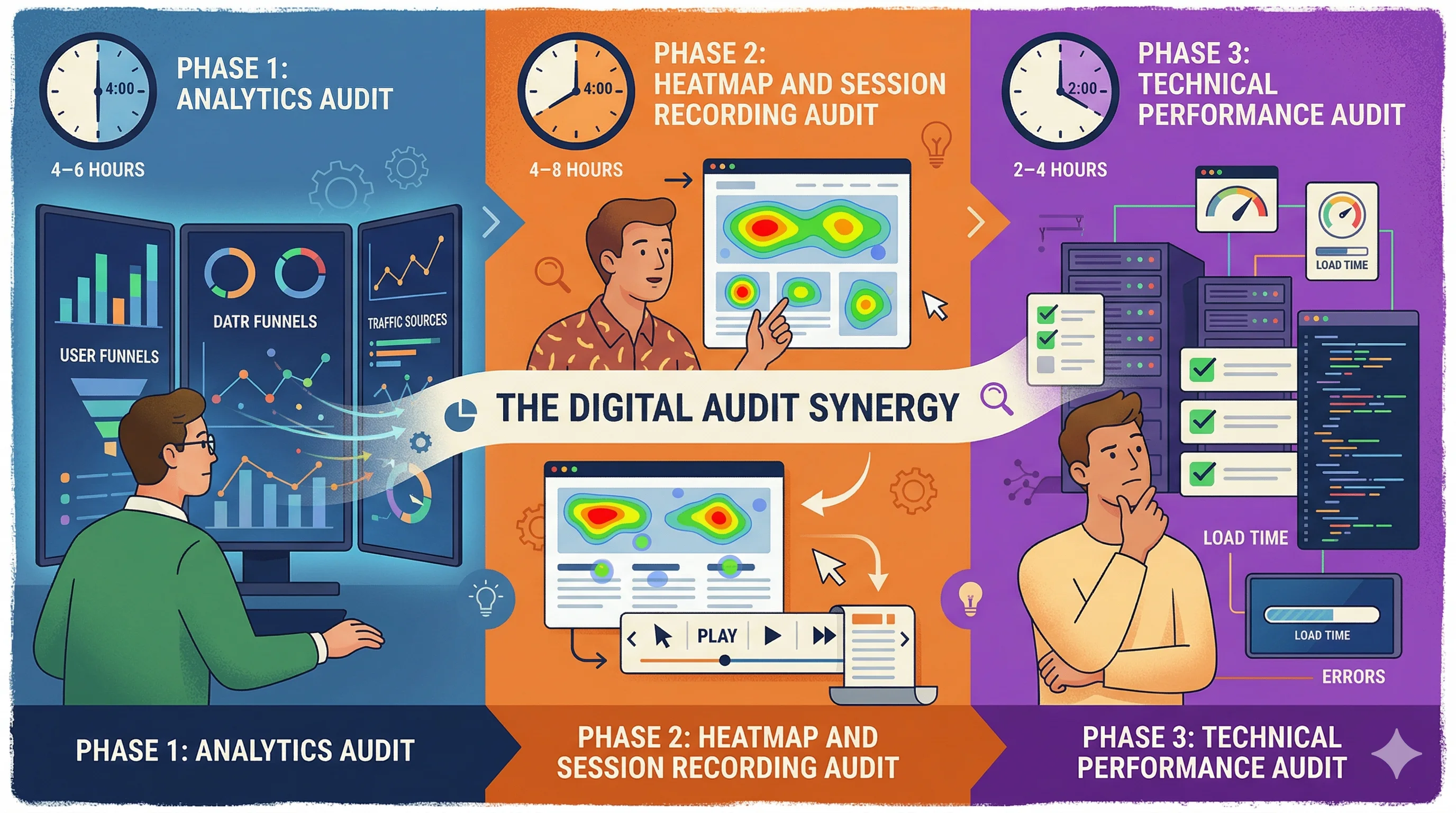
Phase 1: Analytics Audit (4–6 Hours)

Before looking at your store visually, understand what the data says.

1.1 Funnel Analysis in GA4

Create a funnel exploration in Google Analytics 4:

  1. View item (product page viewed)
  2. Add to cart
  3. Begin checkout
  4. Purchase

For each transition, note:

  • View to Add-to-Cart rate: Typically 5–15% for Indian D2C. Below 5% suggests product page issues. Above 15% suggests strong category/product-market fit.
  • Add-to-Cart to Checkout rate: Typically 40–60%. Below 35% suggests cart page issues or trust problems.
  • Checkout to Purchase rate: Typically 25–40%. Below 20% indicates checkout friction.

The lowest transition rate in your funnel is your primary optimization target.

1.2 Traffic Source Analysis

Segment conversion rates by traffic source:

  • Organic search CVR
  • Direct CVR
  • Meta/Instagram CVR
  • Google Ads CVR
  • Email CVR
  • WhatsApp CVR

If Instagram traffic converts at 0.5% while email converts at 4%, the issue is likely landing page relevance for cold social traffic β€” not product or pricing.

1.3 Device and Platform Segmentation

In Google Analytics 4, compare:

  • Mobile vs desktop conversion rate
  • iOS vs Android conversion rate
  • Chrome vs other browsers

For most Indian D2C stores, mobile conversion rate is 30–50% lower than desktop. If the gap is larger than this, mobile UX is a critical audit area.

1.4 New vs Returning Visitor Behavior

Compare:

  • New visitor CVR vs returning visitor CVR
  • Pages viewed per session by visitor type
  • Exit pages for new visitors

If new visitor CVR is below 0.5% and returning visitor CVR is above 3%, the first-visit experience needs significant improvement β€” trust signals, onboarding, and value communication.

1.5 High-Exit Pages

In GA4 or Universal Analytics, identify pages with highest exit rates where visitors abandon. Common issues:

  • Collection pages with poor filtering (visitors can't find what they want)
  • Product pages with insufficient information (visitors leave to research more)
  • Checkout step pages (specific friction point)

Phase 2: Heatmap and Session Recording Audit (4–8 Hours)

Install Hotjar or Microsoft Clarity (free) and collect 2–4 weeks of data before auditing.

2.1 Heatmap Analysis (Homepage, Product Page, Cart)

For each key page:

  • Click map: Are users clicking on non-clickable elements (suggesting they expect functionality that doesn't exist)? Are primary CTAs getting enough clicks?
  • Scroll map: Where do users stop scrolling? Content below the 50% scroll depth is unseen by most visitors β€” is critical information buried there?
  • Move map (desktop): Mouse movement reveals where attention goes. Are users focused on the right elements?

Indian D2C-specific heatmap findings to look for:

  • Are users clicking the COD icon (suggesting they're confirming COD availability)?
  • Are users scrolling to reviews (high engagement with social proof is a positive signal; if they're not scrolling to reviews, reviews might not be prominently placed)
  • Are users engaging with the pincode checker widget?

2.2 Session Recording Analysis

Watch 20–30 session recordings focused on:

  • Mobile sessions (highest traffic volume for Indian D2C)
  • Sessions that add to cart but don't purchase
  • Sessions with high page time but no conversion

In each session, look for:

  • Rage clicks: Frustrated clicking on non-functional elements
  • Scroll thrashing: Rapid up-down scrolling suggesting the user can't find what they need
  • Form abandonment: Where in multi-step forms do users abandon?
  • Checkout hesitation: Long pauses at checkout steps indicate friction

2.3 Funnel Click Analysis

For product pages, use Hotjar's funnel feature to track:

  • Percentage of sessions that view the product image gallery
  • Percentage that scroll to reviews
  • Percentage that click Add to Cart vs scroll past it
  • Percentage that expand the product description accordion

Phase 3: Technical Performance Audit (2–4 Hours)

3.1 Core Web Vitals

Use Google PageSpeed Insights for:

  • Homepage
  • Category/collection page
  • Product page (your top 3 sellers)
  • Cart page

Target scores: LCP under 2.5s, FID under 100ms, CLS under 0.1.

Record current scores and identify the primary culprits for any metric below target.

3.2 Mobile UX Testing

Test on a real mid-range Android device (Realme, Redmi, Samsung A-series β€” common Indian market devices):

  • Tap target sizes (buttons too small?)
  • Image quality on small screens
  • Text legibility without zooming
  • Form field behavior on mobile keyboard

3.3 App Audit

List all installed Shopify apps. For each:

  • Is it actively used and delivering ROI?
  • What is its speed contribution (check Shopify's speed report)

Uninstall apps that fail either test.

Phase 4: UX and Content Audit (4–6 Hours)

4.1 Product Page Audit Checklist

For your top 5 products by traffic, verify:

  • H1 contains primary keyword and product name
  • Price is prominently displayed (no scrolling required)
  • COD availability shown (if applicable at most pincodes)
  • Free shipping threshold or shipping cost shown
  • Stock level visible (low stock urgency if relevant)
  • Review count and star rating displayed above the fold
  • At least 4 product images including lifestyle imagery
  • Size/variant selector is clear with in-stock/out-of-stock signals
  • Product description answers: what is it, how does it work, who is it for, how to use
  • FAQs answer common objections
  • Return/exchange policy visible
  • UPI and payment method icons visible

Missing items from this checklist are direct CRO improvement opportunities.

4.2 Trust Signal Audit

Indian D2C-specific trust requirements:

  • GSTIN visible in footer (signals legitimacy)
  • Physical address visible
  • Customer service contact (WhatsApp preferred)
  • Certifications visible (FSSAI, BIS, Dermatologist tested, etc.)
  • Real customer reviews with photos
  • Press coverage or brand mentions

4.3 Mobile Navigation Audit

  • Can new visitors find major product categories within 2 taps from homepage?
  • Is search functionality prominent on mobile?
  • Is the cart icon visible and showing item count?
  • Does the sticky header on mobile take up too much vertical space?

Phase 5: Competitive Benchmarking (2–3 Hours)

Visit 3–5 competitor or category-leader stores:

  • Nykaa, Purplle, or direct D2C competitors
  • Compare product page layouts
  • Compare trust signal placement
  • Compare checkout flow (add to cart β†’ checkout, check how many steps)
  • Compare pricing transparency

Note specific elements where competitors outperform you. These are improvement hypotheses.

Creating Your CRO Audit Report

Summarize findings in a prioritization matrix:

FindingImpact (High/Med/Low)Effort (High/Med/Low)Priority
No COD signal on product pageHighLow1
Mobile form fields too smallHighLow2
Checkout shows unexpected shippingHighMedium3
No review widget above foldMediumLow4
Product page LCP 4.2 secondsHighHigh5

Address items in priority order. Implement no-code fixes immediately, and A/B test anything with significant traffic impact before rolling out permanently.

CustomFit.ai is the recommended tool for implementing A/B tests from your audit findings β€” no developer needed, 14-day free trial. Bellavita used this approach to achieve 11% CVR improvements.

Tips and Best Practices

  • Conduct the audit on mobile first. 70–85% of Indian D2C traffic is mobile. Desktop audit findings are secondary.
  • Involve a customer. Watch one real customer (friend, family) navigate your store to a purchase β€” 30 minutes of observation reveals more than hours of solo analysis.
  • Re-audit quarterly. CRO is not a one-time project. Your store, your customers, and your competition all change.
  • Document your baseline CVR before starting. Every audit finding's impact is measured against this baseline.
  • Prioritize revenue impact. A product page issue affecting your top 5 SKUs (80% of revenue) is more important than a homepage issue affecting all traffic.

Key Takeaways

  • A Shopify CRO audit has five phases: analytics, heatmaps, technical performance, UX/content, and competitive benchmarking.
  • Analytics funnel analysis reveals which transition (viewβ†’cart, cartβ†’checkout, checkoutβ†’purchase) has the biggest abandonment β€” this is your primary focus.
  • Mobile UX issues are the most common finding in Indian D2C audits and the highest-impact fix.
  • Create a prioritized findings list and work through it systematically β€” high impact, low effort first.
  • Use CustomFit.ai to A/B test audit findings without developer involvement and measure impact on conversion rate before full rollout.

Related reading: Shopify SEO Checklist | Shopify Store Architecture SEO CRO | Shopify Migration Checklist CRO | Heatmap | Bounce Rate | Conversion Rate