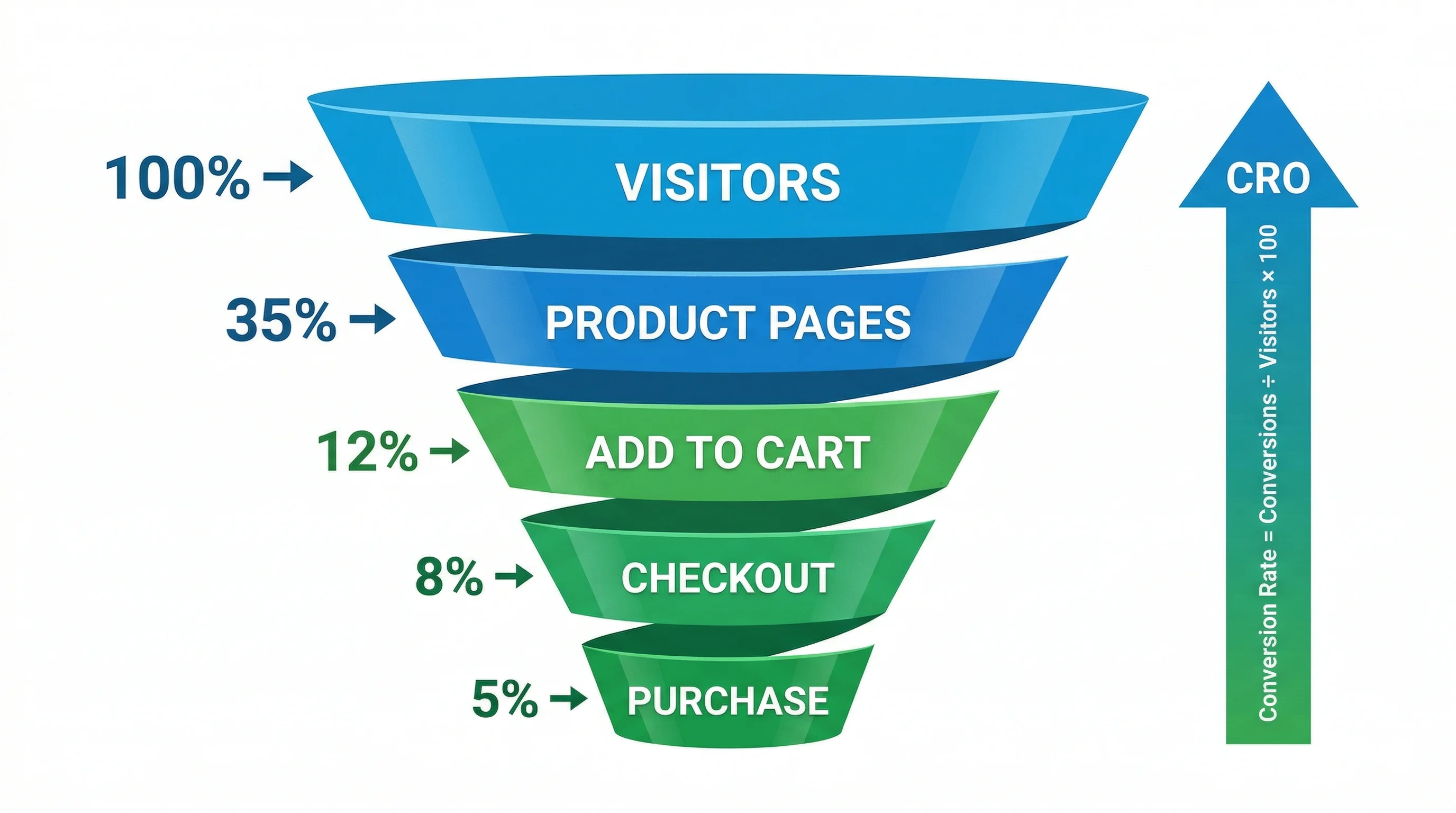
From the conversion glossary
Concepts referenced in this article, defined.
Everything you need to know about A/B testing for Shopify and ecommerce stores — from setup to statistical significance to conversion wins.
Concepts referenced in this article, defined.
Run rigorous A/B tests and personalize every visit on Shopify or any storefront — no engineers required.
A/B testing for Shopify and ecommerce stores is the practice of running controlled experiments on your storefront to determine which version of a page, element, or experience drives more conversions. By showing variant A to one group of visitors and variant B to another, you can make data-backed decisions about your product pages, checkout flow, pricing displays, and more — without guessing.
CustomFit.ai helps 1,000+ D2C brands run Shopify A/B tests without writing a single line of code.
Ecommerce A/B testing (also called split testing) is a method of comparing two or more versions of a page element to determine which one performs better against a defined conversion goal. For Shopify stores, this typically means testing:
Unlike website analytics, which tells you what is happening, A/B testing tells you why and gives you a statistically valid answer you can act on.
Shopify's default theme handles the technical side of your store, but it can't tell you whether a green "Add to Cart" button outperforms a red one for your specific audience. Every D2C brand has a unique customer base with different preferences, price sensitivities, and decision-making patterns.
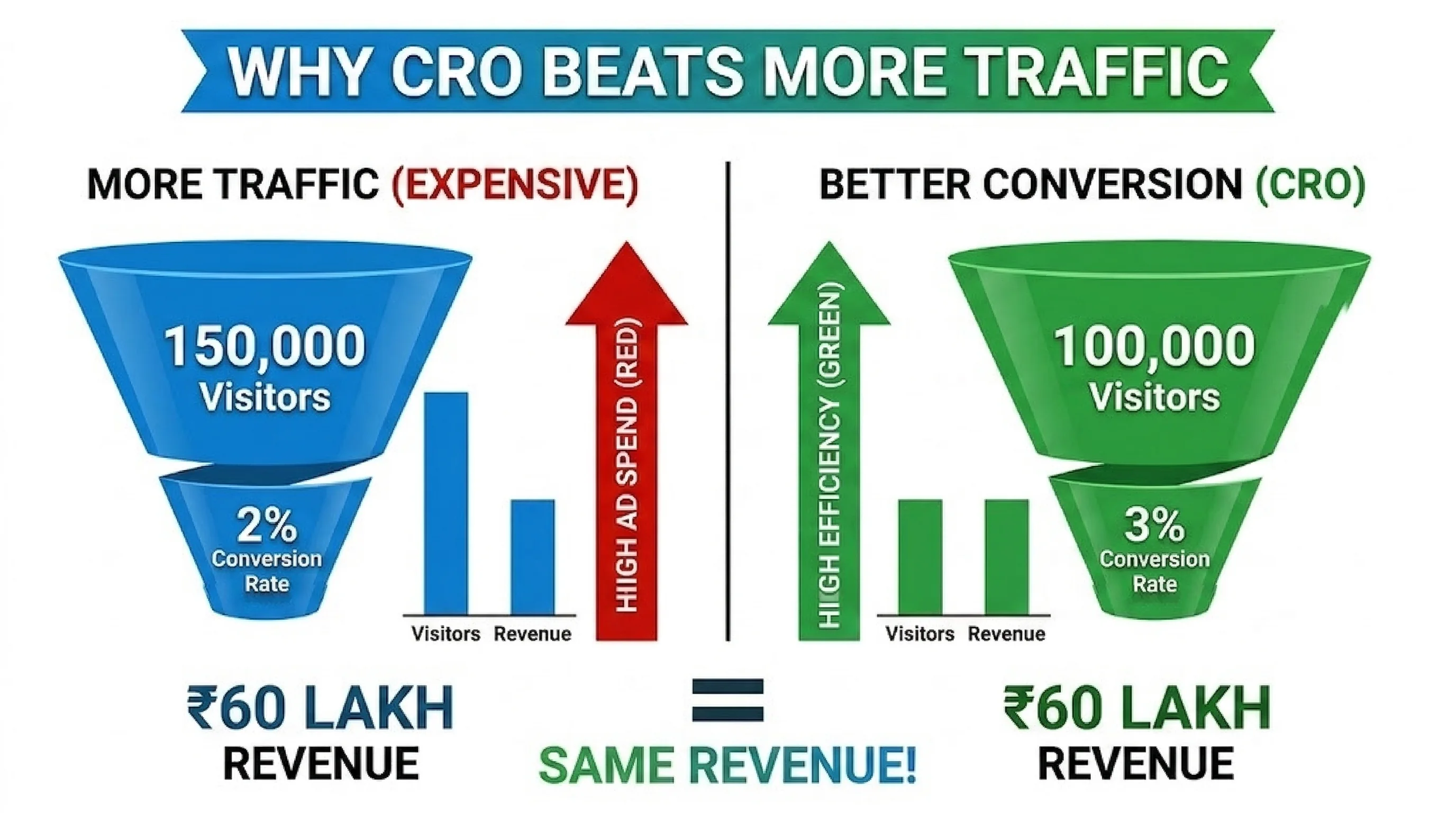
The business case is clear: A 1% increase in conversion rate on a store doing ₹1 crore/month in revenue means ₹1 lakh more revenue per month — with the same ad spend.
Key reasons Shopify merchants run A/B tests:
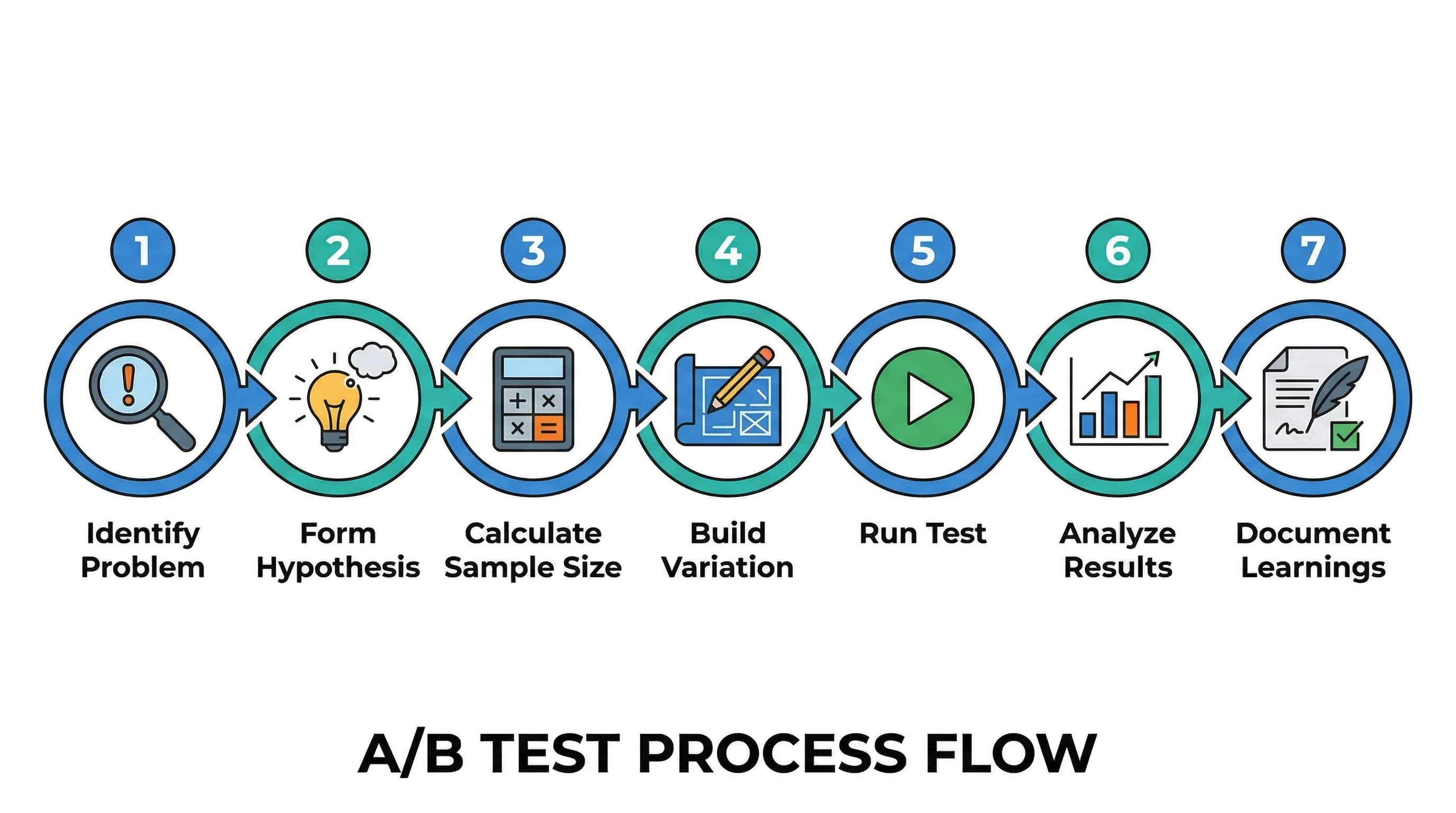
Running an A/B test on Shopify follows a consistent process regardless of the tool you use:
With CustomFit.ai, steps 3–7 are managed through a no-code visual editor directly on your Shopify storefront.
Product pages are where purchase decisions are made. Key elements to test:
Theme-level A/B testing allows you to test two entirely different Shopify themes or major layout variants against each other. This is more complex than element-level testing but can surface insights about overall information architecture and brand presentation.
CustomFit.ai supports theme-level A/B testing on Shopify through its visual editor, which can apply changes at the theme component level without needing to publish a new theme.
When to use theme A/B testing:
Statistical significance tells you how confident you can be that your test results are not due to random chance. In ecommerce, the standard threshold is 95% confidence (p < 0.05).
Practical guidelines:
For most Shopify stores doing 10,000+ monthly visitors, you can reach significance on high-traffic pages (homepage, bestseller product pages) within 2–4 weeks.
| Feature | Shopify | WooCommerce | BigCommerce |
|---|---|---|---|
| Native A/B testing | None | None | None |
| CustomFit.ai support | ✓ Full | ✓ Full | ✓ Full |
| Theme-level testing | ✓ | ✓ | ✓ |
| Checkout testing | ✓ (Shopify Plus) | ✓ | ✓ |
| No-code setup | ✓ | ✓ | ✓ |
| Audience segmentation | ✓ | ✓ | ✓ |
What is the difference between A/B testing and multivariate testing? A/B testing compares two versions of a single element (e.g., two CTA button texts). Multivariate testing compares multiple variations of multiple elements simultaneously to find the best combination. A/B testing is better for stores with lower traffic; multivariate testing requires significantly more visitors.
How long should I run an A/B test on Shopify? Run tests for a minimum of 2 weeks and until you reach 95% statistical significance. For most Shopify stores with 10,000+ monthly visitors, 2–4 weeks is sufficient for high-traffic pages. Lower-traffic pages may require 4–8 weeks.
Can I A/B test on Shopify without coding? Yes. Tools like CustomFit.ai provide a visual editor that works directly on your live Shopify store — no theme code changes, no developer required.
Does A/B testing slow down my Shopify store? CustomFit.ai loads asynchronously and does not block page rendering. The performance impact is negligible (typically < 50ms added to page load). Core Web Vitals are not affected.
What conversion rate improvement can I expect from A/B testing? Results vary widely. CustomFit.ai customers see an average 11% conversion rate lift across their first 3 tests. The highest impact tests tend to be on product pages and the checkout initiation step.
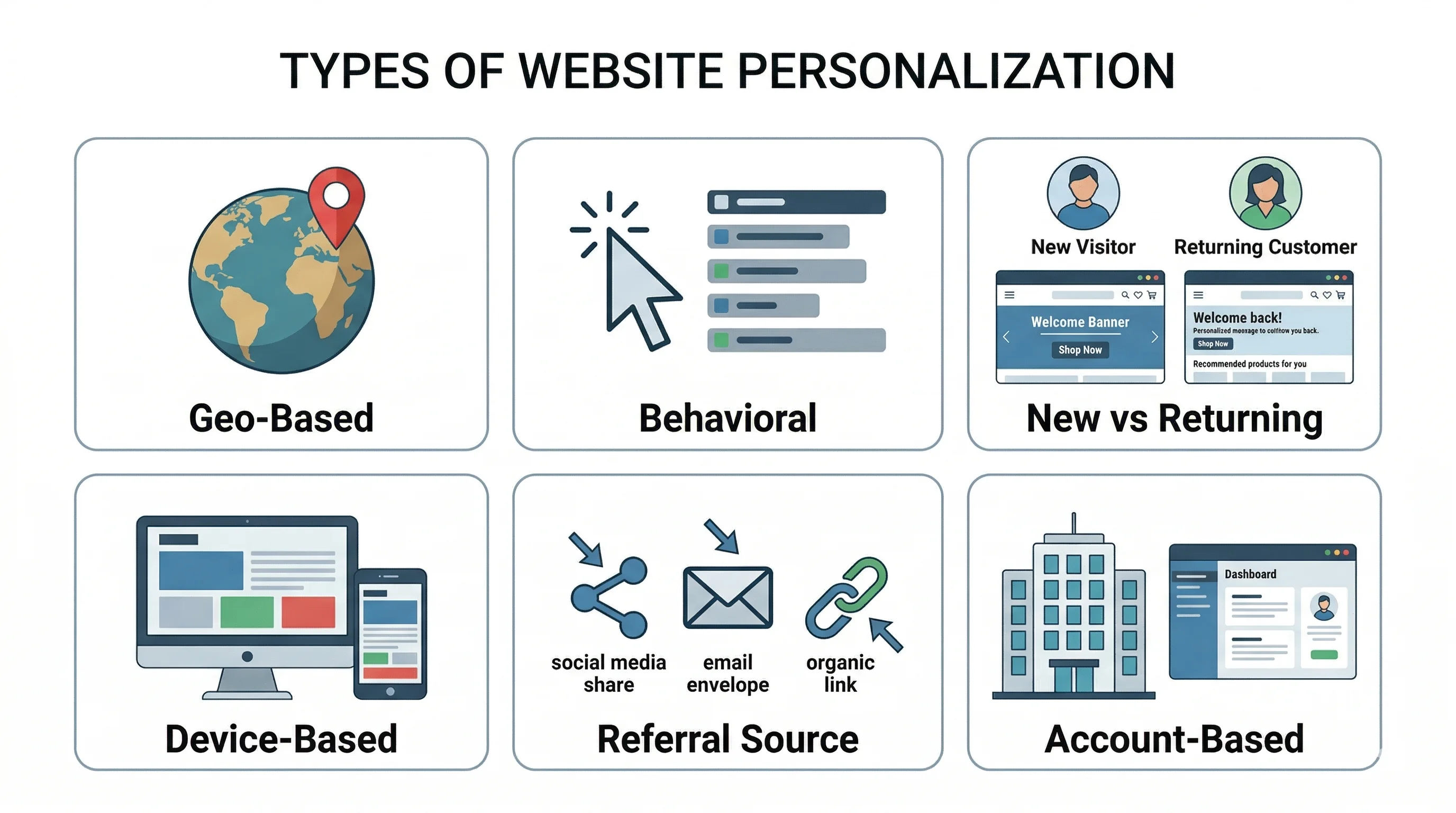
Can I target specific segments in my Shopify A/B tests? Yes. CustomFit.ai supports audience segmentation by: new vs. returning visitors, geographic location, device type (mobile/desktop), traffic source (paid vs. organic), and custom events (e.g., customers who viewed a specific collection).
What pages can I A/B test on Shopify? With CustomFit.ai, you can test any page on your Shopify store: homepage, product pages, collection pages, cart page, checkout (Shopify Plus), and custom landing pages.
Is A/B testing safe for my Shopify store's SEO? Yes, when done correctly. Google accepts A/B testing as a legitimate practice. Use rel="canonical" to point to the original URL, avoid cloaking (showing different content to Googlebot vs. users), and don't run tests for an excessively long time.