CustomFit.ai — Website personalization, A/B testing and CRO for Shopify and D2C
Product
Features
✱
Website Personalization
Adapt to each visitor's behavior & intent
⧖
A/B & Multivariate Testing
Rigorous experimentation
✨
AI CopilotNEW
Personalize with a prompt
🤖
AI WingmanNEW
Auto-optimize toward winners
🎯
AI Conversion OptimizerNEW
GPT-grade test ideas
✎
No-Code Visual Editor
Drag-and-drop edit any element
▦
Product Recommendations
Personalized recs that lift AOV
⚑
Feature Flags
Ship safely with kill-switches
◧
Chrome Extension
Edit your store in the browser
⧉
Shopify, WooCommerce & more
All platform integrations
View all features →
Use Cases
$
Price A/B Testing
Test price points to maximize revenue
▦
Theme A/B Testing
Compare whole layouts & designs
🗂
Template A/B Testing
Test whole PDP/PLP templates
🏷
Discount A/B Testing
Find the offer that converts
🚚
Shipping A/B Testing
Thresholds, speed & copy
✍
Content A/B Testing
Copy, images & reviews
💳
Checkout Gateway A/B
Payments & one-click
⌖
Geo-Based Personalization
Per-location content & offers
⚡
Buyer-Intent Nudges
Exit-intent & retargeting
↔
Split-URL / Redirection
Full-page redirect tests
View all use cases →
Solutions & Guides
⤢
Conversion Rate Optimization
The complete CRO guide
⧖
A/B Testing Software
Buyer's guide for D2C
🛒
Cart Abandonment Recovery
Win back lost carts
📰
Landing Page Optimization
Convert more paid traffic
S
Shopify A/B Testing
Test your store, no code
S
Shopify Personalization
Tailor the store per shopper
◔
First-Time Visitor Offers
Convert new shoppers with trust & offers
★
Repeat-Customer Experiences
Reward and re-engage loyal buyers
◎
Campaign-Matched Pages
Match the landing page to the ad
⌖
Location-Based Experiences
Currency, language & regional offers
Explore CRO →
Customer stories
GIVA
+32%
conversion via personalized recs
GIVA
Mamaearth
+18%
revenue lift from PDP A/B tests
ME
The Sleep Company
+24%
AOV from product recommendations
TSC
Read customer stories →
Integrations
SWsfGA+15
✦
Not sure where to start?
Let AI Copilot pick your first tests

“We wake up to evidence-backed tests ready to deploy — not a backlog of maybe ideas.”

AN
Anirudh S.
Growth · Chargebee
★★★★★4.8on G2 · 2,400+ brands
Talk to our team →
Widgets
Integrations
Ecommerce & Checkout
Shopify
Shopline
Shoplazza
GoKwik
ShopFlo
Razorpay Magic Checkout
Breeze
Shiprocket
View all integrations →
Analytics & Behavior
Google Analytics 4
Microsoft Clarity
Hotjar
Mixpanel
Amplitude
Heap
Adobe Analytics
Segment (CDP)
View all integrations →
Engagement, CRM & More
Klaviyo
MoEngage
CleverTap
WebEngage
HubSpot
Salesforce
Slack
Meta Ads
View all integrations →
CustomersPricing
Resources
CRO
▤
Playbooks
Proven strategies to boost conversions
🎙
Interviews
D2C leaders & marketing experts
▶
Webinars
Live deep dives & product sessions
Learn
✎
Blog
Tips, experiments & best practices
📕
Free E-Books
Mastering personalization
📖
Conversion Glossary
Every CRO term, defined
✦AI CopilotNEWLog inBook a demo
Start free trial
Select your platform — Install in 2 minsWe'll tailor the setup
⚡ Risk-free 14-day trial · No credit card · Cancel anytime
S
Shopify
Install from Shopify App Store
›
W
WooCommerce
Install the WooCommerce plugin
›
B
BigCommerce
Install from BigCommerce App Marketplace
›
SL
Shopline
Install from Shopline App Store
›
M
Salesforce / Magento
Install from the marketplace
›
SZ
Shoplazza
Install from Shoplazza App Store
›
WP
WordPress / Webflow
Install plugin or paste the script
›
◧
Others
Custom-built on React, Next.js, etc.
›
Tip: pick your platform — we handle the restBook a demo →
Product
Website PersonalizationA/B & Multivariate TestingAI CopilotAI WingmanAI Conversion OptimizerNo-Code Visual EditorProduct RecommendationsFeature FlagsView all features →
Use Cases
Price A/B TestingTheme A/B TestingTemplate A/B TestingDiscount A/B TestingShipping A/B TestingContent A/B TestingCheckout Gateway A/BGeo-Based PersonalizationBuyer-Intent NudgesSplit-URL / Redirection
Solutions & Guides
Conversion Rate OptimizationA/B Testing SoftwareCart Abandonment RecoveryLanding Page OptimizationShopify A/B TestingShopify Personalization
Explore
WidgetsIntegrationsCustomersPricing
Resources
BlogPlaybooksWebinarsInterviewsE-BooksConversion Glossary
Platforms
ShopifyShoplineShoplazzaChrome ExtensionAll integrations
Start free trialBook a demo
Home›Blog›ab testing›How to Run A/B Tests: A Step-by-Step Guide for Marketers
A/B testinghow to A/B testCRO

How to Run A/B Tests: A Step-by-Step Guide for Marketers

Learn exactly how to run A/B tests on your website — from forming a hypothesis to reading results. A practical, jargon-free guide with real examples for D2C and ecommerce marketers.

SJSapna JoharHead of Growth & CRO, CustomFit.aiMarch 21, 20266 min read
On this page
  1. Step 1: Choose What to Test (And Why)
  2. Step 2: Form a Specific Hypothesis
  3. Step 3: Define Your Success Metric
  4. Step 4: Calculate Your Sample Size
  5. Step 5: Create Your Variant
  6. Step 6: Set Your Audience and Traffic Split
  7. Step 7: Launch and Wait
  8. Step 8: Read and Act on Results
  9. Common A/B Testing Mistakes
  10. Your First A/B Test Checklist
0%
How to Run A/B Tests: A Step-by-Step Guide for Marketers

From the conversion glossary

Concepts referenced in this article, defined.

Definition
What Is Variant? Definition, Formula & Guide
Definition
What Is Significance? Definition, Formula & Guide
Definition
What Is Hypothesis? Definition & Guide
Definition
What Is Sample Size? Definition & Guide
Definition
What Is Statistical Significance? Definition & Guide
← Back to Ab Testing guide
Try CustomFit.ai

Run A/B tests and personalize your store without code. 14-day free trial, no credit card.

Start free trial →
Share
XLinkedInEmail

Related articles

ab testing

Statistical Significance in A/B Testing: A Plain-English Guide

Statistical significance in A/B testing means there's less than a 5% chance your result is random. Here's what p-values, confidence levels, and sample size mean for your tests.

Sapna Johar· 12 min read
ab testing

How A/B Testing Works: Step-by-Step Explained

A/B testing works by splitting traffic between two versions of a page, measuring which performs better on a conversion metric, and declaring a winner at statistical significance.

Sapna Johar· 10 min read
ab testing

A/B Testing vs Split Testing: What's the Difference?

A/B testing and split testing are the same thing — two names for the same experiment. Here's why the terms are used interchangeably and what actually matters.

Sapna Johar· 7 min read

Start lifting conversions today.

Run rigorous A/B tests and personalize every visit on Shopify or any storefront — no engineers required.

Start free trialBook a demo

Built for every D2C category

🧴
Skincare
💄
Beauty
🌿
Wellness
☕
F&B
👟
Apparel
💍
Jewelry
🛋️
Home
🍼
Baby
Live · Right now
Mamaearth — free-shipping band +12.4% AOVGIVA — festive collection page +34% revenueBellavita — PDP CTA test +27.4% CVRKapiva — Quiz-driven recs +9.48% CTRThe Sleep Co — landing personalized 2× capturesPlum — Returning shopper swap +18.2% CVRMamaearth — free-shipping band +12.4% AOVGIVA — festive collection page +34% revenueBellavita — PDP CTA test +27.4% CVRKapiva — Quiz-driven recs +9.48% CTRThe Sleep Co — landing personalized 2× capturesPlum — Returning shopper swap +18.2% CVR
Get in touch

Tell us about your store.

We reply within an hour during business hours. No sales pitch, no spam — just answers from someone who's seen 2,400+ D2C stores.

✓ Reply within 1 hour✓ No spam, ever✓ Free demo & setup help
✓ Thanks! We'll be in touch shortly.
CustomFit.ai

The all-in-one website personalization, A/B testing & CRO platform for high-growth D2C brands. Made by marketers, fueled by coffee.

in𝕏◎▶f
Product
  • Features
  • A/B Testing
  • Personalization
  • AI Copilot
  • AI Wingman
  • AI Conversion Optimizer
  • Feature Flags
  • Widgets
  • Integrations
  • ROI Calculator
Platforms
  • Shopify
  • Shopline
  • Shoplazza
  • Salesforce
  • Chrome Extension
  • All Integrations
Resources
  • Blog
  • Playbooks
  • Webinars
  • GrowthFit Interviews
  • Free E-Books
  • Conversion Glossary
  • Case Studies
Compare
  • vs VWO
  • vs Optimizely
  • vs Google Optimize
  • vs Mutiny
  • vs Intelligems
  • vs Shoplift
  • vs AB Tasty
  • vs Convert
  • vs Kameleoon
Company
  • About Us
  • Partners
  • CustomFit Awards
  • Recognition
  • Contact
  • Privacy Policy
  • Terms & Conditions
© 2026 CustomFit.ai · Valley Monks Pvt Ltd · Made by marketers, fueled by coffee, and obsessed with conversions.
SOC 2 Type II · GDPR · CCPA · ISO 27001

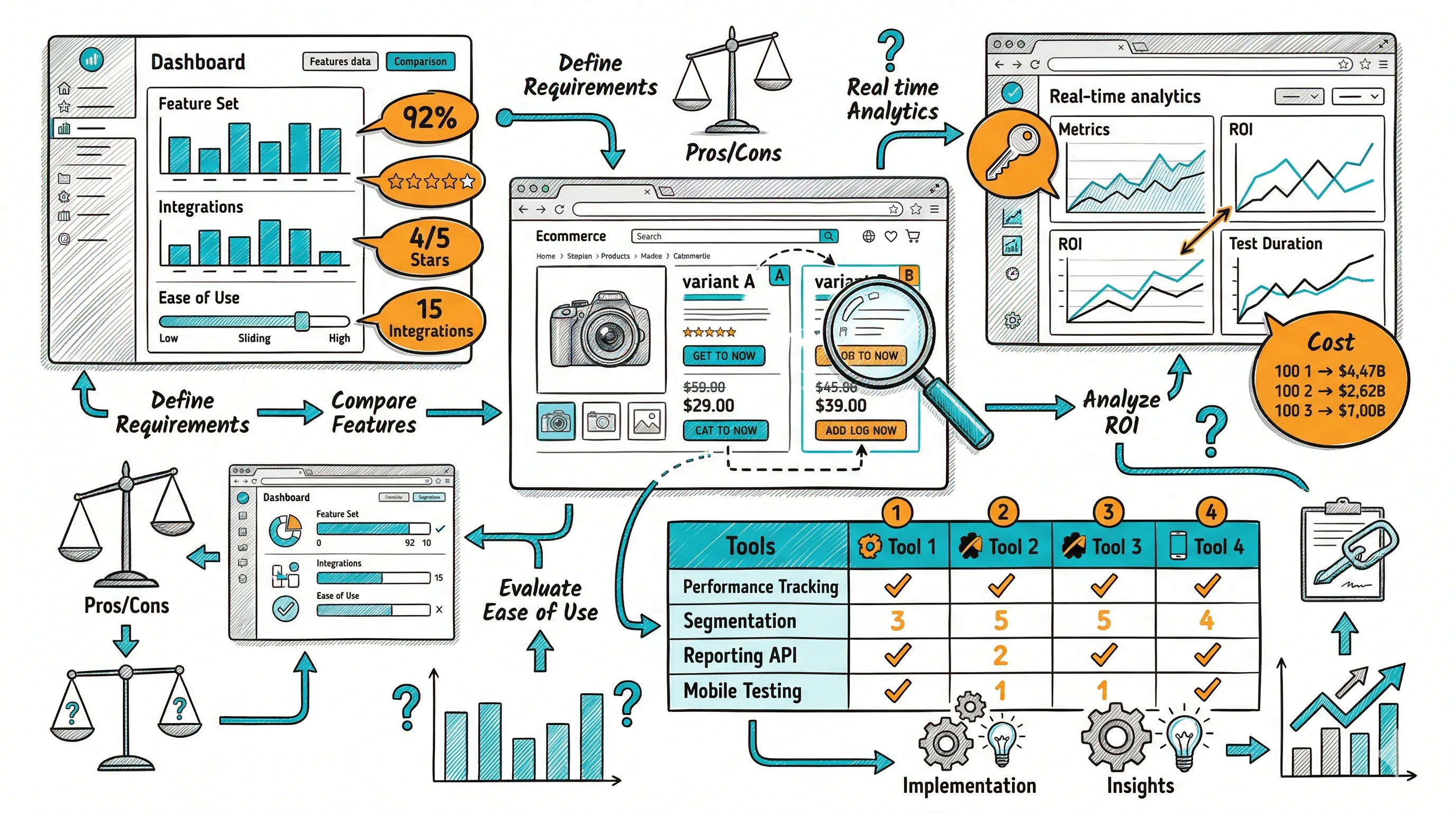
Running an A/B test means creating two or more versions of a web page, splitting your traffic between them, and measuring which version drives more of your target outcome. It's the most reliable way to make decisions about your website based on data rather than opinions.

This guide walks through exactly how to run an A/B test — from choosing what to test to reading your results.

Step 1: Choose What to Test (And Why)

Not all A/B tests are equal. The highest-value tests change something that affects whether a visitor converts — not just whether they click.

High-impact elements to test:

  • Homepage hero headline and subtext
  • Product page primary CTA (button copy, color, position)
  • Pricing page layout and plan hierarchy
  • Add-to-cart button visibility and placement
  • Checkout form length and field order
  • Free shipping threshold and announcement bar

How to pick your first test: Look at your analytics funnel. Where do you lose the most visitors? If 60% of visitors who reach your product page don't add to cart, start there — even a 1% improvement in add-to-cart rate has compounding revenue impact.

Step 2: Form a Specific Hypothesis

Every A/B test needs a hypothesis in this form:

"If we [change X], we expect [outcome Y] because [reason Z]."

Example: "If we change the add-to-cart button copy from 'Add to Cart' to 'Get Yours Now', we expect add-to-cart rate to increase because the more action-oriented copy creates urgency."

The hypothesis keeps your test focused and ensures you'll learn something useful whether the test wins or loses.

Step 3: Define Your Success Metric

Before you launch, decide what "winning" means. Your primary metric should be a business outcome, not a proxy:

Proxy metric (weak)Business metric (strong)
Click-through rateAdd-to-cart rate
Time on pageCheckout completion rate
Bounce rateRevenue per visitor
Scroll depthConversion rate

Pick one primary metric and stick to it. Secondary metrics (AOV, pages per session) can provide context but shouldn't determine the winner.

Step 4: Calculate Your Sample Size

Use a sample size calculator before launching. You need to know:

  • Your current conversion rate (baseline)
  • The minimum improvement you care about detecting (typically 5–10%)
  • Your desired statistical confidence (95% is standard)

Rough guide: If your current conversion rate is 2%, you need approximately 5,000 visitors per variant to detect a 5% relative improvement (i.e., from 2.0% to 2.1%) with 95% confidence.

CustomFit.ai shows your test's projected time-to-significance based on your current traffic volume.

Step 5: Create Your Variant

Using CustomFit.ai's visual editor:

  1. Navigate to the page you want to test
  2. Click on the element you want to change
  3. Make your edit (change copy, swap image, move element)
  4. Preview on desktop and mobile
  5. Save the variant

Rule: Change one meaningful thing per variant. If you change the headline, button copy, and hero image all at once, you won't know which change drove the result.

Step 6: Set Your Audience and Traffic Split

Traffic split: Start with 50/50 (control vs. variant). If you're nervous about showing an untested experience to half your visitors, start with 80/20 — but know this will take longer to reach significance.

Audience: By default, run on all visitors. Once you're comfortable with A/B testing, segment by traffic source, device type, or behavioral signals for more targeted tests.

Exclusions: Exclude internal team IP addresses, logged-in staff, and bot traffic from your test data.

Step 7: Launch and Wait

Hit publish. Do not check results for at least 7 days.

Peeking at results early and stopping a test when you see a winning trend (called "peeking") is one of the most common A/B testing mistakes. Statistical significance fluctuates early in a test — a variant that looks like it's winning on day 3 may reverse by day 10.

Minimum test duration: 14 days, always. This captures two full weeks of visitor behavior, including the weekend/weekday variation that affects most websites.

Step 8: Read and Act on Results

After your test runs for at least 14 days and reaches the required sample size, read your results:

If you have a clear winner (95%+ confidence): Ship the winning variant to 100% of visitors with one click. Document what you tested, what won, and why you think it won. Use the insight to generate your next hypothesis.

If the test is inconclusive: Neither version is statistically better. This is still valuable — it tells you that the element you tested doesn't significantly impact conversions. Move on to testing something with higher potential impact.

If the variant loses: The losing insight is as valuable as the winning one. Document why the change might have hurt performance and use that to refine your mental model of your audience.

Common A/B Testing Mistakes

Stopping too early: Significance fluctuates. Always run for the full minimum duration.

Testing too many things: Multivariate tests require exponentially more traffic. Start with clean A/B tests.

Ignoring seasonality: Don't run a test during a major sale, holiday, or traffic spike — the aberrant conditions will skew your results.

Testing low-traffic pages: A/B testing requires traffic. If the page you want to test gets 500 visitors per month, you'll need 4+ months to reach significance. Focus tests on your highest-traffic pages first.

Your First A/B Test Checklist

  • Identified a high-traffic page with a conversion opportunity
  • Written a specific hypothesis with expected outcome and reason
  • Defined a single primary success metric
  • Calculated required sample size
  • Created a variant that changes one meaningful element
  • Set 50/50 traffic split with internal traffic excluded
  • Committed to running for minimum 14 days
  • Scheduled a results review date

Continue reading:

  • A/B Testing: The Complete Guide
  • Statistical Significance in A/B Testing: What It Actually Means
  • CRO: Conversion Rate Optimization Guide for D2C Brands

Run your first A/B test today — start your free CustomFit.ai trial. First test live in under 30 minutes.