CustomFit.ai โ€” Website personalization, A/B testing and CRO for Shopify and D2C
Product
Features
โœฑ
Website Personalization
Adapt to each visitor's behavior & intent
โง–
A/B & Multivariate Testing
Rigorous experimentation
โœจ
AI CopilotNEW
Personalize with a prompt
๐Ÿค–
AI WingmanNEW
Auto-optimize toward winners
๐ŸŽฏ
AI Conversion OptimizerNEW
GPT-grade test ideas
โœŽ
No-Code Visual Editor
Drag-and-drop edit any element
โ–ฆ
Product Recommendations
Personalized recs that lift AOV
โš‘
Feature Flags
Ship safely with kill-switches
โ—ง
Chrome Extension
Edit your store in the browser
โง‰
Shopify, WooCommerce & more
All platform integrations
View all features โ†’
Use Cases
$
Price A/B Testing
Test price points to maximize revenue
โ–ฆ
Theme A/B Testing
Compare whole layouts & designs
๐Ÿ—‚
Template A/B Testing
Test whole PDP/PLP templates
๐Ÿท
Discount A/B Testing
Find the offer that converts
๐Ÿšš
Shipping A/B Testing
Thresholds, speed & copy
โœ
Content A/B Testing
Copy, images & reviews
๐Ÿ’ณ
Checkout Gateway A/B
Payments & one-click
โŒ–
Geo-Based Personalization
Per-location content & offers
โšก
Buyer-Intent Nudges
Exit-intent & retargeting
โ†”
Split-URL / Redirection
Full-page redirect tests
View all use cases โ†’
Solutions & Guides
โคข
Conversion Rate Optimization
The complete CRO guide
โง–
A/B Testing Software
Buyer's guide for D2C
๐Ÿ›’
Cart Abandonment Recovery
Win back lost carts
๐Ÿ“ฐ
Landing Page Optimization
Convert more paid traffic
S
Shopify A/B Testing
Test your store, no code
S
Shopify Personalization
Tailor the store per shopper
โ—”
First-Time Visitor Offers
Convert new shoppers with trust & offers
โ˜…
Repeat-Customer Experiences
Reward and re-engage loyal buyers
โ—Ž
Campaign-Matched Pages
Match the landing page to the ad
โŒ–
Location-Based Experiences
Currency, language & regional offers
Explore CRO โ†’
Customer stories
GIVA
+32%
conversion via personalized recs
GIVA
Mamaearth
+18%
revenue lift from PDP A/B tests
ME
The Sleep Company
+24%
AOV from product recommendations
TSC
Read customer stories โ†’
Integrations
SWsfGA+15
โœฆ
Not sure where to start?
Let AI Copilot pick your first tests

โ€œWe wake up to evidence-backed tests ready to deploy โ€” not a backlog of maybe ideas.โ€

AN
Anirudh S.
Growth ยท Chargebee
โ˜…โ˜…โ˜…โ˜…โ˜…4.8on G2 ยท 2,400+ brands
Talk to our team โ†’
Widgets
Integrations
Ecommerce & Checkout
Shopify
Shopline
Shoplazza
GoKwik
ShopFlo
Razorpay Magic Checkout
Breeze
Shiprocket
View all integrations โ†’
Analytics & Behavior
Google Analytics 4
Microsoft Clarity
Hotjar
Mixpanel
Amplitude
Heap
Adobe Analytics
Segment (CDP)
View all integrations โ†’
Engagement, CRM & More
Klaviyo
MoEngage
CleverTap
WebEngage
HubSpot
Salesforce
Slack
Meta Ads
View all integrations โ†’
CustomersPricing
Resources
CRO
โ–ค
Playbooks
Proven strategies to boost conversions
๐ŸŽ™
Interviews
D2C leaders & marketing experts
โ–ถ
Webinars
Live deep dives & product sessions
Learn
โœŽ
Blog
Tips, experiments & best practices
๐Ÿ“•
Free E-Books
Mastering personalization
๐Ÿ“–
Conversion Glossary
Every CRO term, defined
โœฆAI CopilotNEWLog inBook a demo
Start free trial
Select your platform โ€” Install in 2 minsWe'll tailor the setup
โšก Risk-free 14-day trial ยท No credit card ยท Cancel anytime
S
Shopify
Install from Shopify App Store
โ€บ
W
WooCommerce
Install the WooCommerce plugin
โ€บ
B
BigCommerce
Install from BigCommerce App Marketplace
โ€บ
SL
Shopline
Install from Shopline App Store
โ€บ
M
Salesforce / Magento
Install from the marketplace
โ€บ
SZ
Shoplazza
Install from Shoplazza App Store
โ€บ
WP
WordPress / Webflow
Install plugin or paste the script
โ€บ
โ—ง
Others
Custom-built on React, Next.js, etc.
โ€บ
Tip: pick your platform โ€” we handle the restBook a demo โ†’
Product
Website PersonalizationA/B & Multivariate TestingAI CopilotAI WingmanAI Conversion OptimizerNo-Code Visual EditorProduct RecommendationsFeature FlagsView all features โ†’
Use Cases
Price A/B TestingTheme A/B TestingTemplate A/B TestingDiscount A/B TestingShipping A/B TestingContent A/B TestingCheckout Gateway A/BGeo-Based PersonalizationBuyer-Intent NudgesSplit-URL / Redirection
Solutions & Guides
Conversion Rate OptimizationA/B Testing SoftwareCart Abandonment RecoveryLanding Page OptimizationShopify A/B TestingShopify Personalization
Explore
WidgetsIntegrationsCustomersPricing
Resources
BlogPlaybooksWebinarsInterviewsE-BooksConversion Glossary
Platforms
ShopifyShoplineShoplazzaChrome ExtensionAll integrations
Start free trialBook a demo
Homeโ€บBlogโ€บab testingโ€บPre-Post Analysis vs A/B Testing

Pre-Post Analysis vs A/B Testing

AKAshwin KumarCo-Founder & CEO, CustomFit.aiJanuary 15, 20257 min read
On this page
  1. What Is Pre-Post Analysis?
  2. What Is A/B Testing?
  3. When Pre-Post Analysis Fails
  4. When Pre-Post Analysis Is Acceptable
  5. Making Pre-Post Analysis More Rigorous
  6. Pre-Post Analysis in D2C Ecommerce: A Practical Framework
  7. Tips and Best Practices
  8. Key Takeaways
0%
Pre-Post Analysis vs A/B Testing

From the conversion glossary

Concepts referenced in this article, defined.

Definition
What Is Control? Definition, Formula & Guide
Definition
What Is Variant? Definition, Formula & Guide
Definition
What Is Baseline? Definition, Formula & Guide
Definition
What Is Collection Page? Definition & Guide
Definition
What Is Novelty Effect? Definition & Guide
โ† Back to Ab Testing guide
Try CustomFit.ai

Run A/B tests and personalize your store without code. 14-day free trial, no credit card.

Start free trial โ†’
Share
XLinkedInEmail

Related articles

ab testing

Statistical Significance in A/B Testing: A Plain-English Guide

Statistical significance in A/B testing means there's less than a 5% chance your result is random. Here's what p-values, confidence levels, and sample size mean for your tests.

Sapna Joharยท 12 min read
ab testing

How A/B Testing Works: Step-by-Step Explained

A/B testing works by splitting traffic between two versions of a page, measuring which performs better on a conversion metric, and declaring a winner at statistical significance.

Sapna Joharยท 10 min read
ab testing

A/B Testing vs Split Testing: What's the Difference?

A/B testing and split testing are the same thing โ€” two names for the same experiment. Here's why the terms are used interchangeably and what actually matters.

Sapna Joharยท 7 min read

Start lifting conversions today.

Run rigorous A/B tests and personalize every visit on Shopify or any storefront โ€” no engineers required.

Start free trialBook a demo

Built for every D2C category

๐Ÿงด
Skincare
๐Ÿ’„
Beauty
๐ŸŒฟ
Wellness
โ˜•
F&B
๐Ÿ‘Ÿ
Apparel
๐Ÿ’
Jewelry
๐Ÿ›‹๏ธ
Home
๐Ÿผ
Baby
Live ยท Right now
Mamaearth โ€” free-shipping band +12.4% AOVGIVA โ€” festive collection page +34% revenueBellavita โ€” PDP CTA test +27.4% CVRKapiva โ€” Quiz-driven recs +9.48% CTRThe Sleep Co โ€” landing personalized 2ร— capturesPlum โ€” Returning shopper swap +18.2% CVRMamaearth โ€” free-shipping band +12.4% AOVGIVA โ€” festive collection page +34% revenueBellavita โ€” PDP CTA test +27.4% CVRKapiva โ€” Quiz-driven recs +9.48% CTRThe Sleep Co โ€” landing personalized 2ร— capturesPlum โ€” Returning shopper swap +18.2% CVR
Get in touch

Tell us about your store.

We reply within an hour during business hours. No sales pitch, no spam โ€” just answers from someone who's seen 2,400+ D2C stores.

โœ“ Reply within 1 hourโœ“ No spam, everโœ“ Free demo & setup help
โœ“ Thanks! We'll be in touch shortly.
CustomFit.ai

The all-in-one website personalization, A/B testing & CRO platform for high-growth D2C brands. Made by marketers, fueled by coffee.

in๐•โ—Žโ–ถf
Product
  • Features
  • A/B Testing
  • Personalization
  • AI Copilot
  • AI Wingman
  • AI Conversion Optimizer
  • Feature Flags
  • Widgets
  • Integrations
  • ROI Calculator
Platforms
  • Shopify
  • Shopline
  • Shoplazza
  • Salesforce
  • Chrome Extension
  • All Integrations
Resources
  • Blog
  • Playbooks
  • Webinars
  • GrowthFit Interviews
  • Free E-Books
  • Conversion Glossary
  • Case Studies
Compare
  • vs VWO
  • vs Optimizely
  • vs Google Optimize
  • vs Mutiny
  • vs Intelligems
  • vs Shoplift
  • vs AB Tasty
  • vs Convert
  • vs Kameleoon
Company
  • About Us
  • Partners
  • CustomFit Awards
  • Recognition
  • Contact
  • Privacy Policy
  • Terms & Conditions
ยฉ 2026 CustomFit.ai ยท Valley Monks Pvt Ltd ยท Made by marketers, fueled by coffee, and obsessed with conversions.
SOC 2 Type II ยท GDPR ยท CCPA ยท ISO 27001

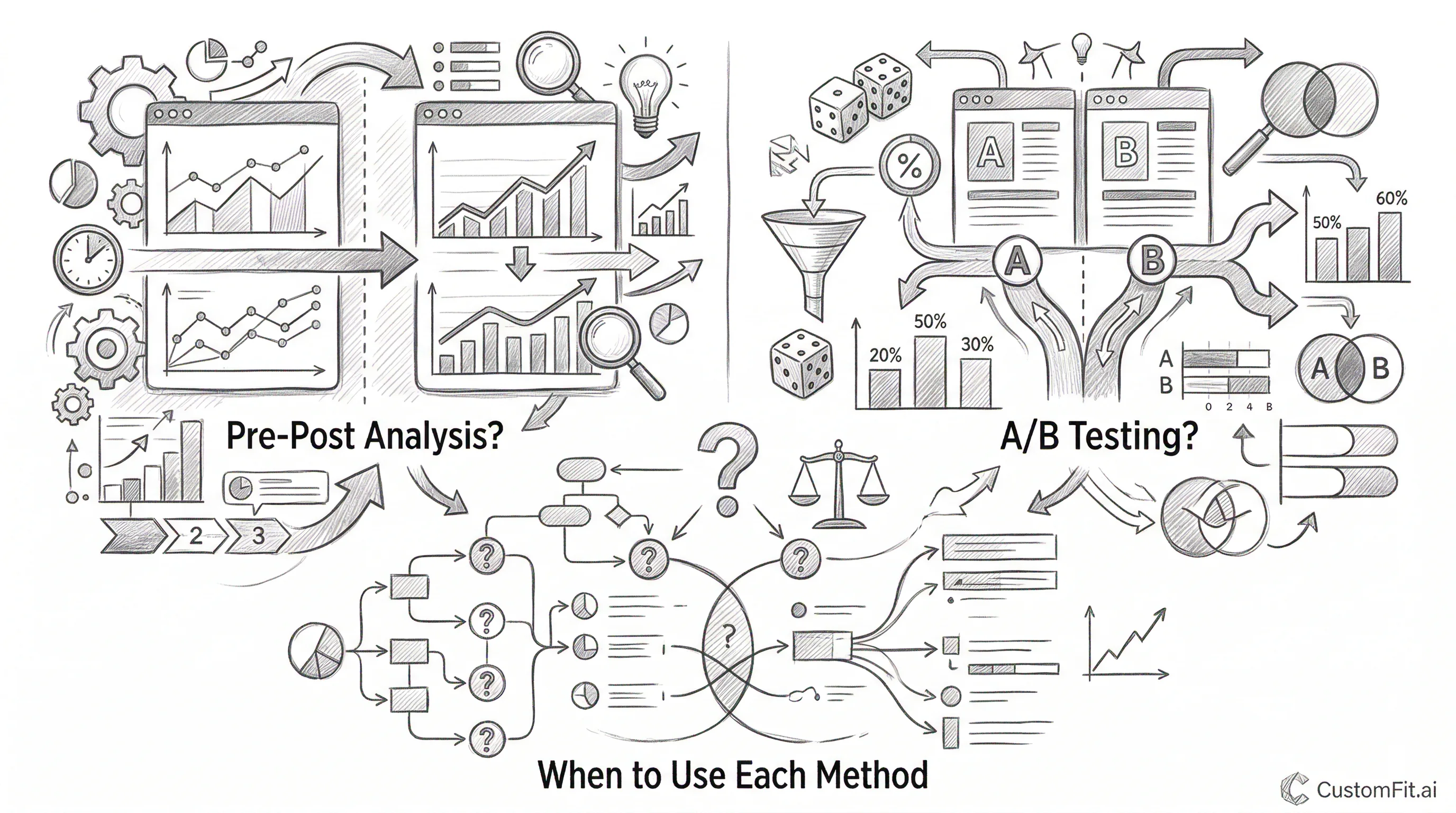
Pre-post analysis measures a metric before and after a change to estimate its impact. A/B testing runs the control and variant simultaneously on randomly split audiences. A/B testing is almost always more reliable because it eliminates confounding factors โ€” seasonality, traffic mix changes, external events โ€” that make pre-post comparisons misleading. Use pre-post analysis only when A/B testing is genuinely impossible; for most Shopify ecommerce changes, A/B testing is feasible with no-code tools.

What Is Pre-Post Analysis?

Pre-post analysis (also called before-after analysis) is exactly what it sounds like: compare a metric before your change and after your change.

Example:

  • April: Conversion rate = 1.8% (old product page layout)
  • May: Conversion rate = 2.3% (new product page layout)
  • Conclusion: The new layout improved CVR by 27.8%

This seems straightforward. But there are multiple explanations for this change other than the product page layout:

  • May had a promotional campaign that April didn't
  • May saw more repeat visitors (who convert higher)
  • Google's algorithm update in late April shifted your organic traffic mix
  • Weather patterns affect buying behavior for your category
  • A competitor ran out of stock in April, sending their traffic to you in May

Pre-post analysis cannot distinguish between the effect of your change and all these external factors. Every pre-post result is potentially confounded.

What Is A/B Testing?

A/B testing runs the control and variant simultaneously โ€” with visitors randomly assigned to each condition.

Same example, as an A/B test:

  • During May (same time period):
  • 50% of visitors see old product page layout โ†’ CVR = 1.8%
  • 50% of visitors see new product page layout โ†’ CVR = 2.3%
  • Conclusion: The new layout improved CVR by 27.8%

Because both groups experience the same external environment simultaneously โ€” the same promotional campaigns, the same traffic sources, the same competitor activity, the same seasonal patterns โ€” the only systematic difference between them is the page layout. The 0.5 percentage point CVR difference is attributable to the layout, not to external factors.

This is why A/B testing is the gold standard for measuring the impact of changes.

When Pre-Post Analysis Fails

Seasonality confounding: Indian D2C stores see dramatically different conversion behavior across the year. Comparing a product page in January (post-Diwali lull) to March (festive gifting picks up) will produce CVR differences entirely explained by seasonality โ€” nothing to do with any page change.

Traffic mix shifts: If you launched a new paid social campaign the same week as your product page redesign, your traffic mix changed simultaneously with your page change. More paid social traffic typically means lower conversion rates (colder audience). Your new page might actually be better, but the traffic mix change masks the improvement.

External events: A competitor running a heavy discount sale, a major news event affecting consumer confidence, a platform algorithm change โ€” any of these can shift conversion rates independent of anything you did to your site.

Novelty effects: Users who see a significantly changed page often behave differently in the first few days simply because it's new. A pre-post comparison that captures this novelty effect overestimates the true long-term benefit of a change.

When Pre-Post Analysis Is Acceptable

Despite its limitations, pre-post analysis is sometimes the only available method:

Full site redesigns: If you're completely replacing your website with a new design, you can't run half your traffic on the old site and half on the new site simultaneously (at least not easily). Pre-post is your only option โ€” though you should control for seasonality by comparing the same period year-over-year.

Backend-only changes: If you change your personalization algorithm, pricing engine, or recommendation system in a way that can't be shown to only a subset of visitors, pre-post (or a holdout group design) may be necessary.

Testing changes to the checkout on standard Shopify: Standard Shopify checkout pages have limited customization options. Some changes can't be A/B tested on standard Shopify. Pre-post analysis with careful seasonality controls is the fallback.

Small, stable businesses: If your traffic is extremely stable week-over-week (no seasonality, consistent traffic sources, no marketing campaigns), and you make changes during an unusually stable period, pre-post analysis is more reliable โ€” though still inferior to a proper A/B test.

Making Pre-Post Analysis More Rigorous

If you must use pre-post analysis, these approaches reduce (but don't eliminate) confounding:

Extend the analysis window. Comparing single weeks is highly susceptible to random variation. Compare 4 weeks before vs 4 weeks after to average out weekly cycles.

Compare to the same period last year. Instead of February this year vs March this year, compare February this year vs February last year, and March this year vs March last year. The year-over-year comparison controls for seasonal patterns.

Difference-in-differences (DiD). If you have a comparable "control" metric that shouldn't be affected by your change, measure both metrics before and after. The difference between the two differences is a more rigorous estimate of your change's effect.

Example: Your test changed the product page for Product A (โ‚น999 skincare serum). Product B (โ‚น999 vitamin serum, same price, same category) served as a control โ€” you didn't change its page. If Product A CVR increased 0.5pp while Product B CVR increased 0.2pp over the same period, the DiD estimate of your page change's effect is 0.3pp โ€” the excess improvement not explained by baseline trends.

Control for traffic source mix. If your traffic source mix changed between before and after periods, segment your pre-post analysis by source (organic, paid, direct) and compare each segment separately.

Pre-Post Analysis in D2C Ecommerce: A Practical Framework

For Indian D2C brands considering pre-post analysis:

Step 1: Ask whether A/B testing is possible. With CustomFit.ai on Shopify, the vast majority of changes โ€” product page layout, copy, trust signals, CTAs, collection page design โ€” can be A/B tested with no developer involvement. If A/B testing is possible, use it.

Step 2: If A/B testing isn't possible, define your analysis window. Use 4 weeks before and 4 weeks after. Avoid windows that span festive seasons or major promotional periods.

Step 3: Document external factors. List every other change that happened during the analysis window โ€” new campaigns, competitor activity, platform changes, inventory changes. Qualitatively assess their likely impact on your metrics.

Step 4: Segment your analysis. Look at mobile vs desktop separately, new vs returning visitors separately. If the pre-post effect appears in all segments equally, it's more likely attributable to your change (since confounding factors typically affect segments differently).

Step 5: Report uncertainty explicitly. Don't claim "this change drove a 15% CVR increase." Say "conversion rate increased 15% in the period after the change, though we cannot rule out other factors given the analysis method."

Tips and Best Practices

Default to A/B testing. With no-code tools like CustomFit.ai making A/B testing accessible to Shopify stores without developers, there's rarely a valid excuse for using pre-post analysis for standard ecommerce page changes. Pre-post analysis should be a last resort, not a default.

Never use pre-post to "validate" a change you've already made. The most common pre-post analysis mistake is running it after a change to confirm it worked โ€” when you're psychologically invested in seeing a positive result. This is the most dangerous form of confirmation bias in ecommerce analytics.

Use pre-post during stable baseline periods only. If you can identify a 2-week window where traffic, campaigns, and external factors are unusually stable, pre-post analysis during that window is more reliable. Avoid holiday periods, post-campaign normalizations, and platform update windows.

Quantify the uncertainty. Use confidence intervals even for pre-post analysis. A 0.5 percentage point CVR increase with confidence intervals of +/-0.8 percentage points tells a very different story than the point estimate alone.

Key Takeaways

  • Pre-post analysis compares before and after a change; A/B testing runs control and variant simultaneously. A/B testing eliminates confounding; pre-post analysis cannot.
  • Seasonality, traffic mix changes, and external events routinely produce pre-post differences of 20โ€“50% with no actual causal relationship to site changes.
  • Use pre-post only when A/B testing is genuinely impossible โ€” full site redesigns, backend algorithm changes, standard Shopify checkout.
  • Difference-in-differences is a more rigorous alternative to simple pre-post when control metrics are available.
  • With CustomFit.ai on Shopify, A/B testing requires no developer โ€” making pre-post analysis unnecessary for the vast majority of D2C store optimizations.