CustomFit.ai — Website personalization, A/B testing and CRO for Shopify and D2C
Product
Features
✱
Website Personalization
Adapt to each visitor's behavior & intent
⧖
A/B & Multivariate Testing
Rigorous experimentation
✨
AI CopilotNEW
Personalize with a prompt
🤖
AI WingmanNEW
Auto-optimize toward winners
🎯
AI Conversion OptimizerNEW
GPT-grade test ideas
✎
No-Code Visual Editor
Drag-and-drop edit any element
▦
Product Recommendations
Personalized recs that lift AOV
⚑
Feature Flags
Ship safely with kill-switches
◧
Chrome Extension
Edit your store in the browser
⧉
Shopify, WooCommerce & more
All platform integrations
View all features →
Use Cases
$
Price A/B Testing
Test price points to maximize revenue
▦
Theme A/B Testing
Compare whole layouts & designs
🗂
Template A/B Testing
Test whole PDP/PLP templates
🏷
Discount A/B Testing
Find the offer that converts
🚚
Shipping A/B Testing
Thresholds, speed & copy
✍
Content A/B Testing
Copy, images & reviews
💳
Checkout Gateway A/B
Payments & one-click
⌖
Geo-Based Personalization
Per-location content & offers
⚡
Buyer-Intent Nudges
Exit-intent & retargeting
↔
Split-URL / Redirection
Full-page redirect tests
View all use cases →
Solutions & Guides
⤢
Conversion Rate Optimization
The complete CRO guide
⧖
A/B Testing Software
Buyer's guide for D2C
🛒
Cart Abandonment Recovery
Win back lost carts
📰
Landing Page Optimization
Convert more paid traffic
S
Shopify A/B Testing
Test your store, no code
S
Shopify Personalization
Tailor the store per shopper
◔
First-Time Visitor Offers
Convert new shoppers with trust & offers
★
Repeat-Customer Experiences
Reward and re-engage loyal buyers
◎
Campaign-Matched Pages
Match the landing page to the ad
⌖
Location-Based Experiences
Currency, language & regional offers
Explore CRO →
Customer stories
GIVA
+32%
conversion via personalized recs
GIVA
Mamaearth
+18%
revenue lift from PDP A/B tests
ME
The Sleep Company
+24%
AOV from product recommendations
TSC
Read customer stories →
Integrations
SWsfGA+15
✦
Not sure where to start?
Let AI Copilot pick your first tests

“We wake up to evidence-backed tests ready to deploy — not a backlog of maybe ideas.”

AN
Anirudh S.
Growth · Chargebee
★★★★★4.8on G2 · 2,400+ brands
Talk to our team →
Widgets
Integrations
Ecommerce & Checkout
Shopify
Shopline
Shoplazza
GoKwik
ShopFlo
Razorpay Magic Checkout
Breeze
Shiprocket
View all integrations →
Analytics & Behavior
Google Analytics 4
Microsoft Clarity
Hotjar
Mixpanel
Amplitude
Heap
Adobe Analytics
Segment (CDP)
View all integrations →
Engagement, CRM & More
Klaviyo
MoEngage
CleverTap
WebEngage
HubSpot
Salesforce
Slack
Meta Ads
View all integrations →
CustomersPricing
Resources
CRO
▤
Playbooks
Proven strategies to boost conversions
🎙
Interviews
D2C leaders & marketing experts
▶
Webinars
Live deep dives & product sessions
Learn
✎
Blog
Tips, experiments & best practices
📕
Free E-Books
Mastering personalization
📖
Conversion Glossary
Every CRO term, defined
✦AI CopilotNEWLog inBook a demo
Start free trial
Select your platform — Install in 2 minsWe'll tailor the setup
⚡ Risk-free 14-day trial · No credit card · Cancel anytime
S
Shopify
Install from Shopify App Store
›
W
WooCommerce
Install the WooCommerce plugin
›
B
BigCommerce
Install from BigCommerce App Marketplace
›
SL
Shopline
Install from Shopline App Store
›
M
Salesforce / Magento
Install from the marketplace
›
SZ
Shoplazza
Install from Shoplazza App Store
›
WP
WordPress / Webflow
Install plugin or paste the script
›
◧
Others
Custom-built on React, Next.js, etc.
›
Tip: pick your platform — we handle the restBook a demo →
Product
Website PersonalizationA/B & Multivariate TestingAI CopilotAI WingmanAI Conversion OptimizerNo-Code Visual EditorProduct RecommendationsFeature FlagsView all features →
Use Cases
Price A/B TestingTheme A/B TestingTemplate A/B TestingDiscount A/B TestingShipping A/B TestingContent A/B TestingCheckout Gateway A/BGeo-Based PersonalizationBuyer-Intent NudgesSplit-URL / Redirection
Solutions & Guides
Conversion Rate OptimizationA/B Testing SoftwareCart Abandonment RecoveryLanding Page OptimizationShopify A/B TestingShopify Personalization
Explore
WidgetsIntegrationsCustomersPricing
Resources
BlogPlaybooksWebinarsInterviewsE-BooksConversion Glossary
Platforms
ShopifyShoplineShoplazzaChrome ExtensionAll integrations
Start free trialBook a demo
Home›Blog›experimentation›Experimentation Roadmap: Prioritize What to Test

Experimentation Roadmap: Prioritize What to Test

SJSapna JoharHead of Growth & CRO, CustomFit.aiJanuary 15, 20259 min read
On this page
  1. Why Prioritization Determines Your CRO Results
  2. Step 1: Map Your Conversion Funnel
  3. Step 2: Generate Hypotheses
  4. Step 3: Score and Prioritize Your Test Ideas
  5. Step 4: Build Your Roadmap Document
  6. Step 5: Manage Test Velocity
  7. Managing the Roadmap in Practice
  8. Roadmap Pitfalls to Avoid
  9. The Roadmap as a Communication Tool
  10. How CustomFit.ai Supports Your Roadmap
  11. Tips and Best Practices
  12. Key Takeaways
0%
Experimentation Roadmap: Prioritize What to Test

From the conversion glossary

Concepts referenced in this article, defined.

Definition
What Is Hypothesis? Definition & Guide
Definition
What Is Significance? Definition, Formula & Guide
Definition
What Is Variant? Definition, Formula & Guide
Definition
What Is Test Velocity? Definition & Guide
Definition
What Is Category Page? Definition & Guide
← Back to Experimentation guide
Try CustomFit.ai

Run A/B tests and personalize your store without code. 14-day free trial, no credit card.

Start free trial →
Share
XLinkedInEmail

Related articles

experimentation

Testing Velocity: How Many Tests Should You Run?

Sapna Johar· 8 min read
experimentation

Testing Culture: Getting Buy-In from Leadership

Sapna Johar· 8 min read
experimentation

Quarterly CRO Review: What to Measure

Sapna Johar· 8 min read

Start lifting conversions today.

Run rigorous A/B tests and personalize every visit on Shopify or any storefront — no engineers required.

Start free trialBook a demo

Built for every D2C category

🧴
Skincare
💄
Beauty
🌿
Wellness
☕
F&B
👟
Apparel
💍
Jewelry
🛋️
Home
🍼
Baby
Live · Right now
Mamaearth — free-shipping band +12.4% AOVGIVA — festive collection page +34% revenueBellavita — PDP CTA test +27.4% CVRKapiva — Quiz-driven recs +9.48% CTRThe Sleep Co — landing personalized 2× capturesPlum — Returning shopper swap +18.2% CVRMamaearth — free-shipping band +12.4% AOVGIVA — festive collection page +34% revenueBellavita — PDP CTA test +27.4% CVRKapiva — Quiz-driven recs +9.48% CTRThe Sleep Co — landing personalized 2× capturesPlum — Returning shopper swap +18.2% CVR
Get in touch

Tell us about your store.

We reply within an hour during business hours. No sales pitch, no spam — just answers from someone who's seen 2,400+ D2C stores.

✓ Reply within 1 hour✓ No spam, ever✓ Free demo & setup help
✓ Thanks! We'll be in touch shortly.
CustomFit.ai

The all-in-one website personalization, A/B testing & CRO platform for high-growth D2C brands. Made by marketers, fueled by coffee.

in𝕏◎▶f
Product
  • Features
  • A/B Testing
  • Personalization
  • AI Copilot
  • AI Wingman
  • AI Conversion Optimizer
  • Feature Flags
  • Widgets
  • Integrations
  • ROI Calculator
Platforms
  • Shopify
  • Shopline
  • Shoplazza
  • Salesforce
  • Chrome Extension
  • All Integrations
Resources
  • Blog
  • Playbooks
  • Webinars
  • GrowthFit Interviews
  • Free E-Books
  • Conversion Glossary
  • Case Studies
Compare
  • vs VWO
  • vs Optimizely
  • vs Google Optimize
  • vs Mutiny
  • vs Intelligems
  • vs Shoplift
  • vs AB Tasty
  • vs Convert
  • vs Kameleoon
Company
  • About Us
  • Partners
  • CustomFit Awards
  • Recognition
  • Contact
  • Privacy Policy
  • Terms & Conditions
© 2026 CustomFit.ai · Valley Monks Pvt Ltd · Made by marketers, fueled by coffee, and obsessed with conversions.
SOC 2 Type II · GDPR · CCPA · ISO 27001

An experimentation roadmap answers one critical question: given limited time and traffic, which tests will move the needle most? Without a roadmap, teams test whatever is top of mind—often small changes on low-traffic pages that take months to conclude and yield marginal results. With a roadmap, you systematically identify your biggest conversion leaks, generate hypotheses to fix them, and run tests in order of potential impact. This guide shows you how to build and maintain one.

Why Prioritization Determines Your CRO Results

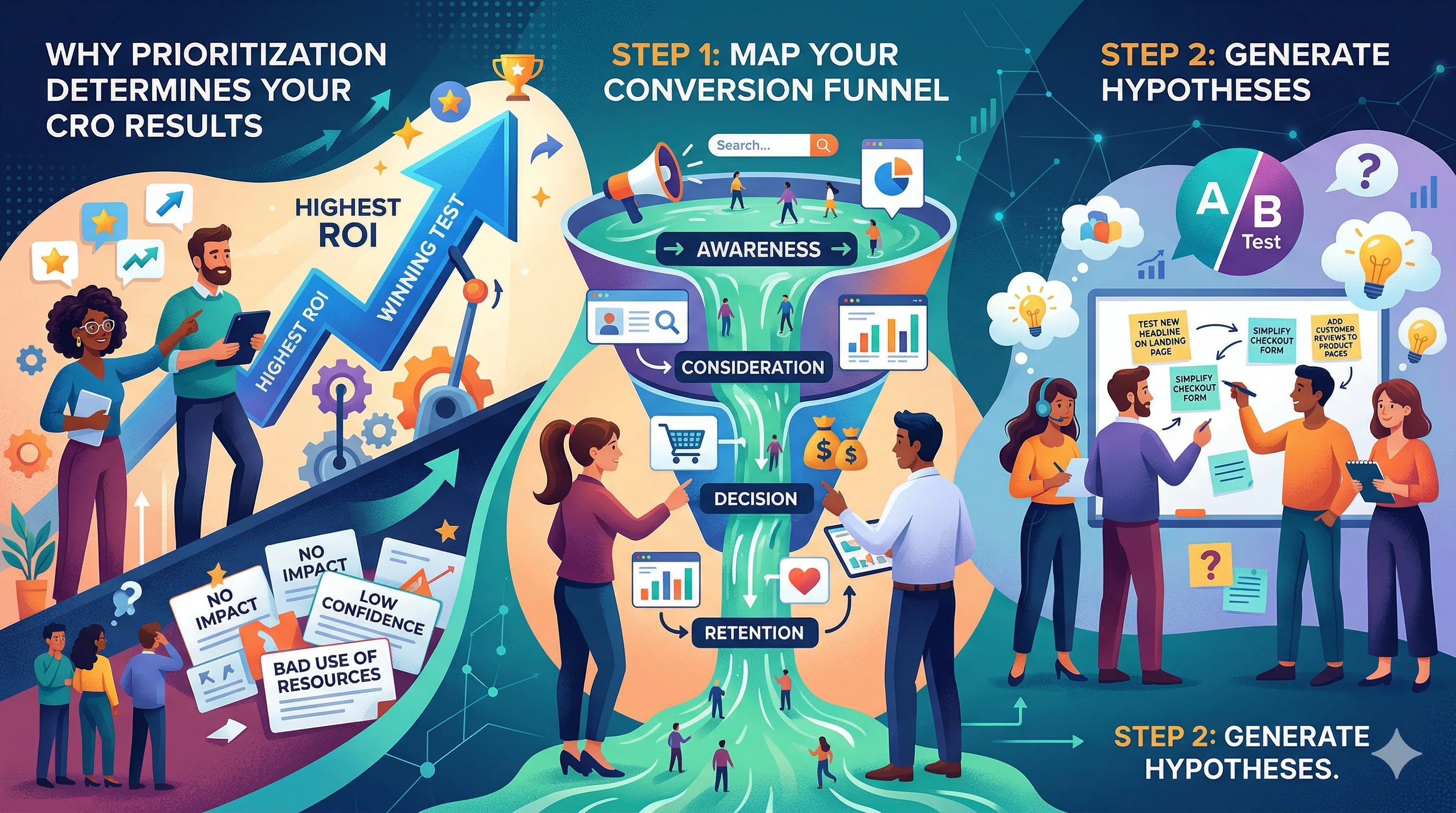
Every test you run costs something: traffic (which can't be recaptured), time (to design, build, and monitor), and opportunity cost (what else you could have tested). Running low-impact tests on low-traffic pages is expensive in all three ways.

The brands that compound conversion rate improvements over time do so because they relentlessly test the right things in the right order. A 5% lift on your highest-traffic page is worth 50x the same lift on a niche category page. Prioritization is the multiplier.

Step 1: Map Your Conversion Funnel

Before you can prioritize what to test, you need a clear picture of where you're losing visitors.

Build a basic funnel map in GA4:

  1. Landing page / Homepage → Session start
  2. Product category page → Category view
  3. Product detail page → Product view
  4. Add to cart → ATC event
  5. Checkout initiated → Checkout start
  6. Payment step → Payment info submitted
  7. Order confirmation → Purchase

For each step, calculate:

  • Drop-off rate (what percentage leave at this step)
  • Volume (how many visitors reach this step per week)

Prioritization formula: Impact = Drop-off rate × Volume

A step with 70% drop-off but only 100 visitors per week is less valuable to test than a step with 25% drop-off and 5,000 visitors per week. The math: 70 vs. 1,250 people dropping off. Fix the bigger leak first.

Step 2: Generate Hypotheses

For each major drop-off point, generate 3–5 hypotheses. A hypothesis is not "let's test the button color." It's a specific, rationale-backed idea:

Hypothesis structure: "Because [specific observation], we believe [specific change] will improve [specific metric] for [specific audience]."

Sources for hypothesis generation:

GA4 data:

  • High exit rates on specific product pages (content or UX problem?)
  • Low ATC rate on mobile vs. desktop (mobile UX problem?)
  • Checkout drop-off at payment step (trust signals, payment options?)
  • High time-on-page but low conversion (curiosity but unresolved doubt?)

Heatmaps and session recordings:

  • Are users clicking non-clickable elements? (Expects something to be clickable that isn't)
  • Are users scrolling past the CTA without clicking? (CTA placement problem)
  • Are users rage-clicking on a particular element? (Broken element or confusing design)
  • Are mobile users pinching and zooming? (Content not mobile-optimized)

Customer surveys:

  • "What almost stopped you from buying?" — reveals friction points
  • "What did you wish you could see on the product page?" — reveals information gaps
  • "How did you decide [Product] was right for you?" — reveals the persuasion triggers to amplify

Support tickets and reviews:

  • Recurring questions = information missing from the page
  • Recurring complaints = broken experience or unmet expectation
  • "I almost didn't buy because..." = testable friction points

Competitor and best-practice analysis:

  • What are top-performing D2C brands in your category showing on their PDPs that you're not?
  • What trust signals (certifications, reviews, media mentions) are they featuring more prominently?

Step 3: Score and Prioritize Your Test Ideas

Two frameworks for scoring: PIE and ICE. (Full comparison →)

PIE Framework:

CriterionScore (1–10)
Potential — How much can this improve conversion?
Importance — How much traffic does this affect?
Ease — How easy is this to implement?

Average the three scores. Test in descending order.

Example scoring:

Test IdeaPotentialImportanceEasePIE Score
Mobile checkout simplification8967.7
Product page trust badge test6998.0
Homepage hero image variant51087.7
Category page filter UX7645.7
Exit intent popup6787.0

Run the trust badge test first (highest PIE score), even though homepage traffic is highest—ease and importance combination wins.

Step 4: Build Your Roadmap Document

A simple roadmap structure:

Columns: Test ID | Hypothesis | Page | Primary Metric | Priority Score | Status | Start Date | End Date | Result

Statuses:

  • Backlog: Idea documented, not yet scored or scheduled
  • Prioritized: Scored and in the queue
  • In Design: Variant being created
  • In QA: Variant built, being tested before launch
  • Live: Test running
  • Concluded: Test finished, results documented
  • Implemented: Winning variant deployed

Keep 3–5 tests in "Live" status at any time (assuming traffic supports concurrent tests without interference). Keep 10–20 in "Prioritized" so you always have a next test ready.

Step 5: Manage Test Velocity

Test velocity—how many tests you run per month—compounds your learning rate. A team running 4 tests per month learns 4x faster than one running 1 per month. Over a year, that's 48 vs. 12 learnings.

What determines your test velocity:

  • Traffic volume: Low-traffic stores can only run 1–2 tests at a time. High-traffic stores can run multiple concurrent tests on different page types.
  • Implementation speed: No-code tools like CustomFit.ai dramatically reduce time from hypothesis to live test. What used to take 2 weeks of developer time takes 2 hours.
  • QA time: Build a QA checklist so you don't spend days checking variants manually every time.
  • Analysis time: Templatize your results analysis so documenting a concluded test takes 30 minutes, not 3 hours.

Managing the Roadmap in Practice

Weekly cadence:

  • Review live tests: any technical issues? On track for significance?
  • Move "Prioritized" tests into "In Design" to keep the pipeline moving
  • Add new ideas from the research queue

Monthly cadence:

  • Review all concluded tests from the past month: what did we learn?
  • Update PIE scores on backlog items in light of new data
  • Replenish backlog with new hypotheses from ongoing research

Quarterly cadence:

  • Review your testing focus areas: are you spending most tests on your highest-traffic pages?
  • Retrospective: which tests surprised you? What does that reveal about your assumptions?
  • Realign roadmap with business priorities (new product launches, seasonal focus shifts)

Roadmap Pitfalls to Avoid

Testing opinions, not hypotheses: "Let's test a different header image because the CEO prefers it" is not a hypothesis. Every test needs a data-backed rationale.

HIPPO-driven priority changes: The highest-paid person's opinion shouldn't override PIE scores. If leadership wants to run a test, add it to the backlog, score it, and let the process determine when it runs.

Stopping tests at promising interim results: Early wins are noise. A test that shows +15% at day 3 may revert to +2% or −3% by the time it reaches significance. The roadmap should have a minimum run time (typically 2 weeks minimum, or significance + 2 weeks).

Ignoring losing tests: A test that doesn't improve conversion is not a failure—it's data. Document why you thought it would work, why it didn't, and what you'd test next as a result.

Running too many concurrent tests: If your site has 10,000 monthly sessions and you're running 5 concurrent tests, each test is getting 2,000 sessions per test—barely enough for most tests to reach significance in a reasonable timeframe. Better to run 2 focused tests concurrently and conclude them faster.

The Roadmap as a Communication Tool

Your experimentation roadmap is also a stakeholder communication tool. Sharing it with leadership monthly communicates:

  • What the team is working on
  • Why these tests were prioritized
  • What you've learned from concluded tests
  • How testing connects to revenue impact

Teams that share their roadmap transparently get more organizational support for testing—which means more budget, faster approvals, and a culture that values data over opinion.

How CustomFit.ai Supports Your Roadmap

CustomFit.ai's dashboard shows all active and concluded tests in one place—essentially a live view of your roadmap status. For Shopify brands:

  • Create tests from the visual editor without developer involvement
  • Assign tests to pages, segments, or traffic sources
  • Monitor statistical significance in real time
  • Review concluded test results with side-by-side variant performance

This visibility means you can manage your testing roadmap and execution in the same tool, reducing the administrative overhead that slows many CRO programs.

Build your first test on CustomFit.ai →

Tips and Best Practices

  • Test on your highest-traffic pages first. Volume is what gives you statistical significance fast. Low-traffic page tests drag on for months and consume attention without yielding usable data.
  • One variable per test. Testing multiple changes simultaneously makes it impossible to know what drove the result. If you want to test layout AND copy AND button color, that's three tests, not one.
  • Write hypotheses before looking at early results. Confirmation bias is real. Know what you expect to see before you look at the data.
  • Keep a "never test again" list. If a hypothesis type has been tested 3 times with the same conclusion, stop testing it. Some questions are answered.
  • Time your roadmap to your traffic calendar. Don't plan a major test for the week before Diwali when traffic composition changes drastically.

Key Takeaways

  • An experimentation roadmap prioritizes the highest-impact tests based on data, not opinion or convenience
  • Build your roadmap by mapping the conversion funnel, identifying drop-off points, generating hypotheses, and scoring with PIE or ICE
  • Keep 3–5 tests live at once and 10–20 in the prioritized backlog to maintain velocity
  • Test velocity compounds: 4 tests per month over a year builds dramatically more learning than 1 per month
  • Weekly, monthly, and quarterly cadences keep the roadmap current and aligned with business priorities
  • No-code tools like CustomFit.ai compress the time from hypothesis to live test, which is the primary constraint for most CRO teams