From the conversion glossary
Concepts referenced in this article, defined.
Concepts referenced in this article, defined.
Run rigorous A/B tests and personalize every visit on Shopify or any storefront — no engineers required.
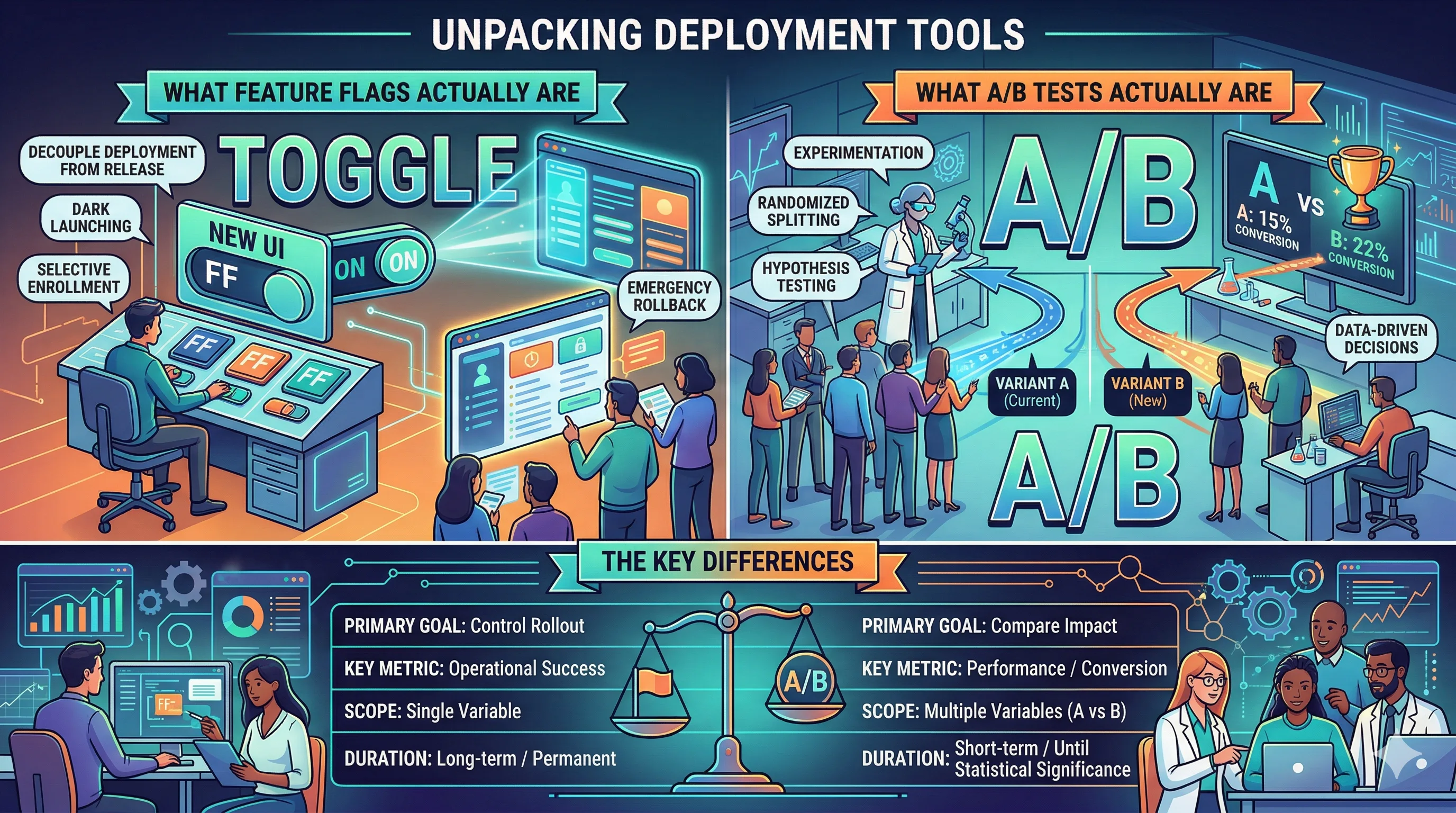
Feature flags and A/B tests both control what users see on your site, but they serve different purposes: feature flags are deployment tools (control who sees what), and A/B tests are measurement tools (determine which variant produces better outcomes). The confusion arises because they can be combined — a feature flag can serve as the infrastructure for an A/B test — and because both involve showing different experiences to different users. Knowing when to use each (or both) helps ecommerce teams ship faster and measure better.
A feature flag is a configuration switch in your code that controls whether a feature is active for a given user, session, or segment.
The simplest feature flag is boolean:
new_checkout_flow = OFF → users see the old checkoutnew_checkout_flow = ON → users see the new checkoutMore sophisticated flags support gradual rollouts:
And segment targeting:
new_checkout_flow to mobile userspremium_redesign to users who have purchased beforeFeature flags are a software engineering tool primarily. They require code changes to implement. They live in your codebase, not in a marketing dashboard.
An A/B test is a controlled experiment that measures whether a change to your site improves a specific metric.
The experiment infrastructure handles:
An A/B test answers the question: "Is variant B better than control A for metric X, to a statistically acceptable confidence level?"
An A/B test does NOT answer: "How do we safely deploy variant B to all users?" That's where feature flags come in.
| Dimension | Feature Flags | A/B Tests |
|---|---|---|
| Primary purpose | Safe deployment | Impact measurement |
| Primary user | Engineering team | Growth/Marketing/Product |
| Statistical analysis | No | Yes |
| Kill switch | Yes | No (you'd stop the test) |
| Gradual rollout | Yes | Typically 50/50 |
| Time to implement | Requires code | Can be no-code (UI tools) |
| Long-term use | Yes (permanent flags) | Temporary (run until significant) |
| Audit trail for business decisions | Weak | Strong |
New feature launches that need gradual rollout: Your team built a new search experience. You want to roll it out to 5% of users first, watch for errors, then expand. No measurement needed — you're just doing safe deployment. Feature flag is the right tool.
Kill switch for risky changes: You're launching a major checkout redesign. You want to be able to instantly revert if something goes wrong post-launch. A feature flag gives you this control. An A/B test doesn't.
Segment-specific features: Your premium users get early access to a new loyalty dashboard. This isn't an experiment — it's a deliberate product decision. Feature flag, not A/B test.
Infrastructure changes: Migrating from one payment gateway to another. You need to control the rollout and have a fallback. No "which gateway is better" question exists — this is pure deployment control.
Conversion optimization changes: You want to test whether a new CTA copy increases add-to-cart rate. You need statistical measurement, not just deployment control. Use an A/B testing tool like CustomFit.ai.
Design and copy experiments: Testing two homepage hero images, two product description lengths, or two checkout flows for conversion impact. These are measurement questions, not deployment questions.
No-code changes in a marketing context: Your marketing team wants to test a new homepage banner message. They don't have code access and shouldn't need it. A no-code A/B testing tool handles this entirely.
Short-term experiments: You want to test something for 2–4 weeks and make a decision. Feature flags are designed for ongoing deployment management, not temporary experiments. A/B testing tools have clear start/end workflows.
The most powerful pattern combines feature flags for deployment safety with A/B test measurement for impact assessment.
Pattern: Flag-Gated A/B Test
This pattern gives you:
Pattern: Feature Flag for Personalization + A/B Test for Optimization
Use a feature flag to control which user segment sees a personalized experience. Use an A/B test to measure which version of that personalized experience performs better.
Example: Indian D2C brand wants to test a festive Diwali theme for visitors from tier-1 cities. Feature flag controls the segment targeting; A/B test measures whether the Diwali theme version A or version B converts better.
Shopify PDP redesign:
New recommendation algorithm:
Checkout UX change:
No-code marketing test (no feature flags needed):
Feature flag tools:
A/B testing tools:
Combined (flags + experimentation):
For most Indian D2C brands on Shopify, the practical answer is:
Running an A/B test without a kill switch on risky changes: If you're testing a checkout change that could hurt revenue significantly if it fails, you want both a test and a flag. A test alone doesn't let you instantly revert.
Using feature flags as a substitute for A/B testing: Shipping a feature to 50% of users and looking at aggregate metrics is not an A/B test. Proper A/B tests control for time, traffic composition, and statistical noise. Feature flags don't do this by themselves.
Never removing old feature flag code: Flag debt is a real engineering problem. Flags for completed experiments should be removed from the codebase after full rollout. Teams that accumulate flag debt end up with complex, hard-to-maintain code.
Running client-side A/B tests on server-rendered pages: If your Shopify store renders critical content server-side, client-side A/B testing can cause flicker (original content flashes before the variant loads). This is both a UX issue and can confuse test results.